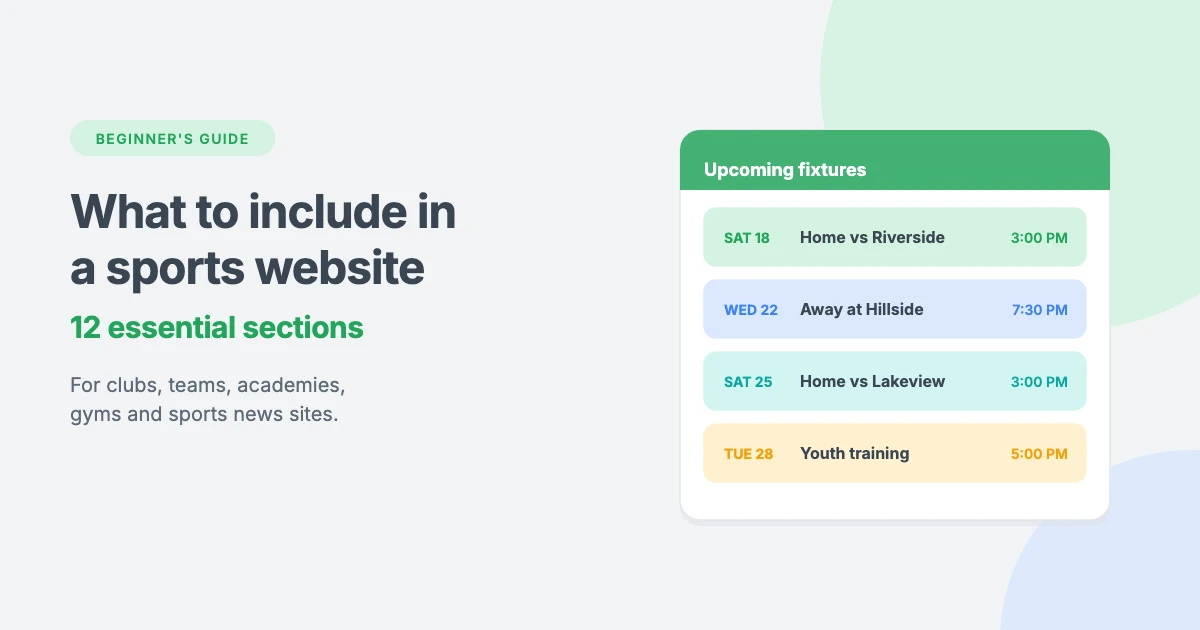
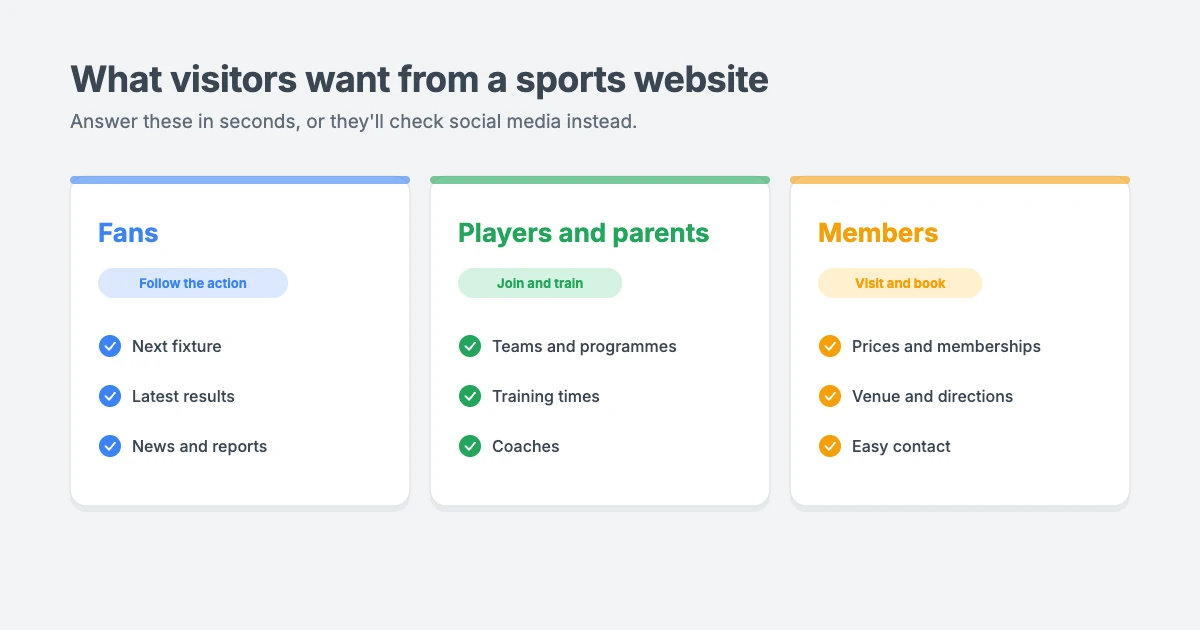
A great sports website does more than look energetic. Fans, players, parents and members visit for something specific: the next fixture, the latest result, a training time, the price of a membership or directions to the ground.
If they can’t find that information in seconds, they’ll leave and check social media instead. That means your website stops doing its job.
In this beginner’s guide, we’ll walk through the 12 essential things to include in a sports website, whether you run a club, a team, an academy, a gym or a sports news site, plus how to build one with WordPress.
Start with what your sports website needs to do
Before you choose a design, think about who will visit your sports website and what they want to do.
- A sports club or team needs fixtures, results, player profiles, news and sponsor information.
- An academy or training centre needs programmes, age groups, coaches, schedules and registration.
- A gym or fitness studio needs classes, trainers, memberships, opening hours and a way to book a trial.
- A sports news site or blog needs fast-loading articles, live updates, categories for each sport and match reports.
Every sports website should quickly answer three questions: what is this, is it for me, and what should I do next? Keep those questions in mind as you plan each section below.
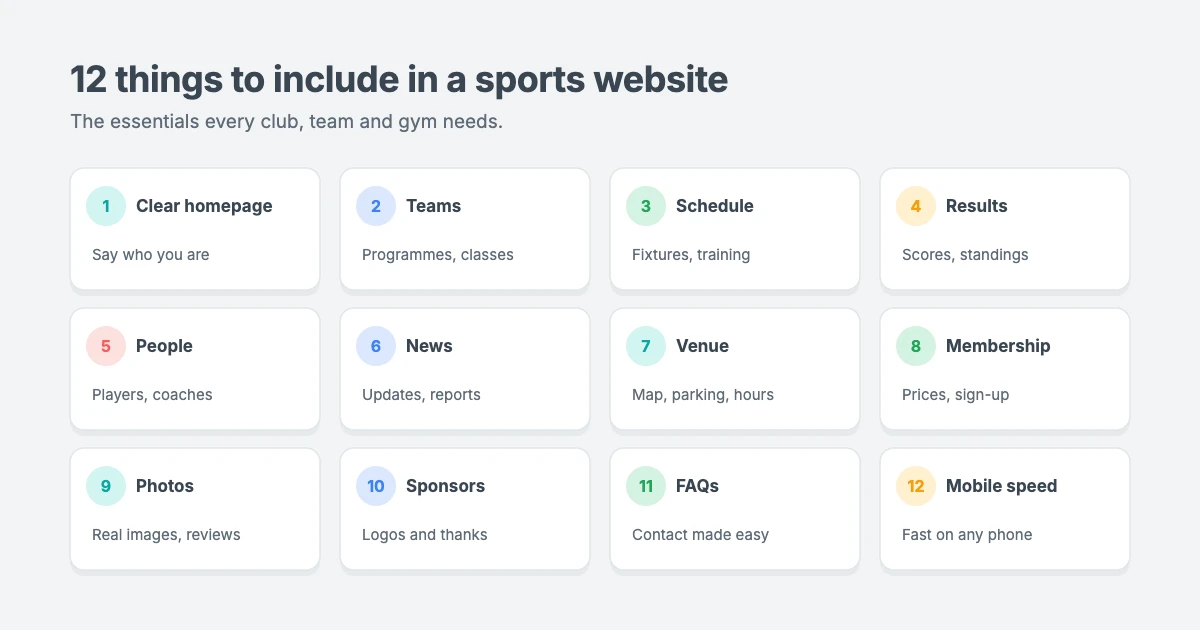
12 essential things to include in a sports website
1. A homepage that explains who you are
Your homepage headline should say exactly what you are. “Welcome to our club” or “Train harder” sounds sporty but tells visitors nothing.
Try something specific, such as “Youth football academy in Kathmandu for ages 6 to 16” or “Riverside Tennis Club: courts, coaching and leagues for all levels”. Add a short description and one or two clear buttons, such as View fixtures, See memberships or Book a trial.
2. Your teams, programmes or classes
Show visitors what they can join, play in or watch. For each team, programme or class, explain:
- Who it’s for, such as age group, gender or skill level
- When and where it takes place
- What’s included, such as coaching, kit or equipment
- How to join
“Beginner tennis” tells visitors very little. “Beginner tennis for adults, Saturday mornings, rackets provided, no experience needed” helps them decide in seconds.
3. A schedule and fixtures list that’s easy to find
The schedule is often the most visited page on a sports website. Put upcoming fixtures, training sessions or classes on your homepage, and link to a full schedule page.
Avoid uploading the schedule as an image or PDF. Text-based schedules are easier to update, easier to read on a phone, and can be found by search engines. Include dates, times, venues and opponents, and mark any changes clearly.
4. Results, standings and match reports
For competitive teams and clubs, results bring fans back again and again. Include:
- Recent results and scores
- League tables or standings
- Short match reports with key moments and photos
- Season statistics, if you track them
Keeping results up to date is one of the easiest ways to make a sports website feel alive.
5. Player, coach and staff profiles
People want to know who they’re supporting, playing with or learning from. Add profiles with a photo, role, position or speciality, experience and qualifications.
For academies, coach profiles build trust with parents. For teams, player profiles help fans connect with the squad. Keep each profile short and up to date, and always get permission before publishing photos or details of young players.
6. News and updates
A news section shows visitors what’s happening right now: signings, events, training camps, new classes, fundraising or community projects.
You don’t need to post every day, but regular updates help your sports website rank in search and give fans a reason to return. Group posts into clear categories, such as Match reports, Club news and Events. Our guide on how to promote your blog has tips for getting more people to read your updates.
7. Venue and facility information
If people need to visit you, tell them what to expect before they arrive. Include your address, a map, parking and public transport details, opening hours, changing rooms, accessibility information and what to bring.
Real photos of your pitch, courts, gym or clubhouse help first-time visitors feel confident.
8. Membership, pricing and registration
Visitors want to know the cost before they contact you. Show membership fees, class prices, season tickets or registration fees clearly, and explain any differences by age, level or season.
Then give them a clear next step: Join now, Register your child, Book a trial session or Buy tickets. If you sell memberships, tickets or kit online, WooCommerce can turn your sports website into an online shop. Our guide on how much WooCommerce costs explains the budget.
9. Real photos, videos and reviews
Stock photos rarely capture the atmosphere of a real club. Use your own photos and short videos from matches, training, events and celebrations.
Add genuine reviews or testimonials from members, players or parents, and place them near the decision they support. For example, put a parent’s quote next to your youth programme, or a member’s review near your gym pricing.
10. Sponsors and partners
Sponsors support many clubs and teams, and a sponsor section helps you keep them happy. Add sponsor logos with links, thank partners in news posts, and consider a “Become a sponsor” page that explains what you offer in return.
11. FAQs and easy contact options
Small questions often stop people from joining. Add an FAQ section that answers common questions, such as what age children can start, whether beginners are welcome, what to wear and how cancellations work.
Then make contact easy, with a short contact form, an email address, a phone number and links to your social media. Keep forms short, because nobody wants to fill in 15 fields on their phone.
12. A fast, mobile-friendly design
Most fans check scores, times and directions on their phones, often on the way to a match. Make sure your sports website:
- Loads quickly, even on mobile data
- Has buttons that are easy to tap
- Shows schedules and tables clearly on small screens
- Puts key information within one or two taps
Speed matters for search rankings too. Our guide on how to improve INP in WordPress explains how to make pages feel faster.
Extra features for growing sports websites
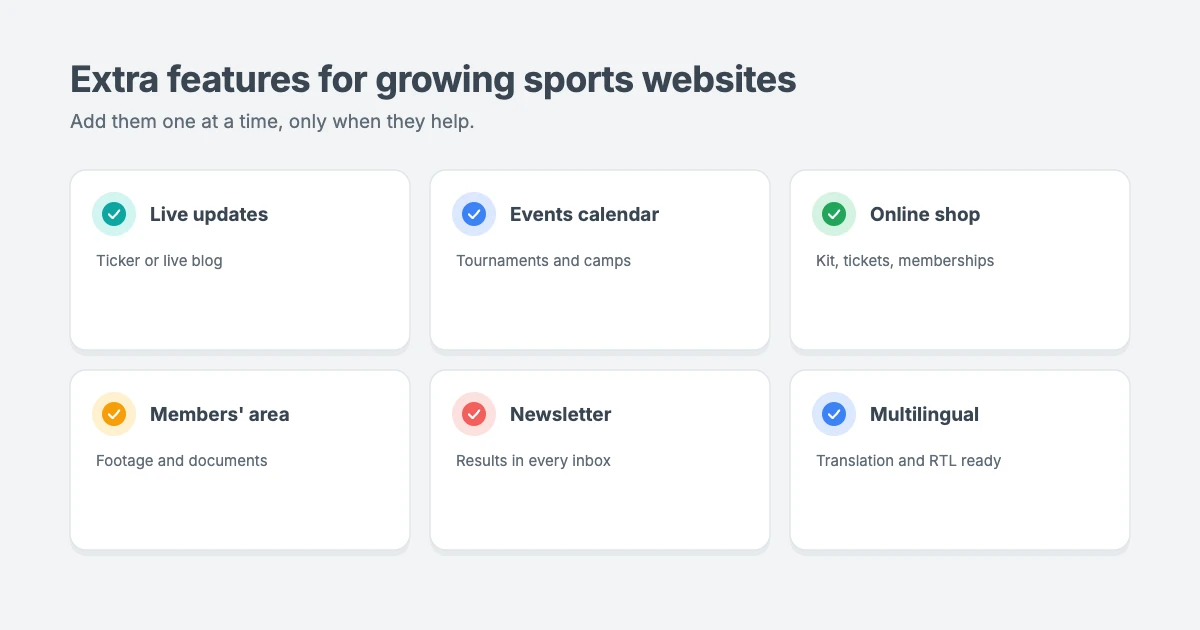
Once the essentials are in place, you can add more:
- Live updates during big matches, using a live blog post or ticker
- An events calendar for tournaments, camps and social events
- An online shop for kit, tickets and memberships
- A members’ area for match footage, training plans or documents
- An email newsletter to share results and news
- Multilingual support for international clubs and fans. Every WPInterface Pro theme is translation ready and RTL compliant, so you can publish in languages such as Arabic or Hebrew too.
Add these one at a time. Each extra feature should make your sports website more useful, not more cluttered.
How to build a sports website with WordPress
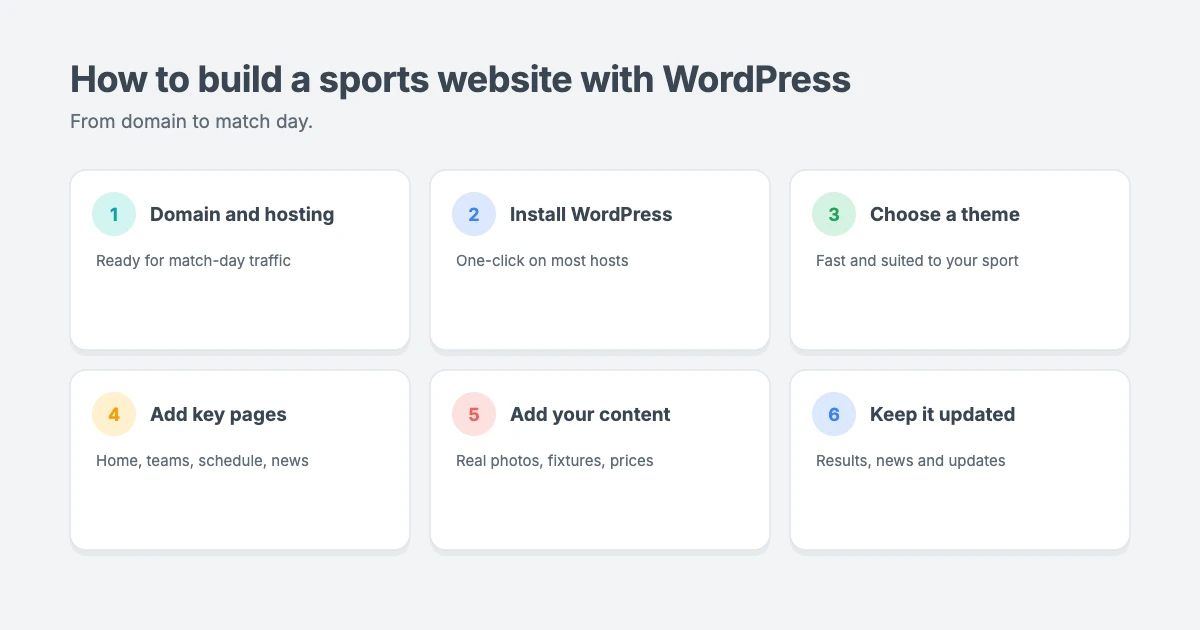
WordPress is a great choice for a sports website, because you own your content and can grow from a simple club site to a busy news or membership site.
- Choose a domain and hosting. Pick a short, memorable domain name and reliable hosting that can handle traffic spikes on match days.
- Install WordPress. Most hosts offer one-click installation.
- Choose a fast, flexible theme. Pick a theme that suits your type of sports website, such as a magazine theme for sports news or a multipurpose theme for a club.
- Add your key pages. Start with the homepage, teams or programmes, schedule, results, news, membership and contact pages.
- Add your content. Replace demo content with your own photos, fixtures, prices and contact details.
- Keep it updated. Update results, fixtures and news regularly, and keep WordPress, your theme and plugins up to date.
WPInterface themes for sports websites
WPInterface Pro themes are lightweight, translation ready and RTL compliant, with design settings in the WordPress Customizer. These three are a great fit for sports websites.
NextZenMag Pro
NextZenMag Pro is a flexible newspaper and magazine theme for news, sports, travel and lifestyle publishers, with a News Flash ticker and a Breaking News list that suit match-day updates.

SpeedNews Pro
SpeedNews Pro is a fast news and magazine theme with a trending ticker, mosaic headlines and three-column layouts, ideal for sports news sites that publish lots of stories every day.

Business Interface Pro
Business Interface Pro is a lightweight multipurpose theme with 12 starter sites and WooCommerce support, a strong starting point for clubs, academies and gyms that want to sell memberships or kit online.

You can see all our themes on the WordPress themes page.
Let our team build your sports website
Want your sports website ready for the new season without the setup work? The WPInterface team can help:
- News & Blog Website Setup: we set up your sports news site or blog with your WPInterface theme.
- WordPress Installation and Theme Setup: for $99, we install WordPress and set up your theme.
- WordPress Theme Customization: we tailor your theme to your club colours and branding.
- WordPress Speed Optimization: we make your site fast for match-day traffic, starting with a free speed audit.
- WordPress Care Plans: updates, backups and monitoring all season long.
Frequently asked questions
What should a sports website include?
A sports website should include a clear homepage, teams or programmes, a schedule, results, player or coach profiles, news, venue details, membership and pricing, photos and reviews, sponsors, FAQs, contact details and a fast, mobile-friendly design.
What pages does a sports team website need?
A sports team website usually needs a homepage, squad page, fixtures, results and standings, news, gallery, sponsors and contact page.
What should a gym or fitness website include?
A gym website should include classes, trainer profiles, memberships and prices, opening hours, facility photos, reviews, FAQs, location details and an easy way to book a trial.
Is WordPress good for sports websites?
Yes. WordPress is flexible, you own your content, and it can grow from a small club website into a busy news site, online shop or membership site.
How do I make my sports website load faster?
Use good hosting, a lightweight theme, compressed images and only the plugins you need. A caching solution also helps your site handle busy match days.
How often should I update my sports website?
Update fixtures and results as soon as they change, and aim to publish news at least a few times a month during the season.
Final thoughts
The best sports website makes the important things easy: what you offer, when it happens, where it is, how much it costs and how to join.
Start with the essentials in this guide, choose a fast theme that suits your sport, and keep your fixtures, results and news up to date. Do that, and your sports website will become the first place fans, players and members check, not an afterthought.
Reactions
How did this make you feel?
Be the first to react
One reaction per visitor. Tap again to change or remove it.




Leave a reply