
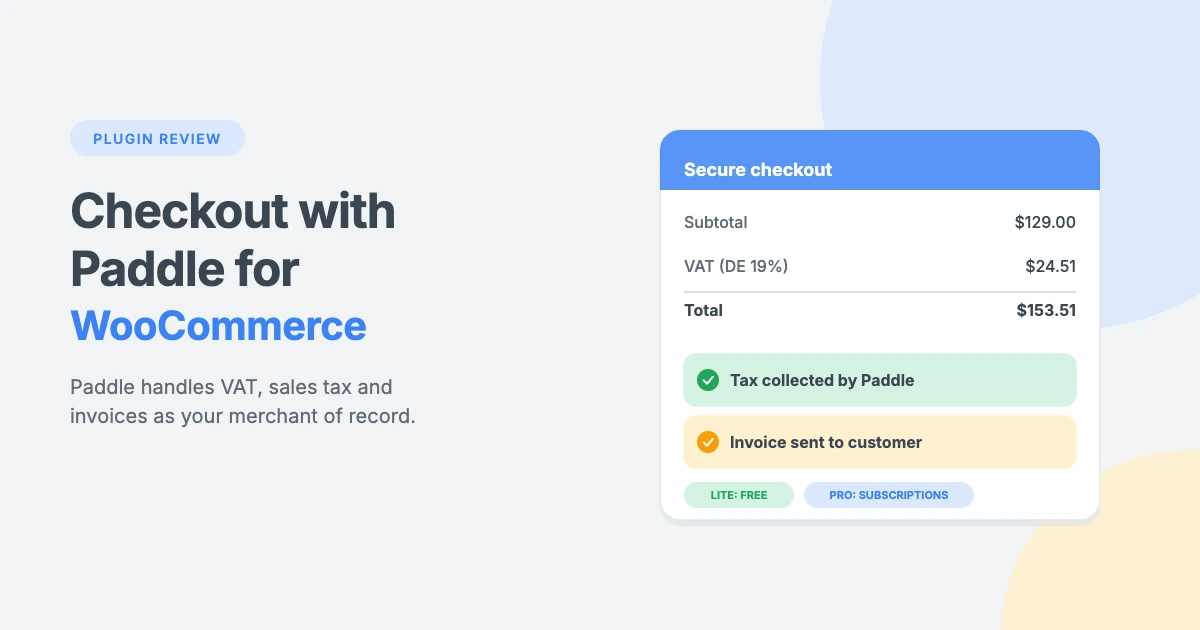
Selling software, memberships or other digital products from a WooCommerce store is easy. Handling the tax that comes with it is not. Every country has its own VAT or sales tax rules, its own filing deadlines and its own invoice requirements. The more countries you sell to, the bigger the job gets.
Checkout with Paddle for WooCommerce connects your store to Paddle, a payment platform that acts as your merchant of record and takes care of tax, invoices and payments for you. In this review, we’ll explain how it works, cover the features of the free Lite version and the Pro version, walk through the setup and help you choose the right version for your store.
Quick verdict: if you sell digital products with WooCommerce and want Paddle to handle VAT, sales tax and invoices worldwide, the free Lite version of Paddle for WooCommerce takes one-time payments with no limits on both the Checkout block and the classic checkout. Upgrade to Pro for WooCommerce Subscriptions, refunds from WordPress, inline checkout and Paddle invoices.
Disclosure: Checkout with Paddle is made by WPInterface, the team that publishes this blog. We’ve kept this review to the facts, including the plugin’s limitations.
What does Paddle as merchant of record mean for your store?
A merchant of record is the business that legally sells the product to the customer. With most payment gateways, that’s you, so you’re responsible for tax and compliance. When Paddle is your merchant of record, Paddle sells to the customer on your behalf. That means Paddle:
- Calculates, collects and pays VAT and sales tax based on where each customer is.
- Issues tax-compliant invoices to your customers.
- Handles payments, fraud checks and chargebacks.
- Pays you your earnings after its fees.
Your WooCommerce store, products, coupons and customers stay exactly where they are. Paddle simply handles the money side, so you don’t have to register for VAT in many countries or file tax returns for each one.
How Paddle for WooCommerce handles VAT and sales tax
With a regular payment gateway, your store is the seller, so you have to work out the right tax rate for every buyer, collect it, file returns and keep records for each country. Using a WooCommerce merchant of record like Paddle moves that work off your plate, because Paddle is the seller.
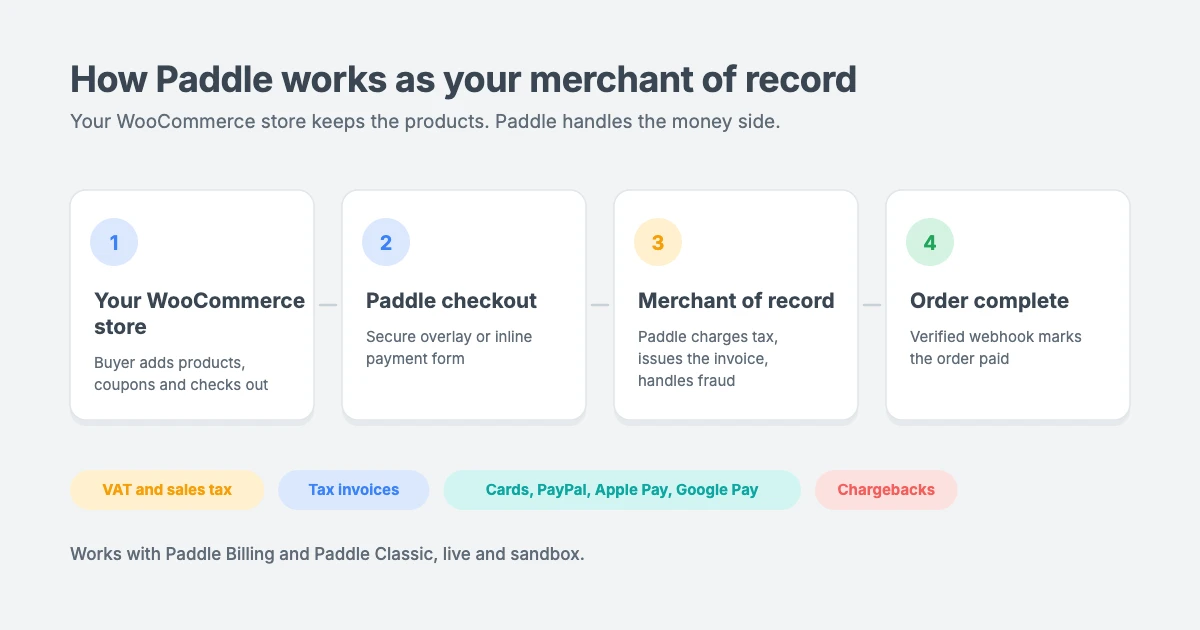
Here’s what happens on a typical order:
- Your buyer adds products to the cart and goes to the Checkout block or classic checkout, where coupons, fees and shipping are applied as normal.
- The Paddle checkout opens and works out the right VAT or sales tax based on where the buyer is.
- The buyer pays Paddle, and Paddle issues a tax-compliant invoice.
- Paddle sends a signature-verified webhook to your site, and WooCommerce marks the order paid.
- Paddle pays out your earnings, after tax and its fees.
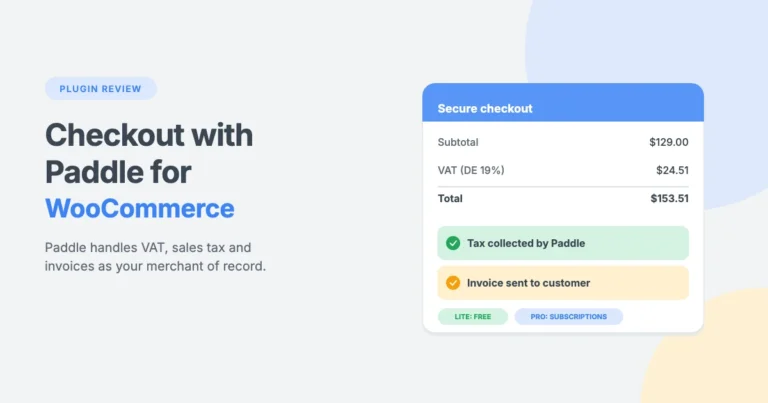
Because Paddle adds the tax itself, you should turn off WooCommerce’s own tax settings. With Pro, every order shows the Paddle total, the tax Paddle collected and your earnings, and customers can open their Paddle invoice from the order confirmation page, My Account and their order emails.
Who is Paddle for WooCommerce for?
Paddle for WooCommerce is a great fit for WooCommerce stores that sell:
- Software, apps and SaaS subscriptions
- Memberships and online courses
- WordPress themes, plugins, templates and other digital downloads
It’s most useful for stores that sell worldwide and want one partner to handle VAT, sales tax and invoices. Paddle is built for digital products, software and SaaS. If you sell physical goods, check Paddle’s acceptable use policy first.
Key features of the free Lite version
The Lite version of Paddle for WooCommerce is free, with no order, revenue or product limits. It takes one-time payments and includes everything you need to sell safely with Paddle.
Works with every WooCommerce checkout
- The Checkout block, the classic (shortcode) checkout and the “Pay for order” page are all supported.
- Overlay checkout. Paddle’s secure checkout opens over your checkout page, so buyers never leave your store.
- No product setup in Paddle. Coupons, fees, shipping, variations and multi-item carts are sent to Paddle line by line.
- Your branding. Choose a light or dark theme, an automatic or fixed checkout language, optional payment icons and your own title and description.
- All Paddle-supported currencies. Paddle is hidden at checkout if your store currency isn’t supported.
- HPOS compatible. The plugin is declared compatible with WooCommerce High-Performance Order Storage and the cart and checkout blocks.
Buyers can pay with cards, PayPal, Apple Pay and Google Pay, depending on what’s enabled in your Paddle account.
Reliability and safety
- Signature-verified webhooks, so nothing else can mark an order paid.
- One-click webhook setup for Paddle Billing.
- Duplicate and simultaneous webhooks are handled, so no order is paid or refunded twice.
- Several stores can share one Paddle account.
- Payment is confirmed directly with Paddle while the buyer waits (Paddle Billing).
- Underpaid, wrong-currency or outdated-checkout payments are flagged instead of marking the order paid.
- A Test connection button, clear admin warnings and logging to the WooCommerce logs.
Refunds
- Refunds made in Paddle, full or partial, are recorded in WooCommerce automatically. On Paddle Billing, this works down to the order line.
- As a WooCommerce Paddle gateway, it also handles manual refunds: a refund recorded first with WooCommerce’s Refund manually button is matched to the Paddle refund that follows, so it isn’t recorded twice.
A helpful admin dashboard
The WooCommerce » Paddle page shows a setup checklist, your last 30 days of Paddle sales, quick links and a Lite vs Pro comparison. A Help & support tab includes documentation, an FAQ and copyable system info, and a basic Paddle box appears on the WooCommerce order screen.
What Paddle for WooCommerce Pro adds
Paddle for WooCommerce Pro adds the features that subscription businesses and busy stores need. It uses the same settings, order data and webhook URL as Lite, so upgrading is seamless. Activating Pro deactivates Lite, and nothing has to be set up again.
WooCommerce Subscriptions billed by Paddle
Paddle WooCommerce subscriptions run through the WooCommerce Subscriptions extension, and Paddle schedules and collects every payment:
- Free trials, sign-up fees and renewals, all billed by Paddle.
- Each renewal becomes a WooCommerce renewal order and moves the next payment date.
- Failed payments put the subscription on hold until Paddle collects.
- Cancellations and pauses made in Paddle are applied in WooCommerce. Cancelling, suspending or reactivating in WooCommerce is sent to Paddle.
- Customers update their card on Paddle’s secure page from their subscription in My Account.
- A Paddle box appears on the subscription screen.
Refunds and disputes from WooCommerce
- Click Refund via Paddle on the WooCommerce order screen to refund the whole order or single products.
- Refunds made in the Paddle dashboard are still recorded automatically.
- If Paddle rejects a refund, the order gets a clear note, so you can refund another way.
- Chargebacks and disputes put the order on hold automatically.
Inline checkout
Pro can embed Paddle’s payment form right in your checkout page, on both the Checkout block and the classic checkout. The overlay is still available if you prefer it.
Invoices, reporting and support
- Paddle invoices for customers on the order confirmation page, in My Account and in order emails.
- The Paddle total, tax and your earnings on every order.
- A “Check payment with Paddle” button.
- A licence key for automatic updates and priority support.
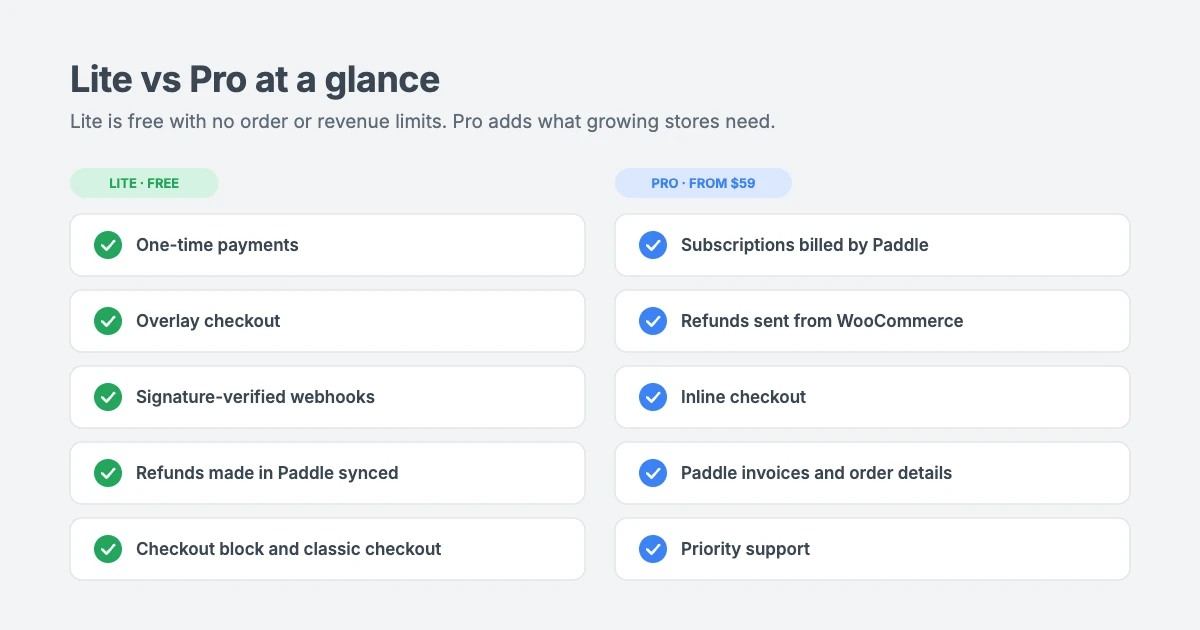
Lite vs Pro comparison
| Feature | Lite | Pro |
|---|---|---|
| Paddle Billing and Paddle Classic (live and sandbox) | Yes | Yes |
| One-time payments; coupons, fees, shipping, variations, multi-item carts | Yes | Yes |
| Checkout block, classic checkout and “Pay for order” | Yes | Yes |
| Overlay checkout | Yes | Yes |
| Inline checkout (block and classic) | No | Yes |
| Checkout theme, language, icons, own title and description | Yes | Yes |
| HPOS compatible | Yes | Yes |
| No limits on orders or revenue | Yes | Yes |
| Signature-verified webhooks; duplicate and simultaneous webhooks handled | Yes | Yes |
| One-click webhook setup (Billing); several stores on one Paddle account | Yes | Yes |
| Amount and currency checks; test connection; WooCommerce logs | Yes | Yes |
| “Check payment with Paddle” button | No | Yes |
| Refunds made in Paddle recorded in WooCommerce | Yes | Yes |
| Manual WooCommerce refunds matched to the Paddle refund | Yes | Yes |
| Refund via Paddle from the order screen (whole order or single products) | No | Yes |
| Chargebacks and disputes put the order on hold | No | Yes |
| WooCommerce Subscriptions billed by Paddle (trials, sign-up fees, renewals) | No | Yes |
| Failed payments, cancellations and pauses synced | No | Yes |
| Customers update their card from My Account | No | Yes |
| Paddle box on the order screen | Basic | Full |
| Paddle total, tax and earnings on every order | No | Yes |
| Paddle invoices on order pages, My Account and emails | No | Yes |
| Priority support from WPInterface | No | Yes |
Paddle checkout block and classic checkout support
Many newer WooCommerce stores use the Checkout block, while older stores and some themes still use the classic shortcode checkout. Paddle for WooCommerce supports both, so you don’t have to change your checkout page to start taking Paddle payments.
- Paddle checkout block support: Paddle appears as a payment method in the WooCommerce Checkout block, with your own title, description and optional payment icons.
- Classic checkout: the same options work on the shortcode checkout page.
- “Pay for order” page: customers can pay for orders you create in the dashboard, such as manual or custom quotes.
- Overlay or inline: Lite opens Paddle as an overlay on every checkout. Paddle for WooCommerce Pro adds inline checkout, which embeds Paddle’s payment form in both the block and classic checkout.
Because Paddle for WooCommerce is also compatible with High-Performance Order Storage, it fits modern WooCommerce setups without extra configuration.
Requirements
| Requirement | Details |
|---|---|
| WordPress | 6.0 or newer (tested up to 7.1) |
| PHP | 7.4 or newer |
| WooCommerce | 8.0 or newer (tested up to 11.2) |
| WooCommerce Subscriptions | Optional; needed to sell subscriptions (Pro) |
| Paddle | A Paddle Billing or Paddle Classic account, plus a sandbox account for testing |
| Website | Reachable from the internet over HTTPS so Paddle can send webhooks |
Both versions support Paddle Billing (accounts created after August 2023) and Paddle Classic (older accounts), in live and sandbox mode.
How to set up Paddle for WooCommerce
Here’s how to connect a Paddle Billing account to Paddle for WooCommerce in five steps. You can test everything in Paddle’s sandbox before you take a real payment.
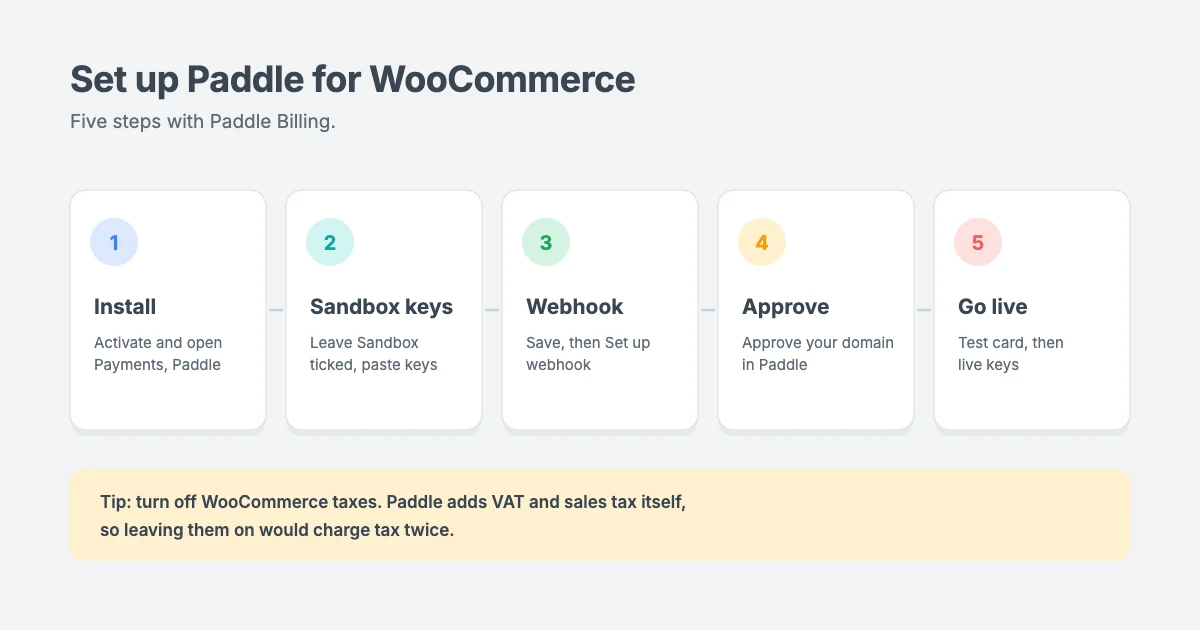
- Install and activate the plugin, then go to WooCommerce » Settings » Payments » Paddle.
- Choose Paddle Billing, leave Sandbox ticked and paste your sandbox credentials.
- Save, then click Set up webhook.
- In Paddle, approve your domain and set your checkout page as the Default payment link.
- Tick Enable Paddle, click Test connection and buy with Paddle’s test card. When everything works, untick Sandbox and enter your live credentials.
With Pro, activate your licence under WooCommerce » Paddle and choose your checkout style (inline or overlay). On Paddle Billing, Pro adds the subscription events to the webhook that Lite created.
Tip: turn off WooCommerce’s own tax settings. Paddle adds VAT and sales tax itself, so leaving WooCommerce taxes on would charge tax twice.
Pricing and the 14-day money-back guarantee
The Lite version is free. Paddle for WooCommerce Pro is available in three plans:
| Plan | Price | Websites |
|---|---|---|
| Personal | $59 | 1 website |
| Business (most popular) | $99 | 5 websites |
| Agency | $149 | Unlimited websites |
Every plan includes every Pro feature. The plans only differ in the number of sites. Each one includes plugin updates and priority support while your licence is active, and the licence key never locks a feature. Pro comes with a 14-day money-back guarantee, and orders are processed by Paddle as merchant of record.
You can compare the plans in the Pro pricing section of the product page.
Limitations to know about
No plugin is perfect for every store. Here’s what to keep in mind before you choose Paddle for WooCommerce:
- Lite takes one-time payments only. When WooCommerce Subscriptions is active, Lite doesn’t offer Paddle for carts with a subscription.
- Pro bills one subscription product per order. Buyers buy other subscription products separately.
- Plan switching is turned off for Paddle subscriptions, because Paddle can’t change the plan of a running subscription. Customers can cancel and subscribe again.
- Paddle Classic subscriptions can only be sold in USD, EUR and GBP.
- WooCommerce taxes should be turned off, because Paddle adds sales tax and VAT itself.
- Paddle is built for digital products, software and SaaS. Physical goods need a check of Paddle’s acceptable use policy, and shipping is charged as a separate line.
- Closed popups leave orders pending. If a buyer closes the Paddle popup, the order stays “Pending payment” and WooCommerce cancels it after its hold-stock time, as with any gateway.
For developers
Paddle for WooCommerce includes filters and actions for custom setups:
- Filters:
wpinterface_paddle_woo_billing_transaction,wpinterface_paddle_woo_classic_pay_link,wpinterface_paddle_woo_checkout_config,wpinterface_paddle_woo_checkout_mode,wpinterface_paddle_woo_settings_fieldsandwpinterface_paddle_woo_webhook_base_url. - Actions:
wpinterface_paddle_woo_loaded,wpinterface_paddle_woo_billing_webhook,wpinterface_paddle_woo_classic_webhookandwpinterface_paddle_woo_order_panel.
The webhook uses the REST API endpoint wpinterface-paddle-woo/v1/webhook.
Verdict: Lite or Pro?
Choose Lite if you sell one-time digital products with WooCommerce and want Paddle to handle tax, invoices and payments. It’s free, has no limits, and works with the Checkout block, the classic checkout and the “Pay for order” page.
Choose Pro if you sell subscriptions with WooCommerce Subscriptions, want to refund from the order screen, want Paddle’s payment form inside your checkout page, or want customers to get their Paddle invoice in My Account and their emails. Since upgrading keeps all your settings and orders, you can start with the free version of Paddle for WooCommerce and move to Pro at any time.
Frequently asked questions
Does Paddle for WooCommerce work with the Checkout block?
Yes. Both versions work with the WooCommerce Checkout block, the classic checkout and the “Pay for order” page. Pro adds inline checkout on both the block and classic checkout.
Do I need to create products in Paddle?
No. Coupons, fees, shipping, variations and multi-item carts are sent to Paddle line by line, so there’s no catalogue to maintain in Paddle.
Can I sell subscriptions with the free version?
No. Lite takes one-time payments only. Paddle WooCommerce subscriptions need Paddle for WooCommerce Pro and the WooCommerce Subscriptions extension.
Is it compatible with HPOS?
Yes. The plugin is declared compatible with WooCommerce High-Performance Order Storage and the cart and checkout blocks.
Do I need to charge VAT in WooCommerce?
No. Paddle calculates and collects VAT and sales tax as merchant of record, so you should turn off WooCommerce’s own tax settings.
Will I lose my settings if I upgrade to Pro?
No. Pro uses the same settings, order data and webhook URL as Lite. Activating Pro deactivates Lite, and nothing has to be set up again.
Get started with Paddle for WooCommerce
Download the free Lite version of Paddle for WooCommerce or compare the Pro plans on the Checkout with Paddle for WooCommerce product page. If you sell with Easy Digital Downloads instead, read our Checkout with Paddle for Easy Digital Downloads review. Need a hand with your store? Our VIP Support team can help.
Paddle, Easy Digital Downloads, WooCommerce and WooCommerce Subscriptions are trademarks of their respective owners. WPInterface is not affiliated with or endorsed by them.


Leave a reply