News doesn’t stop at borders anymore. A story you publish this morning can be read in Cairo, Karachi, Madrid and Jakarta by lunchtime, if your site speaks your readers’ language. For many publishers, that means two things: a layout that works properly in right-to-left (RTL) languages such as Arabic and Urdu, and a quick way to offer the same stories in other languages.
In this beginner’s guide, we’ll explain how to build a multilingual news website in WordPress. You’ll learn what RTL support really means, how to set your site up for an RTL language, how to add a language switcher with GTranslate, the difference between free and paid translation for SEO, and how to choose a news theme that handles all of this well.
Why a multilingual news website matters
A multilingual news website lets readers choose the language they’re most comfortable with. That has real benefits for publishers:
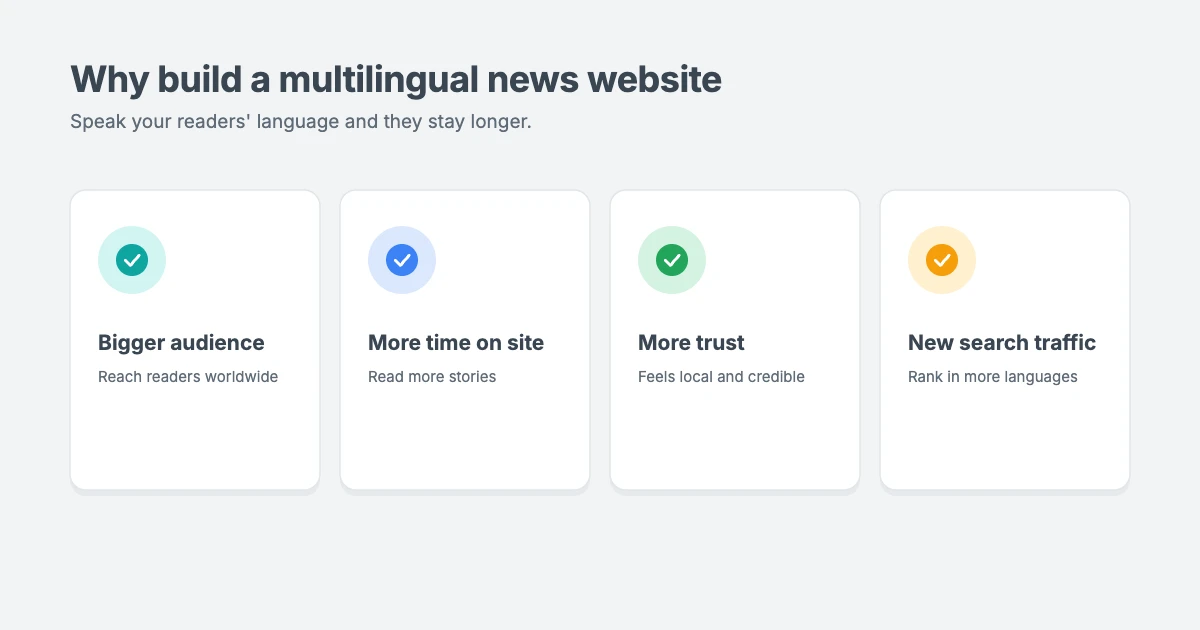
- A bigger audience. Hundreds of millions of people read Arabic, Persian, Urdu or Hebrew every day. A single-language site leaves most of the world out.
- More time on site. Readers stay longer and read more stories when they don’t have to fight with a language they only half understand.
- More trust. A site that reads naturally in a reader’s own language feels local and credible, which matters for news.
- New search traffic. With the right setup, translated pages can rank in search results in other languages and countries.
The good news is that you don’t need a developer for most of this. With an RTL-ready theme and a translation plugin, a beginner can set it up in an afternoon.
What is RTL support in a WordPress theme?
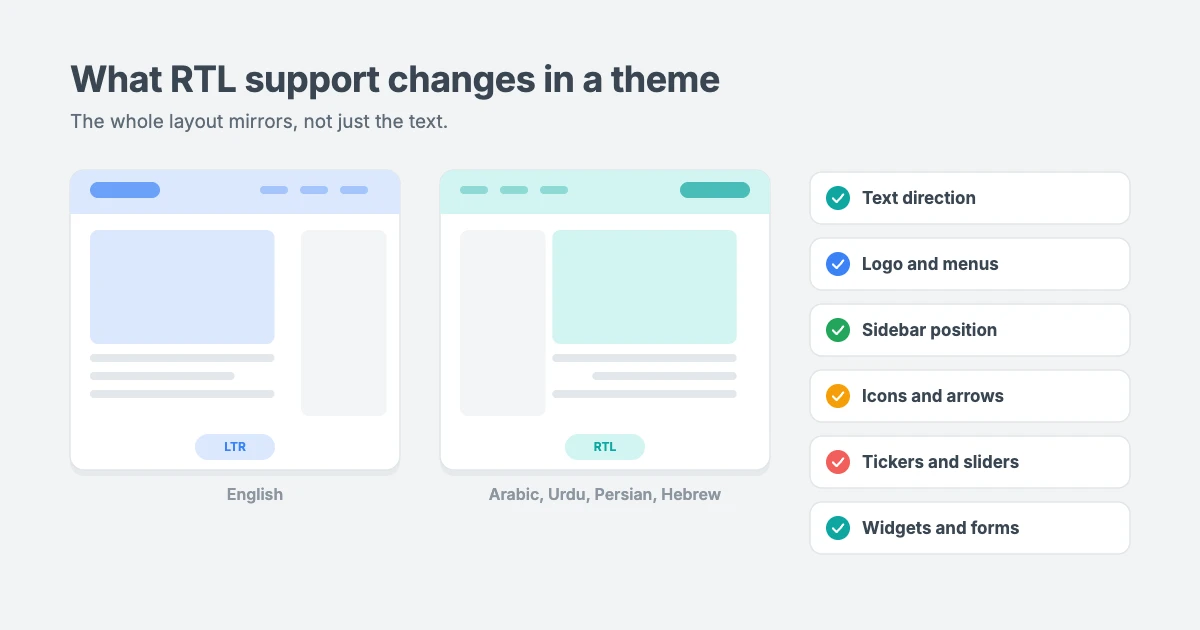
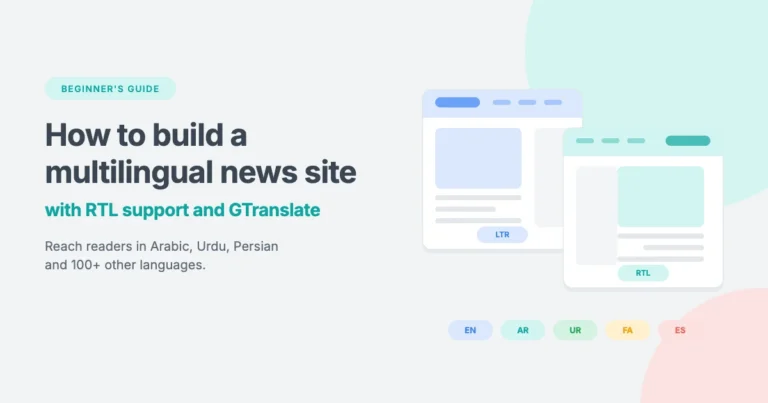
Most languages, including English, are read from left to right. Arabic, Hebrew, Persian (Farsi) and Urdu are read from right to left. On a website, that means much more than right-aligned text. The whole page has to mirror itself, so readers start at the right and move left.
A theme with proper RTL support flips the layout automatically when your site uses an RTL language:
- Text alignment and direction. Paragraphs, headings and lists start on the right.
- Navigation. The logo moves to the right, and menus open from right to left.
- Sidebars and columns. A sidebar on the right in English moves to the left, so the main content still comes first.
- Icons and arrows. “Next” and “previous” arrows point the right way, and icons sit on the correct side of their labels.
- Tickers, sliders and carousels. Breaking news tickers and sliders scroll in the reading direction.
- Widgets and forms. Search boxes, comment forms and widget titles line up correctly.
WordPress handles part of this on its own. When your site language is an RTL language, it adds dir="rtl" to the page and loads an RTL version of the theme’s stylesheet, if the theme includes one. A theme without good RTL styles will look broken, with overlapping menus, misplaced sidebars and arrows pointing the wrong way. That’s why choosing an RTL-ready theme is the first step.
Two ways to run a news site in more than one language
Before you set anything up, decide which of these two approaches fits your site. Many publishers use both.
| Approach | What it means | Best for |
|---|---|---|
| A site in one RTL language | The whole site runs in Arabic, Urdu, Persian or Hebrew. You write the content in that language. | Local and national news sites in an RTL language |
| One site, many languages | You write in one main language, and readers switch to others with a language switcher. | Publishers who want a global audience fast |
For the first approach, you only need an RTL-ready theme and the right WordPress settings. For the second, you add a translation plugin such as GTranslate on top.
Step 1: Choose an RTL-ready news theme
Your theme controls how every page looks in every language, so start here. Look for a news theme that:
- Is translation ready, so all the theme’s own text (like “Read more” and “Search”) can be translated.
- Includes full RTL support, with an RTL stylesheet that mirrors the whole layout.
- Is fast, because translated and image-heavy news pages still need to load quickly.
- Is tested with translation plugins you may use later.
Every WPInterface theme is translation ready and RTL compliant, so the layout flips automatically when you switch to an RTL language. Here are four news themes that work especially well for multilingual news sites, followed by picks for other niches.
NewsNation Pro

NewsNation Pro gives a newsroom a bold, broadcast-style front page with a dark masthead, a breaking news ticker and tabbed sections. It’s a great fit for national and international news sites with many sections.
SpeedNews Pro

SpeedNews Pro fits a lot of stories on one screen without feeling crowded, with a trending ticker and mosaic headlines. Its 95 PageSpeed score on the demo helps readers on slower mobile networks.
TruthNews Pro

TruthNews Pro looks and reads like a newspaper, with a heavy masthead, a category menu for every desk and large lead stories. It suits local papers and journalists who want a classic, clutter-free layout.
NewsMachine Pro

NewsMachine Pro brings the look of a printed magazine to the web, with a full-width banner and one big lead story. It’s ideal for lifestyle and culture magazines with readers around the world.
These themes are also tested with WPML, one of the most popular multilingual plugins, if you later want hand-translated versions of your stories.
RTL-ready themes for other niches
Not every global site is a newspaper. Because every WPInterface theme is RTL compliant, you can take the same multilingual setup to sports, lifestyle, blogging, portfolio and business sites too.
| Theme | Niche | Best for |
|---|---|---|
| SportsX Pro | Sports news | Fans, bloggers and sports publishers |
| Vintuna Pro | Fashion and lifestyle | Fashion, lifestyle and entertainment magazines |
| BlogSky Pro | Blog | Writers and long-form bloggers |
| FitNote Pro | Personal blog | Fitness, wellness and lifestyle bloggers |
| Portfolico Pro | Portfolio | Designers, developers and freelancers |
| Business Interface Pro | Business | Agencies, consultants and small businesses |
SportsX Pro
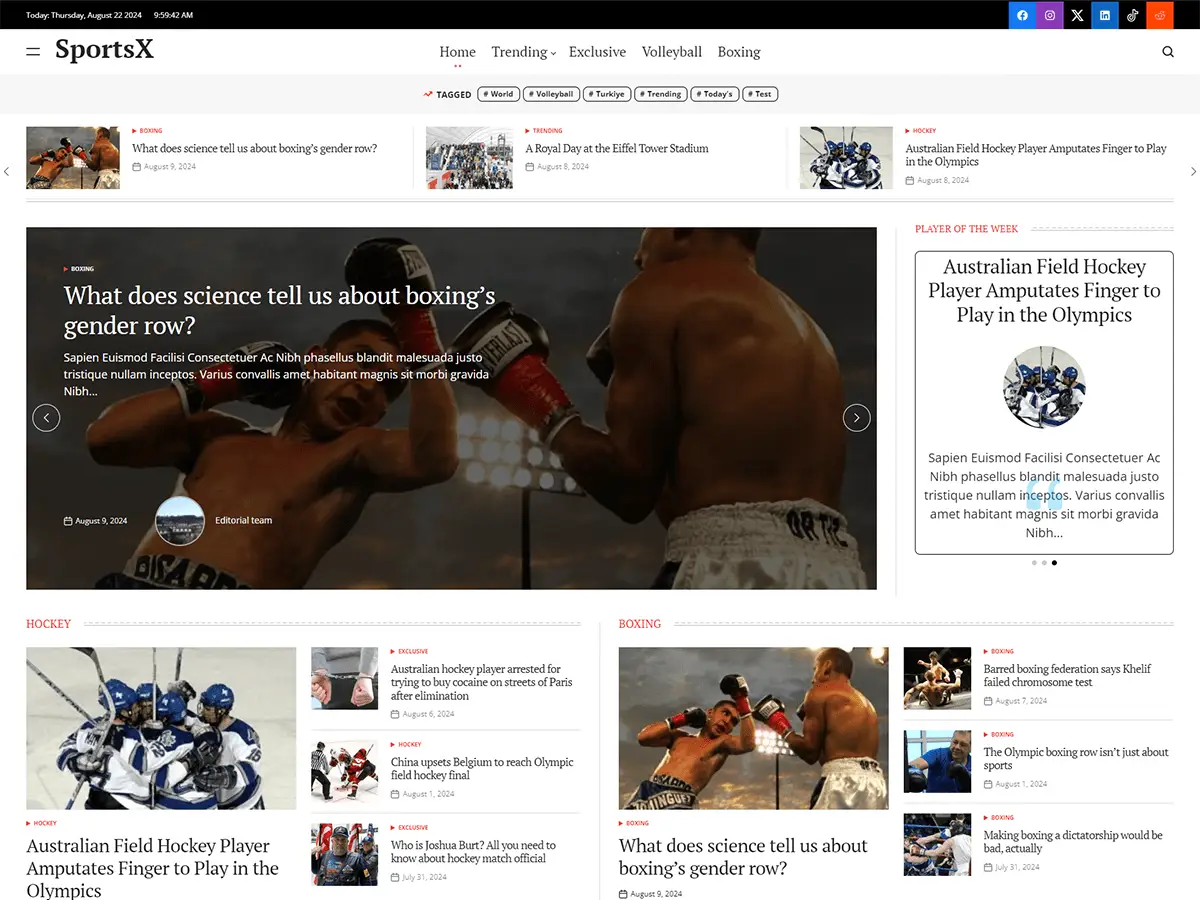
SportsX Pro is built for sports coverage, with high-impact images, bold headlines and a block for every sport. Sport has fans in every language, so it’s a natural fit for a multilingual site covering everything from major leagues to local events.
Vintuna Pro

Vintuna Pro brings a glossy, editorial feel to fashion, lifestyle and entertainment sites, with a soft gradient masthead, featured grids and a video section. Its image-led layout works beautifully in both directions.
BlogSky Pro

BlogSky Pro is built for people who write, with clean typography and generous white space. A calm, text-first layout like this is one of the easiest to read in Arabic, Persian or Urdu.
FitNote Pro

FitNote Pro is a friendly personal and lifestyle blog theme with big photos, image-led Top Picks and a numbered story list. It suits fitness and wellness creators who want to reach readers in more than one language.
Portfolico Pro

Portfolico Pro puts you at the center of your own site, with a fixed side panel for your name, photo and social links. In an RTL language, the side panel moves to the other side automatically, so your portfolio still reads naturally for international clients.
Business Interface Pro

Business Interface Pro is one theme for many kinds of business, with 12 ready-made starter sites from consulting and healthcare to bakeries and car dealers. It works with Elementor and WooCommerce, so you can serve customers in their own language, wherever they are.
Step 2: Set your site language
To run your whole site in an RTL language, or to set the main language of a multilingual site:
- Go to Settings » General in your WordPress dashboard.
- Choose your language in the Site Language dropdown, for example العربية (Arabic) or اردو (Urdu).
- Click Save Changes.
WordPress downloads its own translations and switches the dashboard and front end to that language. If it’s an RTL language, the page direction flips to right to left. Visit your site and check the homepage, a single post and a category page.
To translate your theme’s own text into that language, such as buttons and labels, follow our tutorial on how to translate your WordPress theme with Loco Translate.
Step 3: Add GTranslate for instant multilingual support
GTranslate is a popular WordPress plugin, with over 900,000 active installs, that adds a language switcher to your site. Readers pick a language, and the page is translated automatically using machine translation. It supports more than 100 languages, including Arabic, Persian, Urdu and Hebrew.
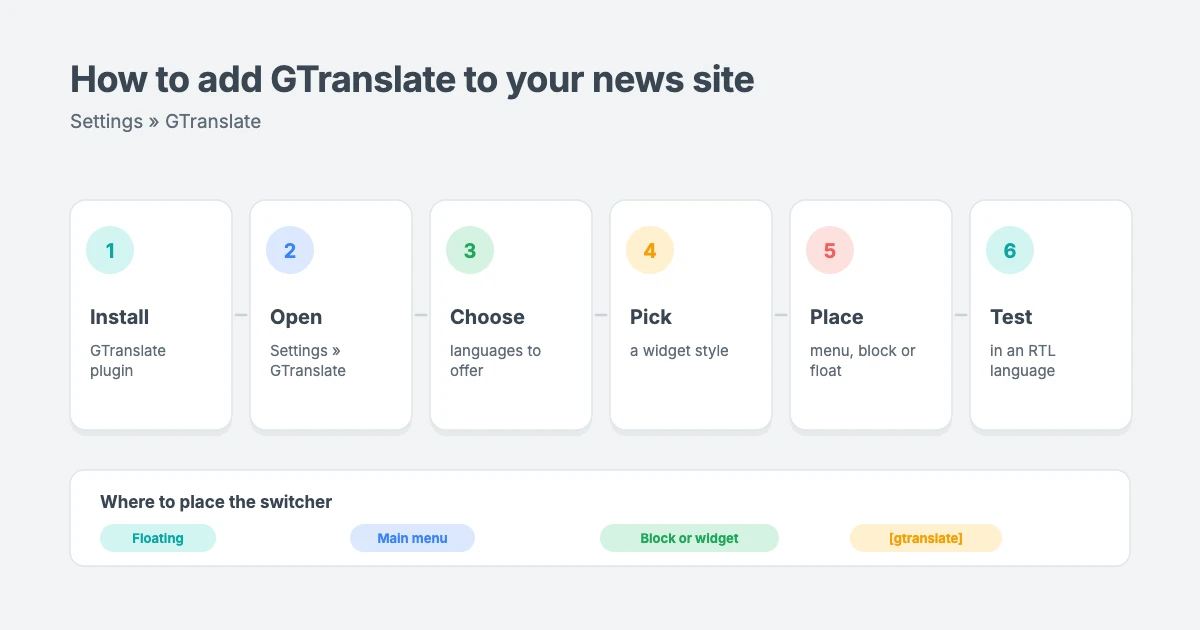
Install and set up GTranslate
- Go to Plugins » Add New Plugin and search for GTranslate.
- Click Install Now, then Activate.
- Go to Settings » GTranslate.
- Choose a widget look, such as a dropdown, flags, language names or a floating globe.
- Select your site’s default language and the languages you want to offer. Start with the languages your readers actually use, rather than all 100.
- Click Save Changes.
Choose where the language switcher appears
GTranslate gives you several ways to place the switcher. For a news site, these work best:
- Floating selector: a small switcher in a corner of the screen, always visible. It’s the quickest option and works with any theme.
- In your main menu: choose the menu in the GTranslate settings, and the switcher appears as a menu item. Readers expect to find languages in the header.
- Block or widget: add the GTranslate Language Switcher block, or the GTranslate widget under Appearance » Widgets, to place it in a sidebar or header area.
- Shortcode: add
[gtranslate]to any post, page or text widget.
Whichever you choose, keep the switcher in the same place on every page, and label languages by their own names (for example “Español”, not “Spanish”), so readers can find their language even if they can’t read the current one.
Test it in an RTL language
Switch your site to Arabic or Urdu using the switcher and check a few pages. Look at the menu, the ticker, the sidebar and the comment form. Because your theme has RTL support, the layout should mirror itself. Clear your cache if anything looks out of place.
Free vs paid GTranslate: what it means for SEO
This is the most important thing to understand before you rely on GTranslate for traffic.
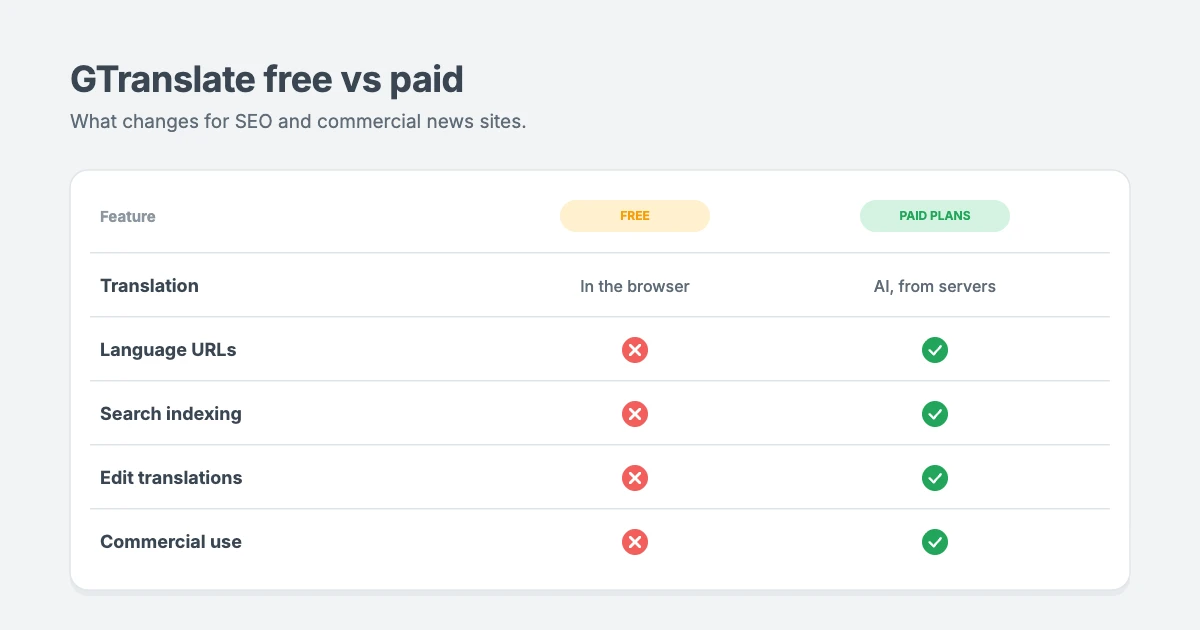
| Free plugin | Paid plans | |
|---|---|---|
| How it translates | In the reader’s browser, using Google machine translation | Through GTranslate’s servers, with AI translation |
| Separate URLs per language | No, the URL stays the same | Yes, as subdomains (es.example.com) or subdirectories (example.com/es/) |
| Indexed by search engines | No | Yes |
| Edit translations by hand | No | Yes |
| Commercial use | Not allowed under the free terms | Yes |
The free version is a great way to help visitors read your stories, but translated pages don’t get their own web addresses, so search engines can’t index them. It gives no SEO benefit, and GTranslate’s terms limit free use to personal, educational, nonprofit and similar non-commercial sites.
If you want your translated news to appear in Google in other languages, or you run a commercial news site, you’ll need a paid plan. At the time of writing, GTranslate’s pricing starts at $12 per month for a plan with search engine indexing and translation editing, and higher plans add translated URLs and language-specific domains. All paid plans include a 15-day free trial for new customers. Check their site for current prices.
A note on machine translation for news
Machine translation has improved a lot, but news is sensitive. A mistranslated headline, name or quote can change the meaning of a story. Here’s how to use it responsibly:
- Review your most important stories. On a paid plan, edit the translation of breaking news, opinion pieces and anything legal or medical.
- Keep names and places consistent. Check that people’s names, organizations and places translate correctly.
- Tell readers. Add a short note near the switcher or in your footer saying translations are automatic.
- Use human translation for key sections. For your highest-traffic sections, consider a multilingual plugin like WPML with human-translated versions.
Step 4: Get your multilingual news site ready for search engines
If you use a paid GTranslate plan or a multilingual plugin with separate URLs, follow these SEO basics:
- Use one URL per language. Subdirectories like
example.com/ar/are the simplest to manage. - Add hreflang tags. These tell Google which language and region each page is for. GTranslate’s paid plans and multilingual plugins add them for you. Google’s guide to managing multi-regional and multilingual sites explains how they work.
- Translate your SEO titles and descriptions, not just the article text.
- Submit your sitemap in Google Search Console so new language pages are found quickly.
- Don’t auto-redirect readers based on their location. Let them choose their language with the switcher.
Step 5: Test your site in every language
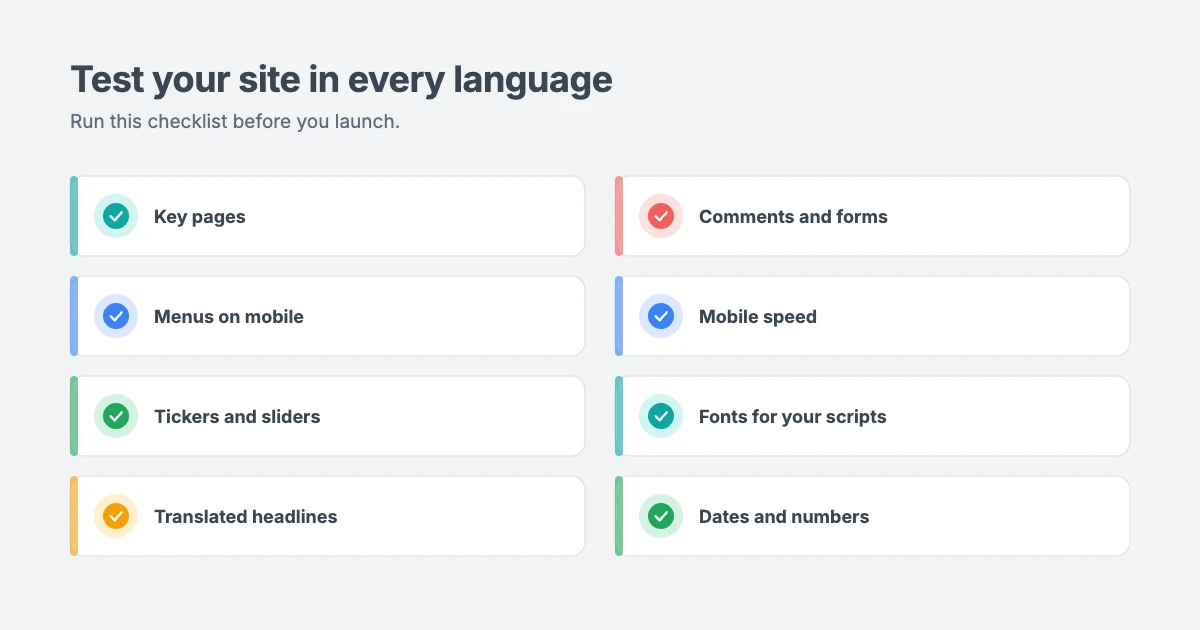
Before you promote your multilingual news site, run through this checklist for each language you offer:
- Check the homepage, a single story, a category page and the search results page.
- Open the menu on desktop and mobile, and check it opens in the right direction.
- Watch the breaking news ticker and any sliders to make sure they scroll correctly.
- Read a few translated headlines and check names, dates and numbers.
- Submit a test comment and a contact form.
- Run the page through PageSpeed Insights on mobile.
Tips for running a global news site
- Start small. Add two or three languages your readers already use, based on your analytics, and expand later.
- Choose fonts that support your languages. Arabic, Persian and Urdu need fonts with full character support, or text may fall back to a system font.
- Write clear, simple English. Shorter sentences and fewer idioms translate much better by machine.
- Mind your dates and numbers. Formats change between countries, so check them in each language.
- Keep your theme updated. Updates often improve RTL styles and translation support.
- Update your privacy policy. Translation services may process visitor data, so mention them in your privacy policy.
Let our team build your multilingual news site
If you’d rather have experts handle it, the WPInterface team can help:
- News and Blog Website Setup: we set up your news theme, demo content, menus and language settings, ready to publish.
- WordPress Theme Customization: we fine-tune RTL layouts, fonts and spacing for your languages.
- Custom WordPress Development: multilingual setups with language switchers, translated menus and SEO for every language.
- WordPress Speed Optimization: fast pages for readers on slow mobile networks around the world.
New to news sites? Start with our beginner’s guide on how to make a news website, or see all our professional WordPress services.
Frequently asked questions
What is RTL in WordPress?
RTL stands for right to left. It’s the reading direction for languages such as Arabic, Hebrew, Persian and Urdu. When your WordPress site uses one of these languages, an RTL-ready theme mirrors the whole layout so readers start on the right.
How do I know if my theme supports RTL?
Check the theme’s features for “RTL ready” or “RTL support”. You can also test it by setting your site language to Arabic in Settings » General on a staging site. If the menu, sidebar and text all flip correctly, the theme supports RTL. Every WPInterface theme is RTL compliant.
Is GTranslate free?
Yes, there’s a free version that adds a language switcher and translates pages in more than 100 languages. It’s limited to non-commercial use and doesn’t create search-friendly translated pages. Paid plans add search engine indexing, editable translations and commercial use.
Does GTranslate help SEO?
Only the paid plans. The free version translates pages in the reader’s browser without separate URLs, so search engines don’t index the translations. Paid plans create a separate URL for each language that Google can index.
Is GTranslate or WPML better for a news site?
They do different jobs. GTranslate is the fastest way to offer many languages with automatic translation. WPML lets you create and manage separate, hand-translated versions of each story. Many news sites use automatic translation for reach and human translation for their most important sections.
Will translating my site slow it down?
The free GTranslate plugin adds a small script to your pages and translates them in the browser. Paid plans serve translated pages from GTranslate’s servers. Either way, a fast, lightweight theme keeps the overall page speed in good shape.
Can I run my news site only in Arabic or Urdu?
Yes. Set the Site Language to Arabic or Urdu in Settings » General, choose an RTL-ready theme, and write your stories in that language. You don’t need a translation plugin for a single-language RTL site.
Conclusion
Building a multilingual news website in WordPress starts with an RTL-ready, translation-ready theme. Set your site language, translate your theme’s text, then add GTranslate so readers can switch languages in one click. Use the free plan to help visitors read your stories, and upgrade when you want translated pages to rank in search results.
Ready to go global? Pick an RTL-ready news theme like NewsNation Pro or SpeedNews Pro, choose a theme for your niche such as SportsX Pro or Business Interface Pro, or browse all our RTL-ready WordPress themes.
Reactions
How did this make you feel?
1 reaction
One reaction per visitor. Tap again to change or remove it.


Leave a reply