What if your next page could start loading before a visitor even finishes clicking? That’s the idea behind speculative loading, a performance feature that has been built into WordPress since version 6.8.
It’s switched on by default, so there’s a good chance it’s already running on your site. But what does it actually do, should you keep it, and can you make it even faster?
In this guide, we’ll explain speculative loading in WordPress in plain English, show you how to check that it’s working, and share safe code snippets to customise it, exclude pages or turn it off.
What is speculative loading?
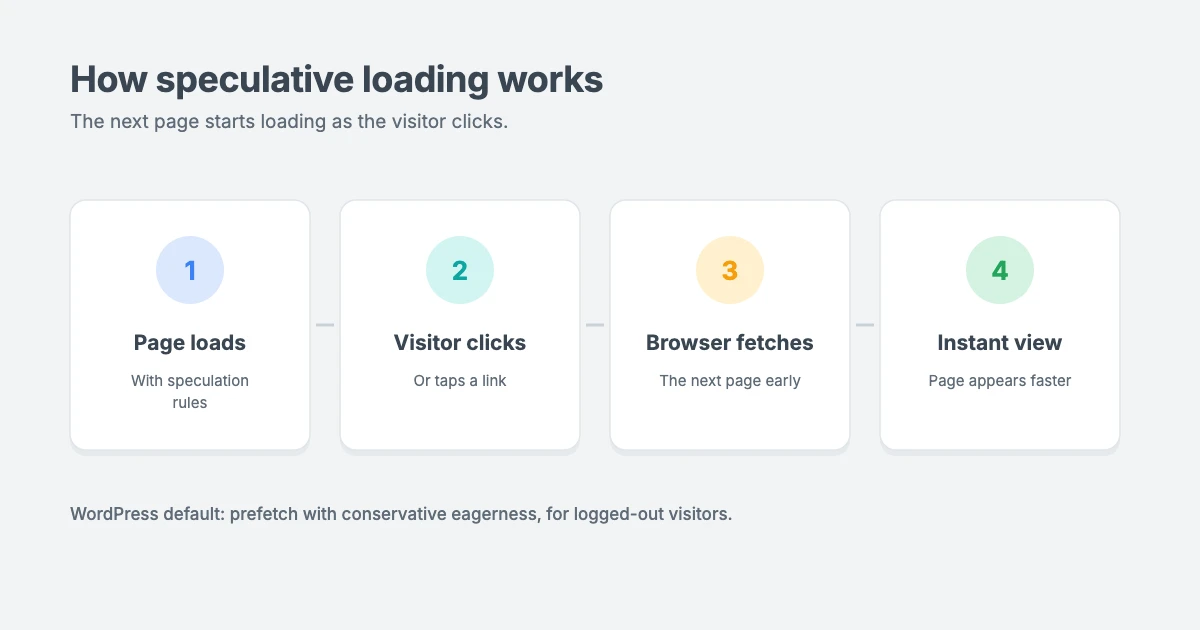
Speculative loading means the browser loads a page before the visitor actually asks for it, based on a prediction that they’re about to visit it. When the prediction is right, the next page appears almost instantly, because much of the work has already been done.
WordPress has long used simpler hints, such as DNS prefetching for external fonts. Speculative loading goes much further: it can load entire pages ahead of time, using a browser feature called the Speculation Rules API.
With the Speculation Rules API, your site adds a small block of JSON to each page. This tells supporting browsers which links they’re allowed to load early, and when.
Prefetch vs prerender
There are two main ways to speculatively load a page:
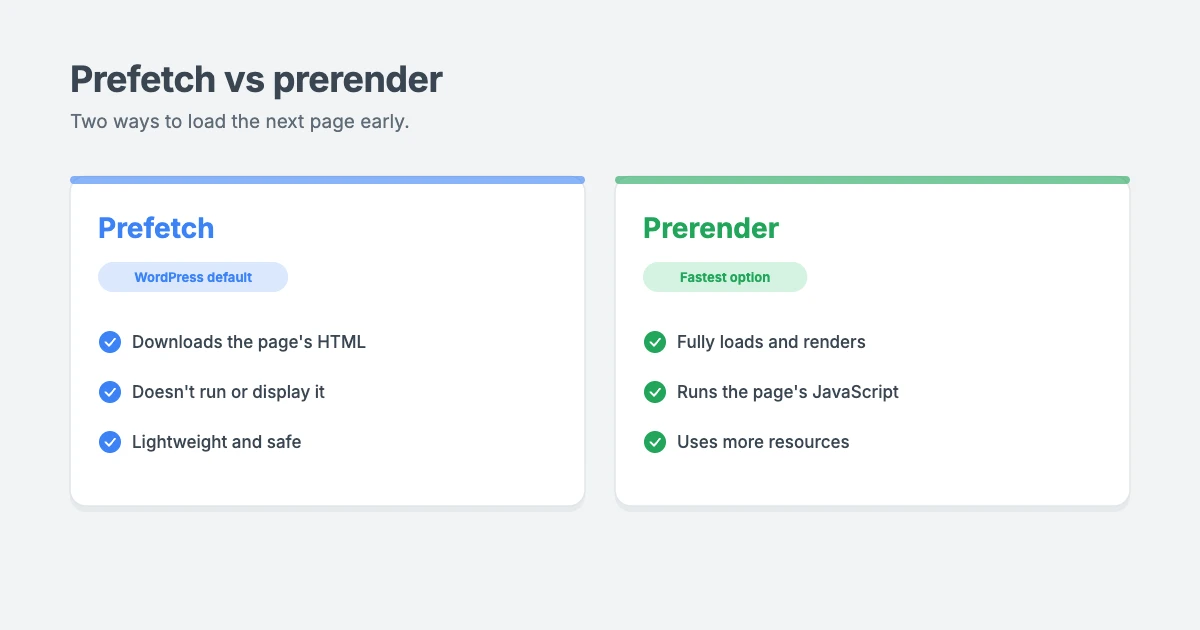
- Prefetch downloads the page’s HTML in advance, but doesn’t run or display it. It’s lightweight and safe for most sites.
- Prerender fully loads and renders the page in the background, including its JavaScript, so it’s ready to show the moment the visitor clicks. It’s faster, but it uses more resources.
How eagerly should pages load?
The “eagerness” setting controls how early the browser starts speculatively loading a link:
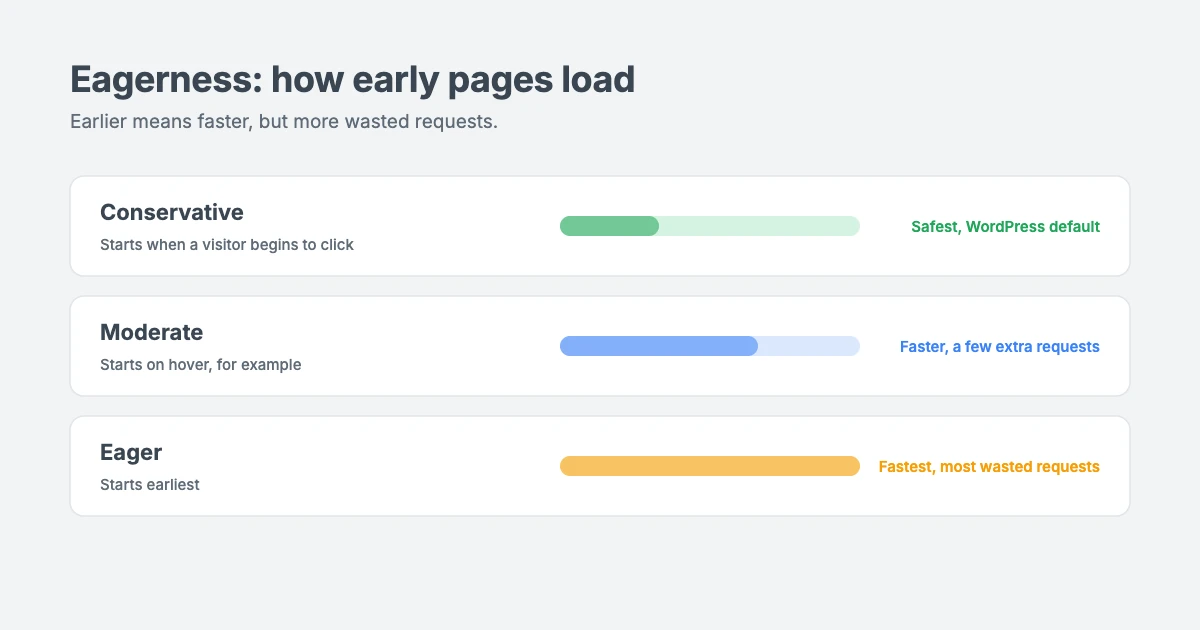
- Conservative: loading starts when the visitor begins to click or tap a link. This is the safest option.
- Moderate: loading starts earlier, for example when the visitor hovers over a link on a desktop computer.
- Eager: loading starts even sooner, which gives the biggest speed boost but also wastes the most requests on pages that are never visited.
The more eager the setting, the faster pages can feel, but the more often your server does work for pages nobody opens.
How speculative loading works in WordPress
According to the official WordPress 6.8 developer note on speculative loading, the default setup is:
- Enabled by default on the front end of your site.
- Not used for logged-in users, so it won’t affect you while you’re working in your dashboard.
- Not used on sites without pretty permalinks.
- Prefetch with conservative eagerness, so pages are fetched only when a visitor starts to click a link.
WordPress also excludes links that shouldn’t be loaded early, including:
- Admin and login pages, such as
/wp-admin/andwp-login.php - Files in
/wp-content/, including uploads, plugins and themes - Any link with a query string, such as
/?add-to-cart=123 - Links with
rel="nofollow" - Links inside an element with the
no-prefetchclass
Plugins can add their own exclusions too. On our own site, for example, the checkout pages are excluded from speculative loading.
The WordPress developer note says sites that used speculative loading through the earlier feature plugin improved their Largest Contentful Paint passing rate by about 1.9% at the median. That may sound small, but it’s a meaningful gain for a single, automatic feature.
Which browsers support speculative loading?
The Speculation Rules API is currently supported in Chromium-based browsers, such as Chrome, Edge and Opera. MDN lists it as having limited availability, because it doesn’t work in some widely used browsers yet.
That’s fine, because speculative loading is a progressive enhancement. Browsers that don’t support it simply ignore the rules, and your site works exactly as it did before.
How to check that speculative loading is working
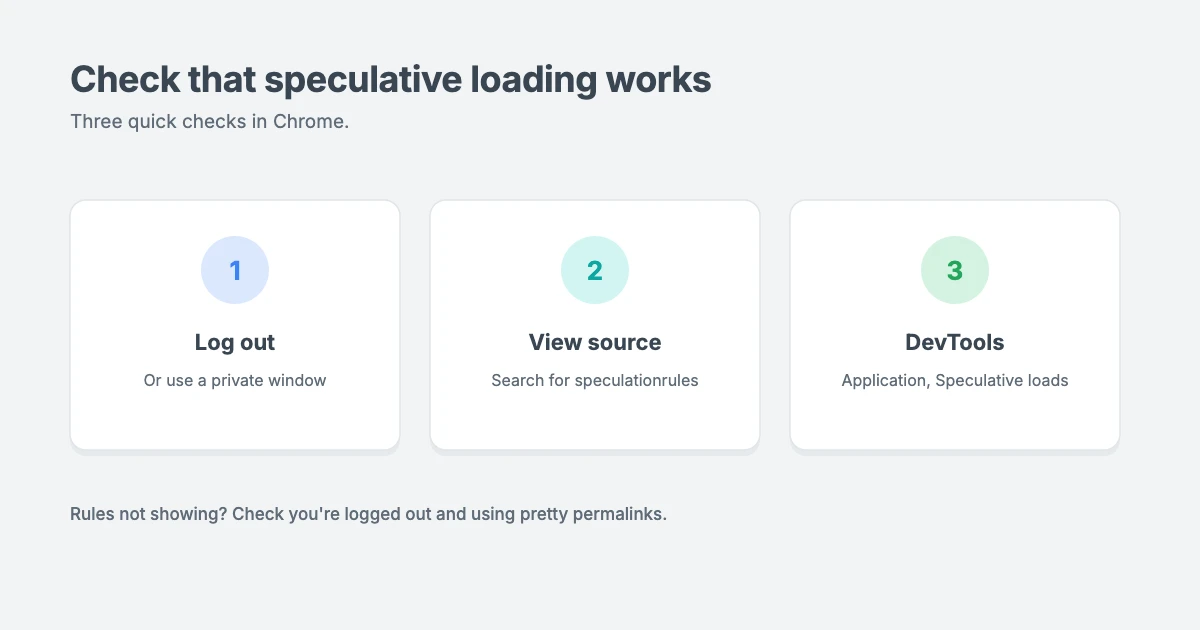
- Log out of WordPress, or open your site in a private window in Chrome. Remember that speculative loading is turned off for logged-in users.
- View the page source and search for
speculationrules. You should see a<script type="speculationrules">block containing the rules. - Open Chrome DevTools, go to the Application tab and look for Speculative loads under Background services. Click or tap a link and you’ll see the speculative loads Chrome attempted.
If you don’t see the rules, check that you’re logged out, that your site uses pretty permalinks, and that a plugin or snippet hasn’t disabled the feature.
How to customise speculative loading in WordPress
WordPress includes filters and actions that let you fine-tune speculative loading. Add these snippets with a code snippets plugin or your child theme’s functions.php file, and test them on a staging site first.
Make pages load earlier
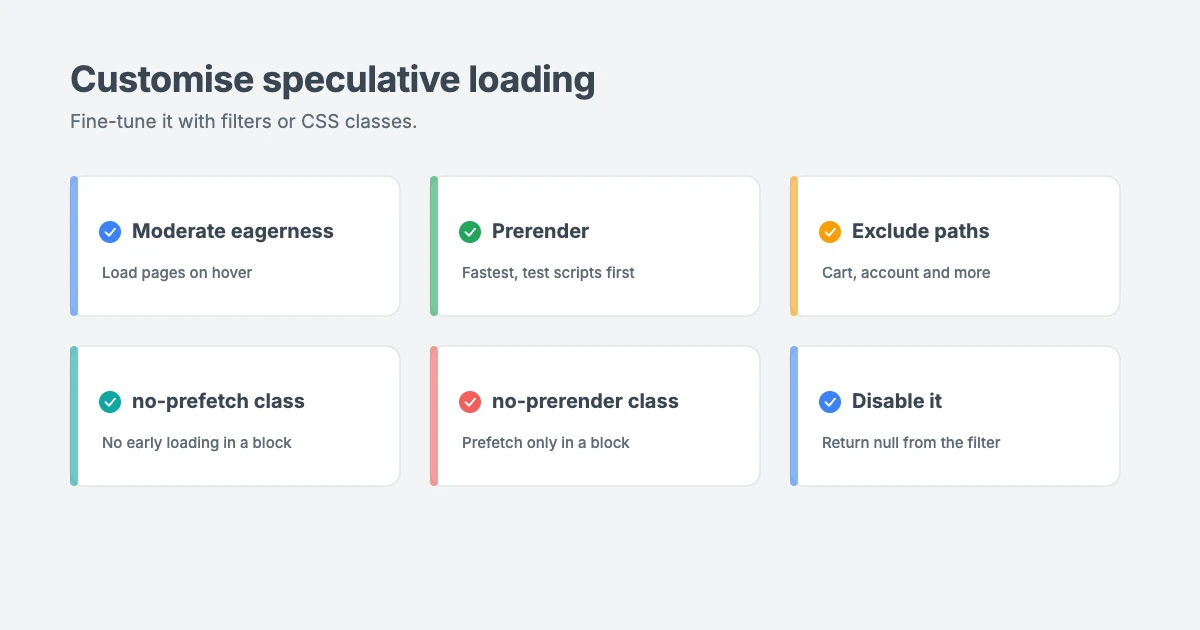
This snippet keeps prefetching but changes eagerness to moderate, so pages start loading when a visitor hovers over a link:
add_filter( 'wp_speculation_rules_configuration', function ( $config ) {
    if ( is_array( $config ) ) {
        $config['eagerness'] = 'moderate';
    }
    return $config;
} );
Switch to prerendering
For the biggest speed boost, you can prerender pages with moderate eagerness. Only do this if you’re sure your site’s scripts work correctly with prerendering, as explained below.
add_filter( 'wp_speculation_rules_configuration', function ( $config ) {
    if ( is_array( $config ) ) {
        $config['mode']      = 'prerender';
        $config['eagerness'] = 'moderate';
    }
    return $config;
} );
The is_array() check is important. When speculative loading is disabled, for example for logged-in users, WordPress passes null instead of an array, and the snippet leaves it alone.
Exclude pages from speculative loading
If you have pages that shouldn’t be loaded early, such as a cart or account area, exclude them by path. Paths use the URL Pattern format, so /cart/* matches any page that starts with /cart/:
add_filter( 'wp_speculation_rules_href_exclude_paths', function ( $paths ) {
    $paths[] = '/cart/*';
    $paths[] = '/my-account/*';
    return $paths;
} );
Exclude links without code
You can also exclude links inside a specific block by adding a CSS class in the block editor. Select the block, open Advanced in the block settings and add one of these classes to Additional CSS class(es):
no-prefetchturns off all speculative loading for links in that block.no-prerenderturns off prerendering only, but still allows prefetching.
Things to watch out for
Speculative loading is safe for most sites, but keep these points in mind:
- Extra server requests. Some pages will be loaded even if the visitor never opens them. With the default conservative setting, this is rare. More eager settings increase it. Good page caching keeps the cost low.
- Analytics with prerendering. When a page is prerendered, its JavaScript runs in the background. Many analytics tools already handle this correctly, but check yours before enabling prerender, so you don’t count pageviews that never happened.
- “Action” links. Links that change something just by being visited, such as add-to-cart or favourite links, shouldn’t be loaded early. WordPress excludes links with query strings by default, but exclude any others yourself.
- Personalised or changing content. If a page shows content that changes from moment to moment, a prerendered copy might be slightly out of date by the time it’s shown. Exclude those pages if that matters.
How to disable speculative loading
Most sites should leave speculative loading on. But if it causes a problem, such as a conflict with a plugin, you can turn it off completely with this one-line snippet:
add_filter( 'wp_speculation_rules_configuration', '__return_null' );Returning null from the configuration filter disables speculative loading for every request. Remove the snippet to switch it back on.
Should you use speculative loading?
For most WordPress sites, the answer is yes. The default settings are cautious, free and automatic, and they make navigation feel faster for visitors using supported browsers.
Here’s our recommendation:
- Most sites: keep the default settings.
- Blogs, news and content sites with good caching: consider moderate eagerness for an extra boost.
- Sites that have tested their scripts and analytics: consider prerender with moderate eagerness for the fastest experience.
- Stores, membership sites and personalised areas: keep the defaults and exclude sensitive paths.
Speculative loading works best on a site that’s already fast. It can make the next page appear sooner, but it can’t fix a slow server or a heavy theme. Our guide on how to improve INP in WordPress covers other ways to speed up your site, and our opinion piece on Apache vs Nginx vs LiteSpeed explains how your web server affects speed.
Fast WPInterface themes
Speculative loading and a lightweight theme are a great combination. WPInterface Pro themes are built with lean code, translation ready and RTL compliant.
SpeedNews Pro
SpeedNews Pro is a fast news and magazine theme with a trending ticker, mosaic headlines and three-column layouts, built for publishers who need pages to load quickly.

SpeedBlog Pro
SpeedBlog Pro is a fast blog theme for travel, tech, personal and creative blogs, with a clean layout that keeps readers focused.

Business Interface Pro
Business Interface Pro is a lightweight multipurpose business theme with 12 starter sites, ideal for company websites that need to be fast and professional.

You can see all our themes on the WordPress themes page.
Want us to speed up your site?
The WPInterface team can help you get the most from speculative loading and other performance features:
- WordPress Speed Optimization: we tune caching, scripts, images and settings like speculative loading for better Core Web Vitals, starting with a free speed audit.
- Technical SEO for WordPress: we fix the technical issues that hold back your search performance.
- VIP Support: a $29 priority ticket for quick expert help.
Frequently asked questions
Is speculative loading enabled by default in WordPress?
Yes. Since WordPress 6.8, speculative loading is enabled by default for logged-out visitors on sites with pretty permalinks, using prefetch with conservative eagerness.
Does speculative loading slow down my server?
With the default settings, the extra load is very small, because pages are only fetched when a visitor starts to click a link. More eager settings create more requests, so make sure your site uses page caching.
Does speculative loading work in all browsers?
No. It currently works in Chromium-based browsers such as Chrome, Edge and Opera. Other browsers ignore the rules, so your site still works normally for everyone.
Will prerendering affect my analytics?
It can, because prerendered pages run their JavaScript in the background. Many analytics tools already handle prerendering, but check yours before switching to prerender.
How do I turn off speculative loading?
Add add_filter( 'wp_speculation_rules_configuration', '__return_null' ); with a code snippets plugin or your child theme’s functions.php file.
Can I stop specific links from being loaded early?
Yes. Use the wp_speculation_rules_href_exclude_paths filter to exclude paths, or add the no-prefetch or no-prerender class to a block in the editor.
Final thoughts
Speculative loading in WordPress is a free, automatic speed boost that most site owners can simply leave on. The default settings are cautious, and supporting browsers will make your pages feel faster with no extra work.
If you want more, try moderate eagerness or prerendering, exclude any sensitive pages and keep an eye on your analytics. And if anything goes wrong, a single line of code turns it off.
Reactions
How did this make you feel?
Be the first to react
One reaction per visitor. Tap again to change or remove it.





Leave a reply