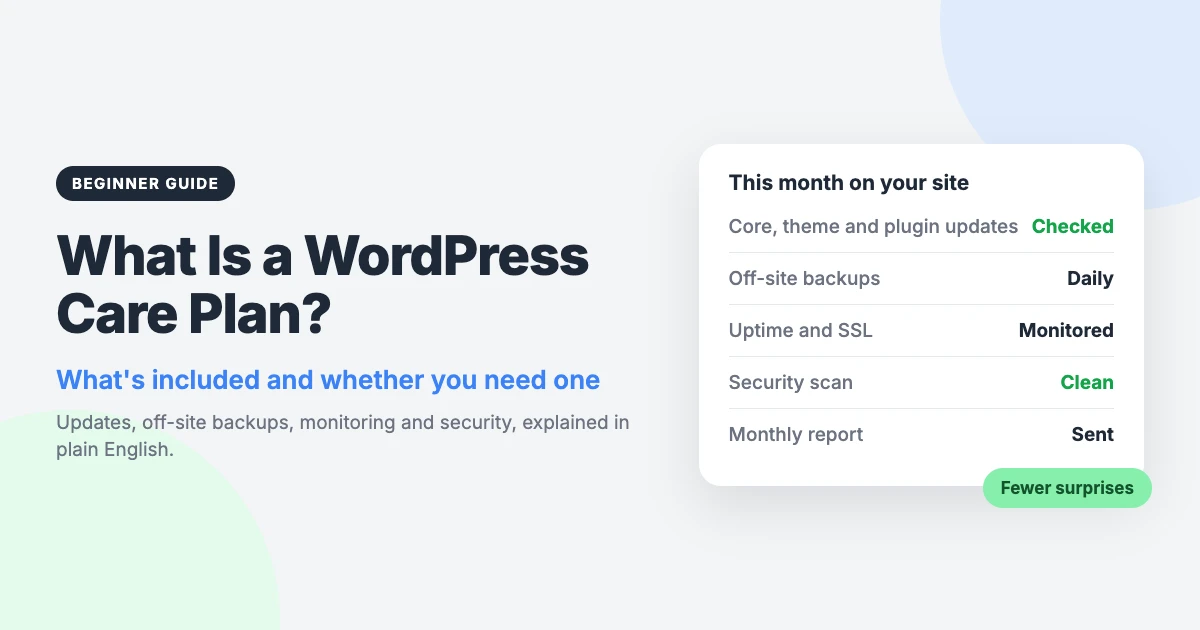
A WordPress care plan is an ongoing service where someone keeps your WordPress site updated, backed up, monitored and secure for a monthly or yearly fee.
It suits people who rely on their site but don’t want to look after the technical side. That includes small businesses, shop owners, busy bloggers and organisations without an in-house developer.
This guide explains what a plan covers, what it costs, and how to decide whether you need one. It also shows you how to do the work yourself if you’d rather.
What is a WordPress care plan?
If you’re asking “what is a WordPress care plan?”, think of it as a service contract for your website. You pay a regular fee, and a person or team handles the routine jobs that keep the site healthy.
You may also see it called a WordPress maintenance plan or a WordPress website care plan. The names differ, but the idea is the same: regular, planned work instead of emergency repairs.
It is not the same as hosting. Your host rents you the server your site runs on. Some hosts add backups or updates, but most leave the site itself to you.
It is also different from a one-off fix. One-off support solves a single problem when you ask. A care plan works in the background every month, whether or not something has gone wrong.
| Hosting | Care plan | One-off support | |
|---|---|---|---|
| What it covers | The server and its software | The WordPress site itself | One specific problem |
| Who does updates | Usually you | The provider | You |
| Backups | Varies by host | Scheduled and off-site | Not included |
| Fixing broken updates | Usually not included | Usually included | Paid per job |
| How you pay | Monthly or yearly | Monthly or yearly | Per ticket or per hour |
Why WordPress sites need ongoing care
WordPress itself is well looked after. The risk mostly sits in the plugins and themes you add to it.
Patchstack’s State of WordPress Security 2026 report counted 6 vulnerabilities in WordPress core in 2025. It counted 11,334 in plugins and themes.
The same report found that 46% of 2025’s vulnerabilities had no patch available when they were disclosed. So updating is essential, but it won’t always be enough on its own.
Speed matters too. For heavily targeted flaws, the report gives a weighted median of 5 hours from disclosure to first exploit. A site that is checked once every few months is exposed for a long time.
Then there is PHP, the language WordPress runs on. PHP 8.2 stops getting security fixes on 31 December 2026, and PHP 8.1 and older get none. You can confirm the dates on the official PHP supported versions page.
Moving to a newer version can break old plugins, so it needs testing first. Our guide on how to update PHP in WordPress walks you through it.
None of this is hard on its own. The difficulty is doing it reliably, every month, for years.
What’s included in a WordPress care plan
Plans vary between providers, so always read the list of what you get. Most cover the tasks below.
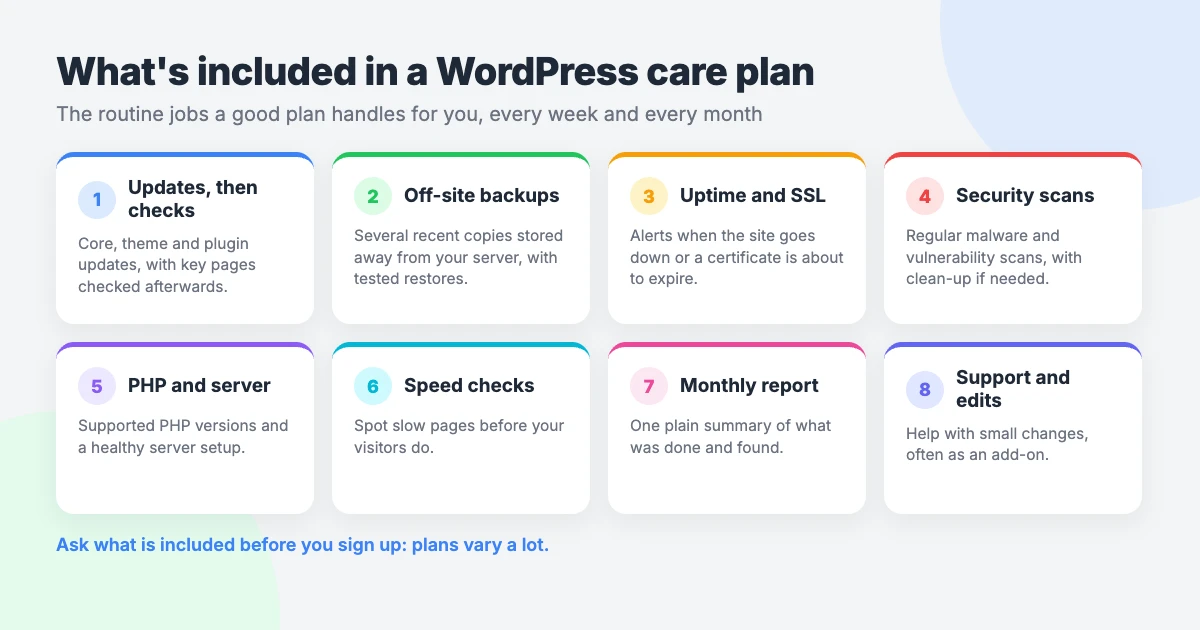
Core, theme and plugin updates
The provider installs updates for WordPress, your theme and your plugins on a regular schedule. Urgent security releases are usually applied sooner.
The valuable part is the check afterwards. Someone should look at your key pages and confirm that nothing has broken. Better plans test updates on a staging copy first.
Off-site backups and tested restores
A backup is a copy of your files and database that you can restore if something goes wrong. A good plan takes them automatically and stores them away from your site.
WordPress’s own backup guidance is to keep several recent backups in different locations, not only on the hosting server. It also advises verifying that your backups are usable.
That last point is often missed. A backup that has never been restored is only a hope. Ask whether test restores are part of the service.
Uptime and SSL monitoring
Uptime monitoring checks your site every few minutes and raises an alert if it stops responding. You find out before your visitors tell you.
SSL monitoring watches the certificate behind the padlock in the browser. If it expires, visitors see a security warning, so it pays to catch renewal problems early.
Security scans and malware clean-up
Regular scans look for known vulnerabilities, changed files and malicious code. Many plans also add basic hardening, such as limiting login attempts.
Clean-up is where plans differ most. Some include malware removal, and others charge for it separately. Check before you sign up.
PHP and server checks
Your provider should keep an eye on your PHP version, disk space and server errors. They should also warn you well before your PHP version reaches the end of its support.
Speed checks
Sites slow down over time as content, images and plugins pile up. A regular speed check spots the change early, while the cause is still easy to find.
Monthly report
A report shows what was done: updates applied, backups taken, uptime recorded and any problems found. It is your proof that the work is happening.
Support and small edits
Some plans include help with questions and small content changes, such as swapping an image or updating opening hours. This is often an add-on with a set amount of time each month.
If you want WordPress maintenance and support in one package, confirm that both halves are in the price.
Care plan vs auto-updates: are auto-updates enough?
Since WordPress 5.5, you can enable auto-updates for individual plugins and themes from your dashboard. It’s free, and it closes many security holes quickly.
These updates run through WP-Cron, WordPress’s built-in scheduler, which checks twice a day. That’s helpful, but there are limits you should know about.
- Nobody checks your pages afterwards.
- No backup is taken first.
- There is no rollback if an update causes a problem on your site.
Auto-updates are fine for some plugins, especially small ones that don’t affect your layout or checkout. They are riskier for page builders, shop plugins and anything your income depends on.
So treat auto-updates as one useful tool. They don’t replace backups, monitoring or a person who looks at the result.
Can you do WordPress maintenance yourself?
Yes. Nothing in a care plan is secret, and you can do most of it with free tools.
You’ll want a free backup plugin that can send copies to off-site storage. Add a free uptime monitor and the Site Health screen, which you’ll find under Tools in your dashboard.
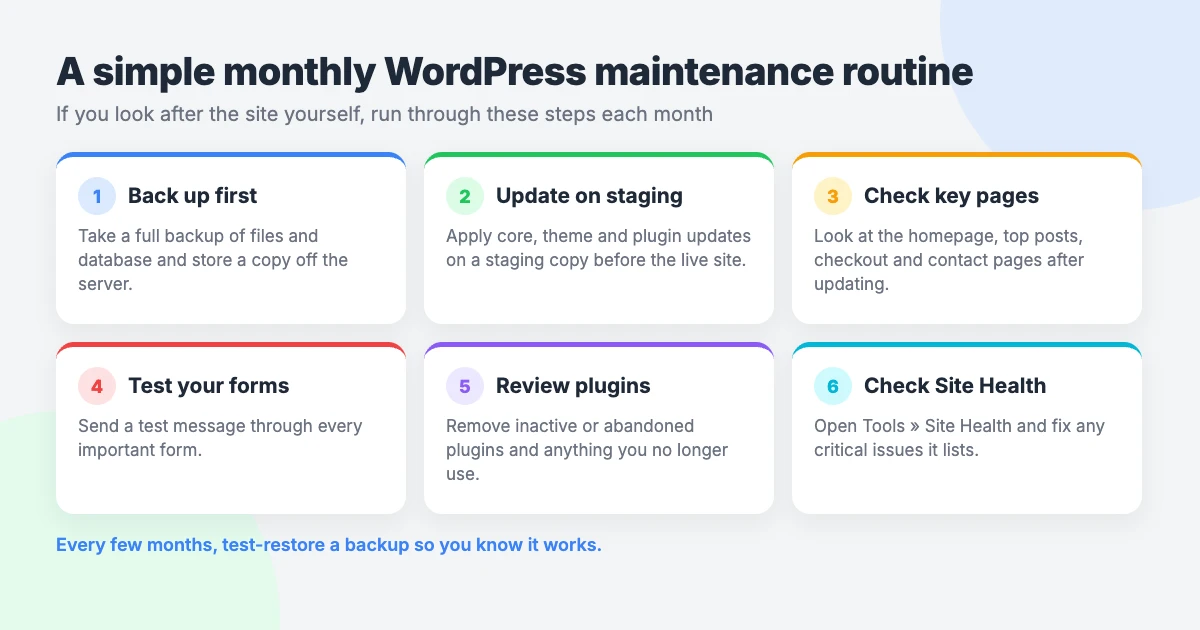
Here is a short routine to run once a month.
- Take a full backup of your files and database, and confirm it has finished.
- Apply updates on a staging copy first, if your host offers one. Then update the live site.
- Check your key pages on desktop and mobile: the homepage, a post, and your main sales or service pages.
- Send a test through every form, and place a test order if you run a shop.
- Review your plugins. Remove any you no longer use, and replace any that are no longer maintained.
- Open Site Health and deal with anything marked as critical, including an outdated PHP version.
- Every few months, restore a backup to a staging or test site to prove it works.
To be fair to both options, DIY suits people who have the time and don’t mind a little troubleshooting. A plan suits businesses that can’t afford downtime, or owners who know the routine will slip.
How much does a WordPress care plan cost?
Prices vary widely. They depend on what’s included and on the size and type of your site. Compare the task lists, not only the headline price.
These things tend to push the price up:
- Online stores. Checkouts, payments and stock need more testing after each update.
- Forms and integrations. Links to email tools, booking systems or a CRM all need checking.
- Staging tests. Testing updates on a copy first takes more time than updating the live site.
- Edit time. Included content changes are paid for somewhere in the fee.
- Faster response. Guaranteed quick replies cost more than a next-working-day service.
As a guide, our own estimator at wpinterface.com/services/wordpress-care-plans suggests roughly $550–$750 a year for a blog or small brochure site. You get a fixed monthly quote, and monthly plans can be cancelled at any time.
Shops and larger sites cost more, because there is more to test and more to lose. For a fuller breakdown, read our honest take on WordPress maintenance cost.
How to choose a WordPress maintenance plan: 8 questions to ask
Providers describe their services in very different ways. These questions help you compare them on equal terms.
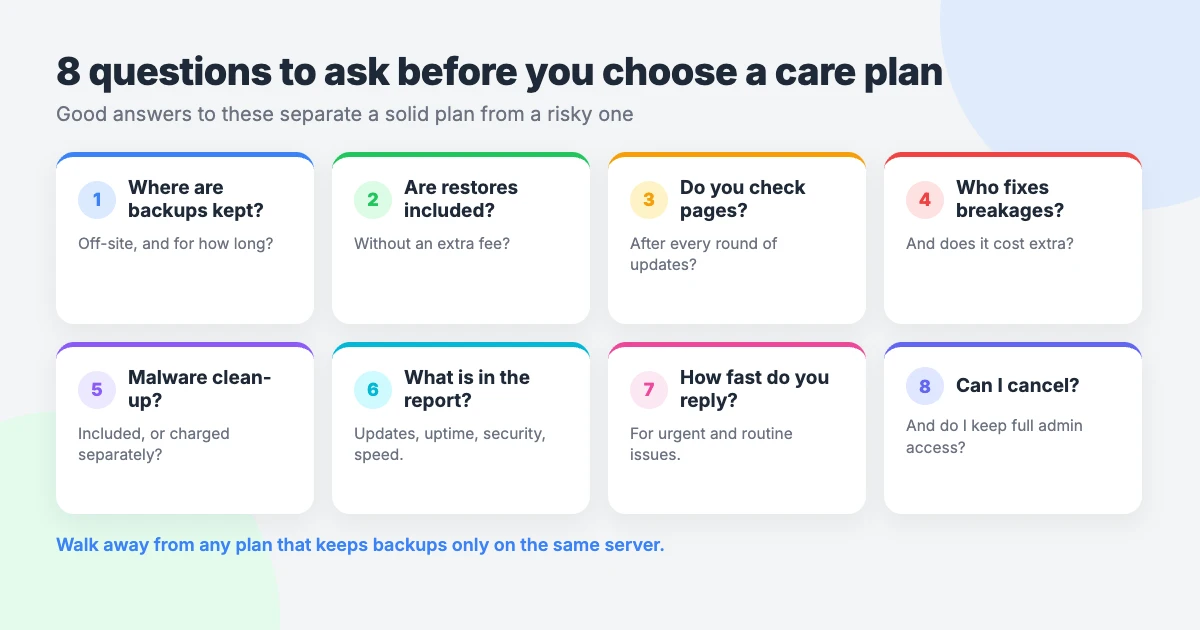
- Where are backups stored, and how long do you keep them?
- Are restores included in the price, and do you test them?
- Do you check my pages after each round of updates?
- Who fixes a broken update, and does it cost extra?
- Is malware removal included, or is it billed separately?
- What does the monthly report contain?
- What are your response times for urgent and routine requests?
- Can I cancel at any time, and do I keep full access and ownership of my site?
A good provider will answer all eight in writing without hesitation.
Red flags to watch for
- Backups kept only on the same server. If the server fails or is hacked, the backups go with it.
- No rollback. Updates are applied, but nobody can undo one that breaks your site.
- Long lock-in contracts. A confident provider doesn’t need to tie you in for years.
- Vague “unlimited” promises. Unlimited edits or support always have limits, so ask what they are.
- Admin access withheld. It’s your site. You should always have your own administrator login.
Is a WordPress care plan worth it?
It depends on what an hour of downtime, or a week of lost enquiries, would cost you.
You’ll benefit most if:
- your site brings in sales, bookings or leads;
- you run a shop, a membership site or many plugins;
- you don’t have the time or confidence to fix a broken update;
- you’ve been hacked before and don’t want a repeat.
You can probably skip it if you run a small personal site with few plugins and you’re happy following the monthly routine above. A day offline would be annoying, but it wouldn’t cost you money.
There’s a middle path too. Look after the site yourself, and pay for one-off help only when you get stuck.
If you’d rather hand the work over, take a look at our WordPress care plans. For a single problem, VIP Support is a $29 priority ticket for one-off issues.
Frequently asked questions
What is the difference between a WordPress care plan and hosting?
Hosting gives your site a server to run on. A care plan looks after the site itself, with updates, off-site backups, monitoring and security checks. Some hosts include a few of these tasks, so check exactly what yours covers.
Are WordPress auto-updates enough?
They help, but they aren’t a full plan. Auto-updates don’t take a backup first, don’t check your pages afterwards and can’t roll back a bad update. Use them for low-risk plugins, and keep your own backups and checks alongside.
How often should a WordPress site be backed up?
It depends on how often the site changes. Weekly backups may suit a small, quiet site. WordPress advises daily backups for busy sites, and shops with frequent orders may need them more often still.
Can a care plan fix a hacked site?
Usually the clean-up comes first, as a separate job, and ongoing care starts once the site is clean. Some plans include malware removal for sites already under their care. Ask the provider how they handle it before you join.
Do I need a care plan for a small blog?
Not always. If your blog has few plugins and you can spare a little time each month, the DIY routine in this guide is enough. A plan makes more sense once the blog earns money or you stop keeping up with updates.
Reactions
How did this make you feel?
Be the first to react
One reaction per visitor. Tap again to change or remove it.





Leave a reply