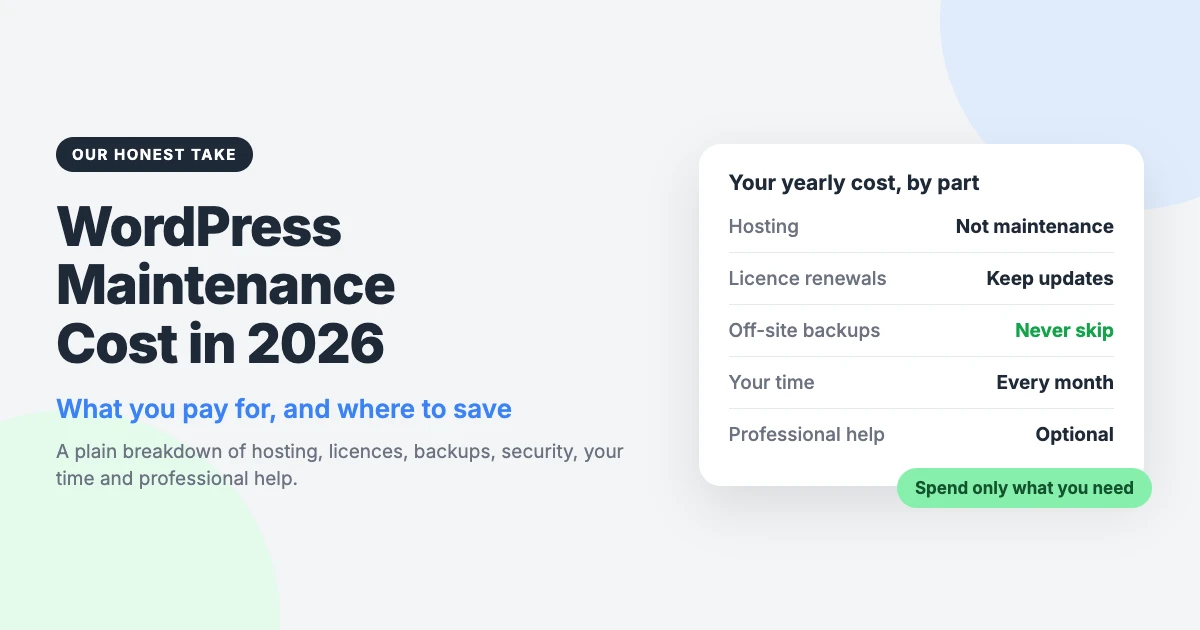
Ask ten people about WordPress maintenance cost and you will get ten different answers. The truthful one is “it depends”, which is not much help when you are setting a budget.
So we will not hand you a made-up average. Instead, we will break the bill into its parts, show you what drives each one, and help you work out your own number.
We should be open about where we stand. We sell themes and care plans, so we have an interest here. We also think plenty of site owners pay for more than they need.
Our take in one line: most small sites should spend more time than money, and sites that earn money should pay for care.
Our short answer on WordPress maintenance cost
There are three ways to keep a WordPress site looked after. Each one costs you something different.
- Do it yourself. You pay mainly with your time, plus hosting and any premium licences you already pay for.
- A care plan. You pay a fixed monthly fee and someone else handles the routine work.
- Ad hoc developer help. You pay per job, usually when something has already gone wrong.
None of these is the right answer for everyone. A hobby blog and a shop taking orders every day have very different needs, and the bill should reflect that.
What you’re actually paying for
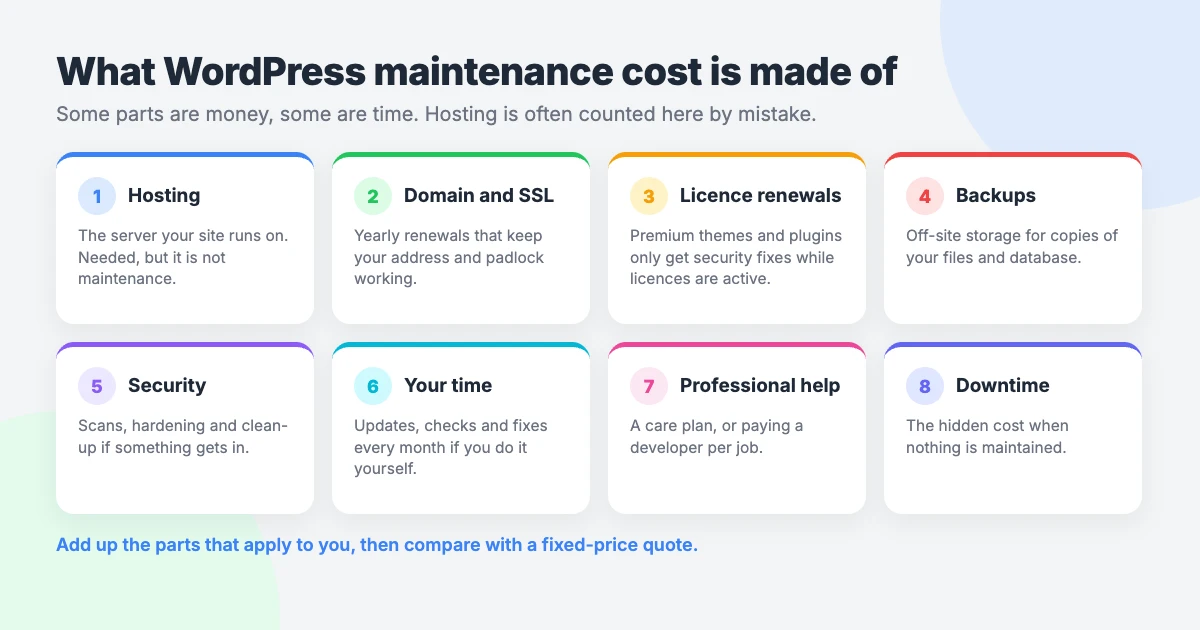
When people ask how much does WordPress maintenance cost, they often bundle several separate bills together. It helps to pull them apart.
Hosting
Hosting is not maintenance, but the two get confused all the time. Hosting is the rent for the server your site lives on. Maintenance is the work of keeping the site healthy.
The overlap is real, though. Some hosts include backups, a free SSL certificate or automatic updates. Check what your plan already covers before you pay for the same thing twice.
Domain and SSL renewals
Your domain name renews every year, or every few years if you prefer. It is a small bill, but missing it takes your whole site offline.
Many hosts now provide an SSL certificate at no extra charge. If yours does not, the certificate is another renewal to track.
Premium theme and plugin licences
WordPress itself is free. Premium themes and plugins are not, and most are sold as yearly licences.
The renewal is what keeps updates coming. A lapsed licence usually means the product keeps working, but you stop receiving new versions. That includes security fixes.
So count every licence renewal as part of the cost of maintaining a WordPress website. Then ask whether you still use each one.
Backups and storage
Free backup plugins exist, and they do the job for many sites. WordPress’s own backup guide recommends keeping copies in more than one place. The cost that creeps in is storage.
A backup kept on the same server as your site is not much protection. You want a copy somewhere else, and larger sites need more space to hold it.
Security
Free security plugins exist too. They cover the basics, such as limiting login attempts and scanning for changed files.
Most of security is habit, not spending. Update promptly, use strong passwords, turn on two-factor login and remove what you do not use.
Your time
This is the line most budgets leave out. Someone has to log in, run the updates and check that nothing broke. If that someone is you, it is a cost.
Professional help
This is where a care plan or a developer comes in. You are paying for a person to do the routine work, notice problems early and fix them.
If you are not sure what that covers, we have written a plain guide to what a WordPress care plan includes.
The hidden cost: your time
DIY maintenance is not hard, but it is regular. A realistic monthly routine looks something like this:
- Take a fresh backup and confirm it finished.
- Update WordPress core, your theme and your plugins.
- Click through your key pages, forms and checkout to check they still work.
- Review any security scan results and failed login alerts.
- Delete spam comments and remove plugins or themes you no longer use.
- Check that your site still loads at a sensible speed.
- Every so often, restore a backup to a test site to prove it works.
That takes time every month. A simple blog needs less of it. A site with many plugins needs more, because there is more to update and more to test.
Our suggestion is to put a value on your hour. Time yourself for a month or two, then multiply by what an hour of your work is worth.
If the answer is small and you quite enjoy the work, keep doing it yourself. If it is eating into paid work, that changes the sum.
What makes WordPress maintenance pricing go up
Whoever you ask for a quote, the same things tend to push WordPress maintenance pricing higher. Each one adds work or adds risk.
- An online store. Orders, payments and stock all have to keep working after every update, so testing takes longer.
- Forms and integrations. A contact form that feeds a mailing list or booking system has more parts that can break quietly.
- Lots of plugins. Every extra plugin is another thing to update and another possible conflict.
- Page builders. Layouts built with a page builder depend on it, so its updates need a careful visual check.
- Staging tests. Trying updates on a copy of your site first is safer, but it is extra work each time.
- Edit time. Small content changes are not maintenance in the strict sense. If you want them included, the price goes up.
- Faster response. Asking for someone to act the same day costs more than joining a queue.
- An older PHP version. A site on outdated PHP may need upgrade work before routine care can start.
Use this as a checklist when you compare quotes for WordPress maintenance cost. If two prices differ a lot, the gap is usually explained by one of these items.
Our own pricing, for transparency
We said we would not quote the market, and we will not. We can show you our own numbers, though.
These figures come from the estimator on our WordPress care plans page. They are our figures, not an industry average, and other providers will price differently.
| Site type | What our estimator suggests |
|---|---|
| Blog or small brochure site | Roughly $550–$750 a year |
| Business site with forms and integrations | Adds about $500 a year |
| Online store or busy publication | Adds about $900 a year |
| Optional: updates tested on staging first | About +$300 a year |
| Optional: monthly edit time for small changes | About +$300 a year |
| Optional: same-day response on urgent issues | About +$200 a year |
Treat these as estimates. Our estimator suggests a figure, and your written quote confirms the exact figure for your site.
We also offer VIP Support, a $29 priority ticket for one-off problems. For a small site that rarely changes, that may be all the paid help you ever need.
Please get quotes from more than one provider. A fair price is the one that matches the work your site needs.
The cost of not maintaining your site
Skipping maintenance looks free. It is really a bill that arrives later, and usually at a bad moment.
Downtime
You can put a rough figure on downtime yourself. Take your monthly revenue from the site and spread it over the 730 or so hours in an average month.
That gives you a rough hourly cost of being offline. Then add the staff time it takes to get everything running again.
For a hobby blog, the answer is close to nothing. For a shop, it can outweigh a year of care very quickly. Run your own numbers.
Hacked-site clean-up
Cleaning a hacked site is slow, specialist work. It is also urgent, which is never a strong position to buy from.
Out-of-date plugins and themes are a common way in. Prompt updates are much cheaper than a clean-up.
Lost rankings
A site that is slow, broken or flagged as unsafe can slip in search results. Visitors who see a browser warning tend not to come back.
Recovering that trust takes far longer than losing it did.
Lapsed licences
Letting a premium licence lapse saves money this year. It also cuts you off from updates, including security fixes.
If you stop paying for a product, replace or remove it. Do not leave it installed and ageing.
Where we think you can save money
You can trim the WordPress maintenance cost of most sites without adding risk. Here is where we would look first.
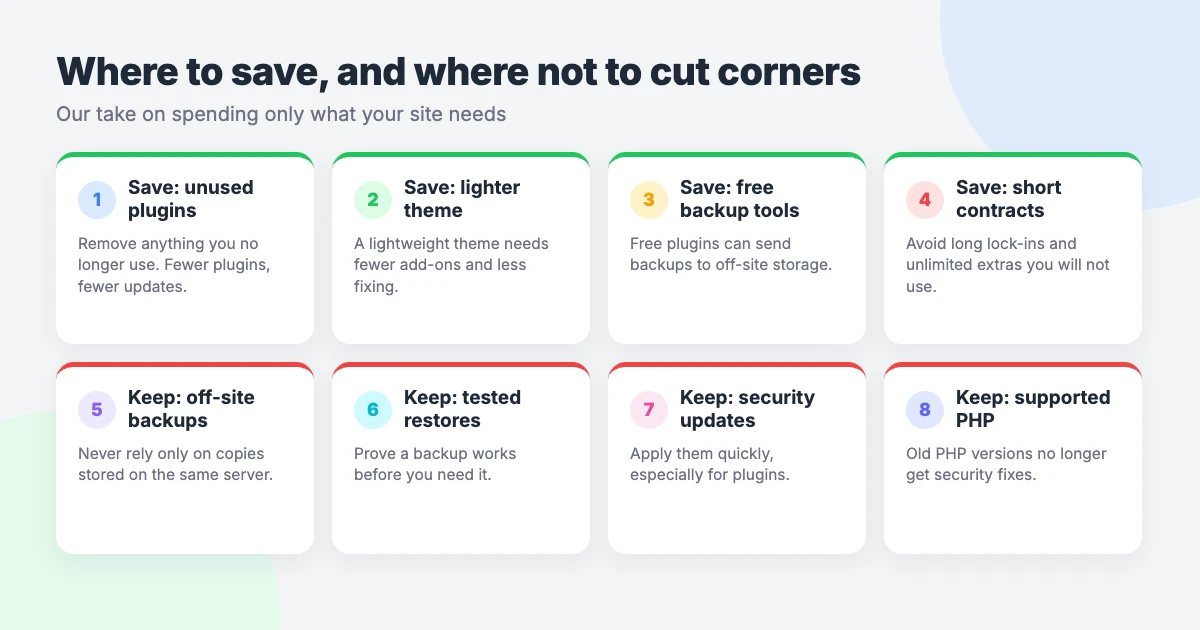
- Drop plugins you don’t use. Fewer plugins means fewer updates, fewer conflicts and fewer licences to renew.
- Choose a lightweight theme. Our lightweight WordPress themes are built to need few add-ons, and other good options exist.
- Use free backup tools with off-site storage. A free plugin that sends copies to storage away from your server covers many small sites.
- Don’t pay for “unlimited” edits you won’t use. If you change your site twice a year, pay for those two jobs instead.
- Avoid long contracts. Your needs will change. Monthly or yearly terms you can leave are kinder to your budget.
We would also question any plan you cannot explain. If you do not know what a fee covers, ask for it in writing.
Where we think you shouldn’t cut corners
Some things are worth doing properly, whoever does them.
- Off-site backups. Keep at least one copy away from your web server.
- Tested restores. A backup you have never restored is a hope, not a plan.
- Timely security updates. Apply security releases quickly, even when you delay bigger feature updates.
- A supported PHP version. Old PHP stops receiving security fixes, as the official PHP support schedule shows. Our guide shows you how to update the PHP version in WordPress.
Notice that none of these has to cost much. They need attention more than money, which is our point about small sites.
Our verdict
Your WordPress website maintenance cost should match what the site does for you. That is the whole of our view.
If your site is a blog or a simple brochure, do it yourself and spend the time. Buy one-off help when you get stuck.
If your site takes orders, bookings or leads, pay for care. An hour offline costs you more than the plan does.
Either way, work out your own number, get written quotes, and pay only for what you will use.
Frequently asked questions
Is WordPress free to maintain?
The software is free, and free plugins exist for backups, security and caching. You can maintain a site without paying for maintenance tools.
It is not free of cost, though. You still pay for hosting, your domain and any premium licences, and the work takes your time each month.
How much does WordPress maintenance cost per month?
It depends on your site and who does the work. The bill is made up of hosting, renewals, licences, backup storage, your time and any professional help.
As one reference point, our estimator suggests roughly $550–$750 a year for a blog or small brochure site. Your written quote confirms the exact figure.
Those are our figures, not the market’s. Get quotes from a few providers and compare what each one includes.
Is a care plan cheaper than hiring a developer when things break?
It depends. If your site is small and rarely changes, paying per job can cost less over a year. Our $29 VIP Support ticket exists for that case.
If your site earns money or has many moving parts, a plan often works out better. Problems get caught early, and emergency work is the expensive kind.
Compare a year of plan fees with what you spent on fixes and lost time last year.
What happens if I stop maintaining my WordPress site?
Usually nothing at first. The site keeps running while updates pile up and known security holes stay open.
Over time the risks grow. Plugins can conflict, the site can be hacked, and old backups may not restore when you need them.
If you plan to stop, at least keep an off-site backup and apply security updates. If the site is no longer needed, take it down.
Reactions
How did this make you feel?
Be the first to react
One reaction per visitor. Tap again to change or remove it.



Leave a reply