
Looking for lightweight WordPress themes that load quickly and stay out of your way? This roundup lists 12 of them, with the speed score each one records on its demo.
First, a disclosure. Every theme on this list is made and sold by us at WPInterface. We have left other theme shops out, so read this as a guide to our own catalogue, not an independent ranking.
Second, a word on the numbers. The scores are Google PageSpeed Insights lab scores, measured on each theme’s demo. Your own site may score higher or lower, and we explain why below.
What makes a WordPress theme lightweight?
A lightweight WordPress theme asks the browser to do less work. There is no official definition, but these are the signs to look for.
- Small CSS and JavaScript files. Less code to download, parse and run before the page appears.
- No bundled page builder required. The theme works with the block editor alone, so a builder is your choice, not a condition.
- Few HTTP requests. Every extra stylesheet, script and font file is another trip to the server.
- System fonts or only a few web fonts. Each font weight you load adds to the page.
- Images sized correctly and lazy-loaded below the fold. Visitors should not download pictures they have not scrolled to yet.
- No layout shift. Space is reserved for images, adverts and embeds, so content does not jump as the page loads.
- Light interactive elements. Where possible, sliders and carousels work without heavy jQuery-based scripts.
Treat this as a checklist for any fast WordPress theme you are considering, including ours. No theme is fast by label alone, so test it.
How we measured
Each theme page in our catalogue shows a Google PageSpeed Insights lab score for the theme’s demo. We checked the catalogue in November 2026. Ten of the themes below show 95, and two show 96.
Lab data comes from a simulated page load in tools such as PageSpeed Insights and Lighthouse. It is repeatable, which makes it useful for comparing one setup against another.
Field data is different. It comes from real visitors through the Chrome UX Report, and you can see it in Search Console’s Core Web Vitals report. A demo score tells you nothing about your field data.
So what does a demo lab score tell you? It shows that the theme can score well with demo content on our demo server. It does not show how the theme will behave with your hosting, caching, images, plugins and third-party scripts.
For that reason, we do not promise a score. A difference of one point between two demos is also too small to matter, and lab scores vary a little from run to run.
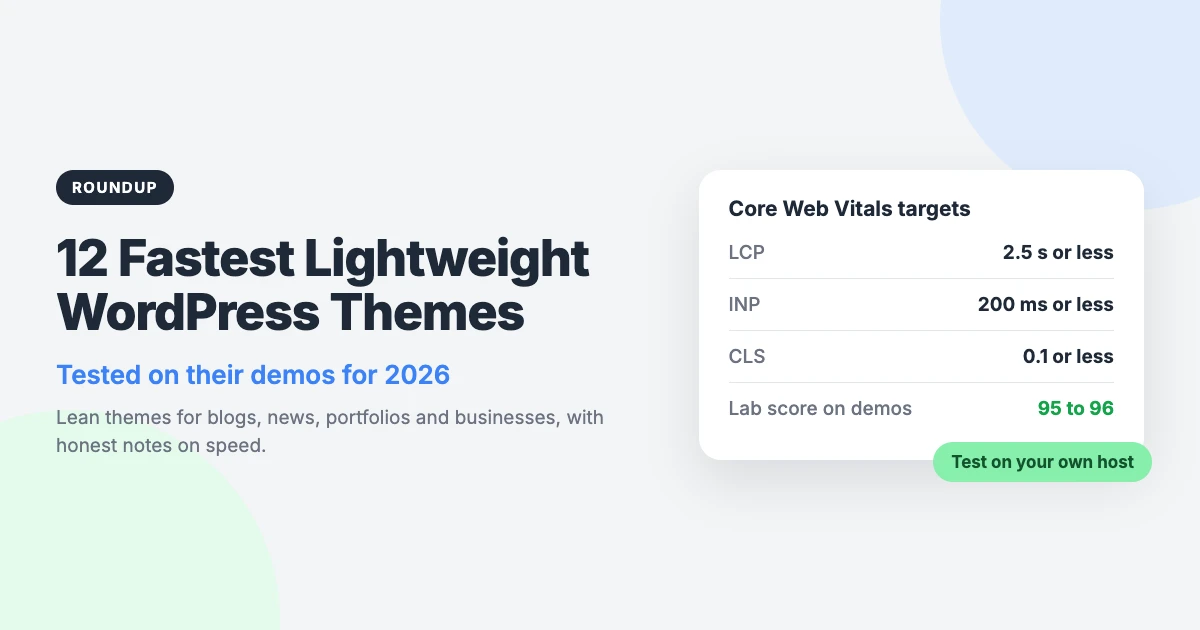
Google’s Core Web Vitals give you clearer targets than a single score. The “good” thresholds are:
- Largest Contentful Paint (LCP): 2.5 s or less.
- Interaction to Next Paint (INP): 200 ms or less.
- Cumulative Layout Shift (CLS): 0.1 or less.
Fastest lightweight WordPress themes at a glance
Here are the 12 themes side by side. The order groups similar themes together. It is not a ranking by speed.
| Theme | Type | Lab score on demo | Best for |
|---|---|---|---|
| SpeedBlog Pro | Blog | 95 | Travel, tech, personal and creative blogs |
| SpeedNews Pro | News and magazine | 95 | Tech, business and lifestyle publishers |
| NewsArc Pro | Online magazine | 96 | Magazines built around reader engagement |
| ReelCraft Pro | Video blog and portfolio | 96 | Videographers and filmmakers |
| TruthNews Pro | Newspaper | 95 | Journalists and publishers |
| BlogSky Pro | Blog | 95 | Writers who care about typography |
| Minimal Blog Pro | Blog | 95 | Blogs, magazines and review sites |
| NotoMag Pro | News and magazine | 95 | Journalists and newsrooms |
| Business Interface Pro | Multipurpose business | 95 | Small businesses and online shops |
| Corporate Interface Pro | Corporate business | 95 | Companies, agencies and consultants |
| MagNine Pro | Magazine and newspaper | 95 | Publishers with mostly mobile readers |
| BlogBull Pro | Blog and magazine | 95 | Author-led blogs and small magazines |
The 12 fastest lightweight WordPress themes
All 12 are Pro themes. Each is block editor ready, translation ready and has full RTL support. Licences start at $59 for one site, with 10-site and unlimited-site options. An all-themes bundle costs $299.
1. SpeedBlog Pro

SpeedBlog Pro is a fast blog theme for travel, tech, personal and creative blogs. It uses clean, magazine-style layouts, so a busy blog still looks ordered.
One-click demo import gives you the demo layout as a starting point. The theme also includes a built-in accessibility toolbar for your readers.
Lab score on the demo: 95 in Google PageSpeed Insights.
Best for: Bloggers who want a magazine-style layout and a quick setup.
2. SpeedNews Pro

SpeedNews Pro is a fast news and magazine theme. It is aimed at tech, business and lifestyle publishers.
News sites often carry adverts, embeds and analytics, which all add weight. Starting with a light theme leaves you more room for those extras.
Lab score on the demo: 95 in Google PageSpeed Insights.
Best for: Publishers covering tech, business or lifestyle topics.
3. NewsArc Pro

NewsArc Pro is an online magazine theme built for engagement. Readable typography is its main design feature.
Its demo shows a lab score of 96, one of the two highest on this list. Remember that one point is within normal variation between test runs.
Lab score on the demo: 96 in Google PageSpeed Insights.
Best for: Online magazines that want readers to stay and keep reading.
4. ReelCraft Pro

ReelCraft Pro is a video blog and portfolio theme. It is made for videographers and filmmakers who want to show their work.
The demo shows a lab score of 96. Video embeds are third-party content, so test your own pages once your videos are in place.
Lab score on the demo: 96 in Google PageSpeed Insights.
Best for: Video blogs, showreels and film portfolios.
5. TruthNews Pro

TruthNews Pro is a lightweight newspaper theme for journalists and publishers. It suits sites where the reporting is the main attraction.
Like every theme here, it is block editor ready. It is also translation and RTL ready, which helps if you publish in more than one language.
Lab score on the demo: 95 in Google PageSpeed Insights.
Best for: Independent journalists and newspaper-style sites.
6. BlogSky Pro

BlogSky Pro is a clean, minimalist blog theme for writers. The design focuses on typography, so your words carry the page.
It opens with a slider hero and includes an accessibility toolbar. If you use the slider, keep its images well compressed.
Lab score on the demo: 95 in Google PageSpeed Insights.
Best for: Writers who want a calm, text-first blog.
7. Minimal Blog Pro

Minimal Blog Pro is a modern, clean blog theme. It works for blogs, magazines and review sites, and it includes a featured slider.
If you like this pared-back look, we have a longer list of minimal blog WordPress themes to compare.
Lab score on the demo: 95 in Google PageSpeed Insights.
Best for: Simple blogs and review sites that want a clean design.
8. NotoMag Pro

NotoMag Pro is a clean, fast news and magazine theme for journalists. It has a bold masthead that gives your publication a clear identity.
It also includes a Watch Live block. Live video relies on outside scripts, so measure that page separately on your own site.
Lab score on the demo: 95 in Google PageSpeed Insights.
Best for: Newsrooms that mix written stories with live coverage.
9. Business Interface Pro

Business Interface Pro is a lightweight multipurpose business theme. It comes with 12 starter sites, so you can begin from a layout close to your trade.
It supports Elementor and WooCommerce. Both add their own code, so re-test your pages after you set them up.
Lab score on the demo: 95 in Google PageSpeed Insights.
Best for: Small businesses that need a shop or prefer Elementor.
10. Corporate Interface Pro

Corporate Interface Pro is a modern corporate business theme. It is designed for companies, agencies and consultants.
Business sites tend to have fewer pages than news sites, but each one matters. Test your home, services and contact pages individually.
Lab score on the demo: 95 in Google PageSpeed Insights.
Best for: Company, agency and consultancy websites.
11. MagNine Pro

MagNine Pro is a magazine and newspaper theme optimised for mobile. A red header gives it a classic news look.
Mobile is the harder speed test, because phones have slower processors and connections. A theme designed for small screens is a sensible place to start.
Lab score on the demo: 95 in Google PageSpeed Insights.
Best for: Magazines and newspapers read mostly on phones.
12. BlogBull Pro

BlogBull Pro is a minimalist blog and magazine theme. It opens with an author intro and presents lead stories in large serif type.
A popular posts carousel helps readers find more to read. As with any carousel, keep its images small and check the page for layout shift.
Lab score on the demo: 95 in Google PageSpeed Insights.
Best for: Personal blogs where the author is the brand.
How to test a WordPress theme’s speed yourself
Do not take any theme shop’s word for it, ours included. Whether you are comparing the fastest WordPress themes or just checking one, the process is the same.
- Test the demo on mobile. Paste the demo URL into PageSpeed Insights and read the mobile result first.
- Test several pages. Check the home page, a single post and an archive page. They load different content and can score differently.
- Note LCP, INP and CLS. Write down the individual metrics, not only the overall score. They show where the time goes.
- Install the theme on a staging site. Use your own content, images and plugins, on the hosting you plan to use.
- Re-test. Run the same pages again and compare them with your notes from the demo.
- Check field data after launch. Once real visitors arrive, open the Core Web Vitals report in Search Console. It can take a few weeks to fill.
If the staging score drops sharply, switch plugins off one at a time and test again. The cause is often a single script, not the theme.
Slow responses to taps and clicks need a different fix. Our guide explains how to improve INP in WordPress.
How to keep your WordPress site fast after launch
Even a speed optimised WordPress theme can only do part of the job. The rest is down to how you run the site.
- Match caching to your server. The right caching plugin depends on your web server and host. Our LiteSpeed Cache vs WP Rocket comparison explains the difference.
- Optimise your images. Resize them to the size they are displayed at, and compress them before or during upload.
- Limit plugins and third-party scripts. Adverts, chat widgets, analytics and embeds all cost time. Keep what earns its place, and choose carefully from the best free WordPress plugins.
- Use a supported PHP version. Check your hosting control panel or your host’s documentation to see which version you are on.
- Choose good hosting. A slow server response delays everything that follows, whichever theme you pick.
Speed sits alongside crawling, indexing and site structure. Our technical SEO checklist covers those in order.
If you would rather hand a problem to someone else, our VIP Support service costs $29 per ticket.
Frequently asked questions
What is the fastest WordPress theme?
There is no single answer. Speed depends on your hosting, caching, images, plugins and third-party scripts as much as the theme. Shortlist two or three themes, then test each on your own host with your own content.
Does a lightweight theme improve SEO?
It can help, but speed is one factor among many. Core Web Vitals are part of how Google assesses page experience. Useful, relevant content still matters more than a few points on a speed test.
Why is my site slower than the theme demo?
A demo runs on our server with demo content and few extras. Your site has its own hosting, caching setup, images, plugins and third-party scripts such as adverts and analytics. Any of these can lower the score, so change one thing at a time and re-test.
Do these themes work with page builders?
Business Interface Pro supports Elementor. All 12 themes are block editor ready, so you can build pages with WordPress blocks and no extra builder. A page builder adds its own code, so test again after installing one.
Final thoughts
These 12 lightweight WordPress themes all record a lab score of 95 or 96 on their demos. That is a good starting point, not a promise for your site.
Choose by fit first. Pick the theme whose layout suits your content, whether that is a blog, a newsroom, a video portfolio or a business site.
Then test it on staging with your real content, and keep an eye on your field data after launch. Among lightweight WordPress themes, the fastest one for you is the one that performs well on your own setup.




Leave a reply