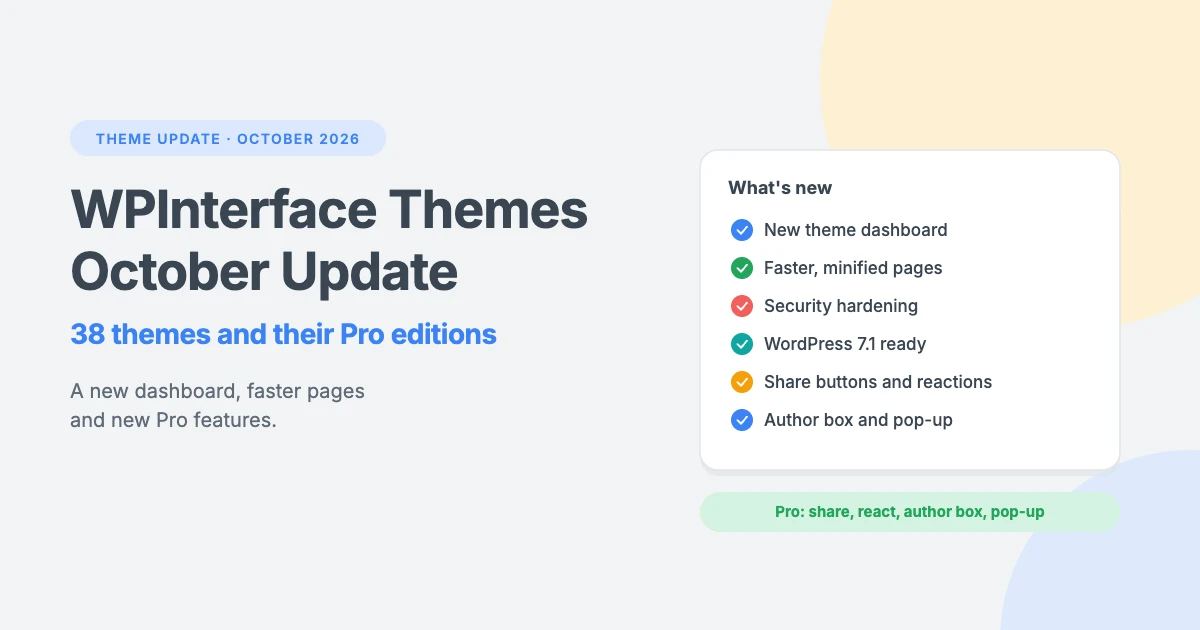
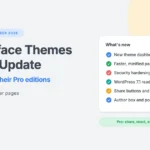
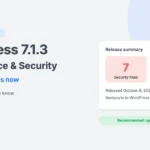
This update covers all 38 WPInterface themes on WordPress.org and their Pro editions. Every theme gets a redesigned theme dashboard, smaller and faster front-end files, security fixes and support for WordPress 7.1. The Pro themes also gain new features for readers: share buttons, votes, reactions, an author box and a recommended post pop-up.
At a glance
- A new theme dashboard with a setup checklist, starter sites and a What’s new panel.
- Minified CSS and JavaScript in every theme, with dedicated stylesheets for right-to-left languages.
- Security hardening across the whole collection.
- Tested with WordPress 7.1. The themes now require PHP 7.4 or newer (SpeedNews: 7.2).
- New in Pro: share buttons with a sticky share bar, votes, reactions, an author box, profile pictures and a recommended post pop-up.
- Accurate Header Style previews, complete colour and typography options, and dark mode fixes.
- Big speed and accessibility gains in SpeedNews and TruthNews.
A new theme dashboard
Go to Appearance › [your theme] to find the new dashboard. It replaces the old welcome page in every theme and is organised in tabs:
- Overview: a setup checklist that ticks itself off as you go (recommended plugins, logo and site icon, main menu, sidebar widgets), with shortcuts straight to the right Customizer sections.
- Starter sites: preview a ready-made design and import it in one click.
- Recommended: our setup services, plugins that work well with the theme, and the rest of our themes. The theme list loads only when you ask for it.
- Free vs Pro (in most free themes): what the Pro edition adds.
- Help & support: documentation, support and community links.
A What’s new panel opens from the dashboard header and lists each release with colour-coded labels for security updates, new features, enhancements and fixes.
The welcome notice is now a compact notice on the Dashboard and Themes screens, shown to administrators only. The dashboard’s styles and scripts load only on its own screen, and its images shrank from as much as 2.8 MB to under 65 KB per theme.
Faster pages
Every theme now loads minified versions of its own stylesheets and scripts. Sites in right-to-left languages, such as Arabic and Hebrew, get their own right-to-left stylesheets, minified too. With SCRIPT_DEBUG turned on, the readable files load instead, which helps developers.
SpeedNews and SpeedNews Pro no longer need jQuery. Their carousels (the highlight row, gallery posts and the Posts Carousel and Posts Slider widgets) now use a lightweight carousel built into the theme. The sticky menu bar slides smoothly instead of jumping, and the web fonts no longer hold up the first paint. In our Lighthouse tests, mobile performance went from 85 to 90 on the home page and from 89 to 95 on a single post. Accessibility rose from 78 to 100 on the home page and from 82 to 99 on single posts.
TruthNews and TruthNews Pro lost the layout shifts that moved the page while it loaded, so desktop performance went from 76–77 to 98–100. On single posts the featured image now loads first and the fonts are preloaded, which took mobile performance on a single post from 78 to 85. Accessibility now scores 97 to 100.
In the Pro themes, the small stylesheets for Pro features are now printed inside the page instead of being loaded as separate files.
Scores were measured with Lighthouse 13.5 on our test site. Your results depend on your hosting, plugins and content.
Safer and up to date
We reviewed every theme and fixed what we found:
- Only administrators can install the recommended plugins from the welcome notice.
- “Load More” buttons and other public requests return only published, public posts.
- In Pro themes, the per-post header and footer scripts and Open Graph fields can only be saved by users who are allowed to add unfiltered HTML, and messages on the licence page are escaped.
- The Instagram and Weather widgets handle errors quietly: only administrators see API messages, and failed requests no longer slow every page.
- Reactions no longer trust IP addresses sent by a visitor’s browser.
- Category colours are no longer wiped out by Quick Edit.
The themes are tested up to WordPress 7.1 and now declare PHP 7.4 as their minimum (SpeedNews: 7.2). This matches the code they already used and the PHP version WordPress itself requires. All free themes pass the current WordPress.org Theme Check.
Pro features such as the accessibility toolbar and the Pro Kit now use the theme’s own text domain, so one translation covers the whole theme.
New Pro features
Share buttons, votes and reactions
Available in BlogAura Pro, BlogLex Pro, BlogNest Pro, BlogSky Pro, NewsNation Pro, SmThing Pro, SpeedBlog Pro, SpeedNews Pro and Vintuna Pro.
- Share buttons after the post header, after the content, or both: a share count, Facebook and X buttons, and a “+” button for Pinterest, LinkedIn, WhatsApp, Telegram, Reddit, email and copy link. A sticky share bar slides in as readers scroll, under the header on desktop and at the bottom of the screen on phones.
- Votes: “What do you think?” up and down votes with the post’s score. Clicking again removes a vote.
- Reactions: Happy, Sad, Excited, Surprised and Amazing, with animated faces, a count and a bar for each. Each visitor can pick one reaction and change or remove it. Choose a dark card or the theme’s own colours.
Counts are stored without any IP address or visitor ID; each visitor’s own choice is remembered in their browser. Nothing is sent to a social network until someone clicks a share button. Everything is set up under Customize › Pro Features.
Author box and profile pictures
In the same nine themes, a new author box under each post shows the author’s photo, name and job title, social links (X, Facebook, Instagram, Pinterest, LinkedIn, YouTube, TikTok, Threads and Bluesky), an “About me” bio, the categories the author writes most about as image tiles, and an “All posts” button. Authors fill it in from their own WordPress profile.
Each user can also choose their profile picture: their Gravatar or a photo from the Media Library. The choice applies everywhere WordPress shows their avatar.
Recommended post pop-up
Every Pro theme now has a recommended post pop-up: a card in a bottom corner of single posts that suggests another article, with its image, category, title and author. It appears after readers scroll halfway down the page or after a short delay, and offers a “Show me another” button. You choose which posts it suggests (same category, latest or any), which corner it uses, how often it shows, and whether it shows on phones, under Customize › Pro Features › Recommended post pop-up.
More control over design
- Header Style previews: in 28 free themes and their Pro editions, the Header Style option now shows a drawing of each header layout in your theme’s own colours, measured from the real header, instead of a grey placeholder.
- Complete colour and typography options in SpeedBlog Pro, BlogSky Pro, BlogAura Pro, BlogNest Pro and BlogLex Pro: Customize › Colors (42 to 44 colour settings) and Customize › Typography (50 to 65 options). Pick any of 1,527 Google Fonts. Fonts are downloaded once and served from your own site, and only the weights you use are loaded. Your existing settings carry over.
- Section colours: in 20 Pro themes, home page sections that have their own background get background, text, link and link hover colours.
- Colour defaults: every colour option now shows the theme’s colour and a Default button, so you can always go back.
- Dark mode: when dark mode is switched off, it now stays off, even if a visitor’s device is set to dark. “Turn on Dark Mode at all times” now works in the Pro themes where it had no effect.
- SpeedBlog Pro also adds a dark mode with a light/dark switch, a pop-up for your newsletter form, a boxed layout, auto refresh, a Web Stories section and nine more Elementor widgets.
Theme highlights
- SpeedNews: no more jQuery, a smoother sticky menu, a darker default accent colour with better contrast, and new starter sites. The free theme imports them with WPInterface Add-ons and One Click Demo Import.
- TruthNews: no layout shifts, faster single posts, and a more accessible off-canvas menu and Popular Posts slider.
- SmThing: brought up to date with the rest of the collection. The block editor now shows the theme’s editor styles, and SmThing Pro gets the full set of Pro features above.
- Retro Blog and Retro Blog Pro: the per-post sidebar layout setting is now saved.
Good to know before you update
- Back up first, as with any update, especially if you use a child theme.
- PHP 7.4 or newer is required (SpeedNews: 7.2).
- SpeedNews child themes: the highlight carousel’s ID changed from
#owl-featuredto#highlight-carousel, and gallery carousels from#owl-<ID>to#gallery-carousel-<ID>. Theowl-*classes are gone. Custom CSS that targets them needs updating. - Reactions in BlogAura Pro, BlogLex Pro, BlogNest Pro, BlogSky Pro and SmThing Pro are replaced by the new reactions block. Counts from the old reactions are not shown in the new one.
- Instagram widget (Pro): it now needs an Instagram access token. The old method without a token no longer works on Instagram’s side.
- SpeedNews Pro, BlogNest Pro, RePortfolio Pro and SmThing Pro: these themes were checking for updates under the wrong product, or none. If you haven’t been offered updates, download this version from your account once; automatic updates work from then on.
How to update
- Free themes: go to Dashboard › Updates once the new version appears on WordPress.org.
- Pro themes: with an active licence, the update appears in Dashboard › Updates. You can also download it from your WPInterface account and upload it under Appearance › Themes › Add New › Upload Theme.
Updated themes
| Theme | Pro version |
|---|---|
| Advance Blog | 1.3.4 |
| BlogAura | 1.1.2 |
| BlogBull | 1.1.6 |
| BlogLex | 1.2.5 |
| BlogMarks | 1.1.2 |
| BlogNest | 1.1.8 |
| BlogSky | 1.1.4 |
| ColorVibe | 1.1.7 |
| FitNote | 1.1.2 |
| MagFusion | 1.0.11 |
| MagLink | 1.0.10 |
| MagNine | 1.1.2 |
| Minimal Blog | 1.3.11 |
| NewsArc | 1.1.9 |
| NewsBerry | 1.2.6 |
| NewsCastle | 1.2.2 |
| NewsCurve | 1.2.2 |
| NewsMachine | 1.1.4 |
| NewsMarks | 1.2.5 |
| NewsMass | 1.1.11 |
| NewsMaster | 1.1.6 |
| NewsNation | 1.0.10 |
| NewsPanda | 1.1.8 |
| NextZenMag | 1.1.4 |
| NotoMag | 1.0.11 |
| Portfolico | 1.0.9 |
| ReelCraft | 1.0.7 |
| RePortfolio | 1.0.8 |
| Retro Blog | 1.2.6 |
| SmThing | 1.0.3 |
| SpeedBlog | 1.0.4 |
| SpeedNews | 1.0.7 |
| SportsX | 1.2.4 |
| TrendingNews | 1.1.4 |
| TruthBlog | 1.0.7 |
| TruthMag | 1.1.4 |
| TruthNews | 1.2.4 |
| Vintuna | 1.0.7 |
Questions about the update? Get in touch through our support page, and thank you for using WPInterface themes.
Reactions
How did this make you feel?
Be the first to react
One reaction per visitor. Tap again to change or remove it.



Leave a reply