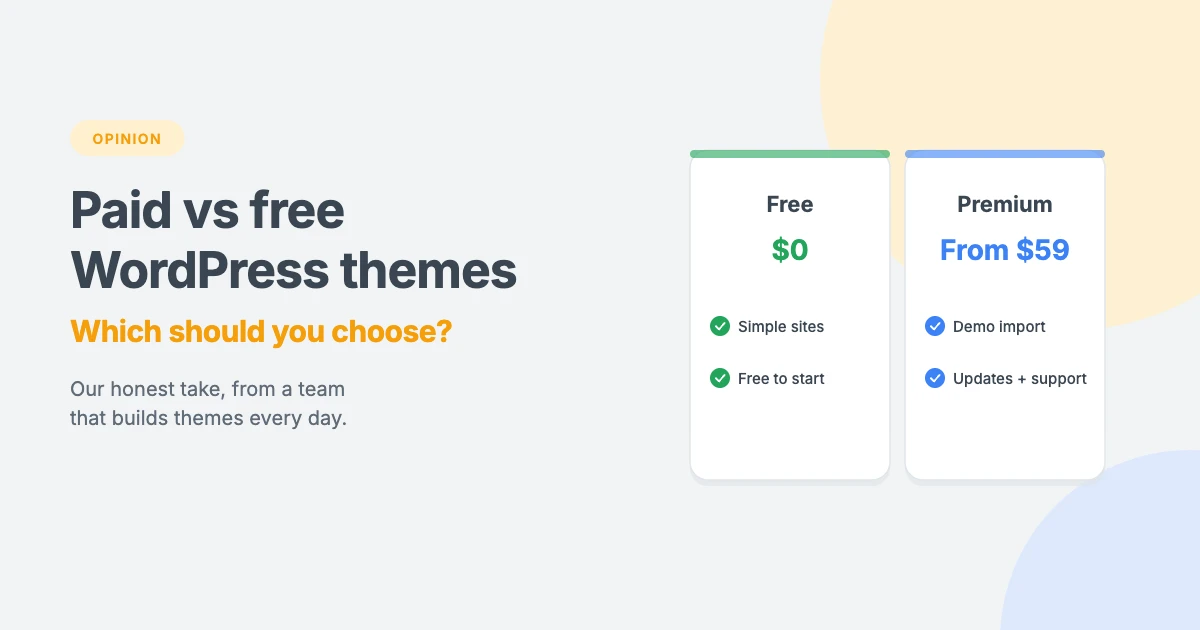
One of the first decisions you’ll make with WordPress is whether to use a free theme or pay for a premium one. Thousands of free themes are available, so it’s fair to ask why anyone would pay.
We sell premium themes, so you might expect us to say “always go paid”. We won’t. Our honest opinion is that a good free theme is perfectly fine for some websites, and a premium theme is worth it for others. The trick is knowing which one you are.
In this opinion piece, we’ll compare paid vs free WordPress themes honestly, explain what you actually get when you pay, and share when we think each one makes sense.
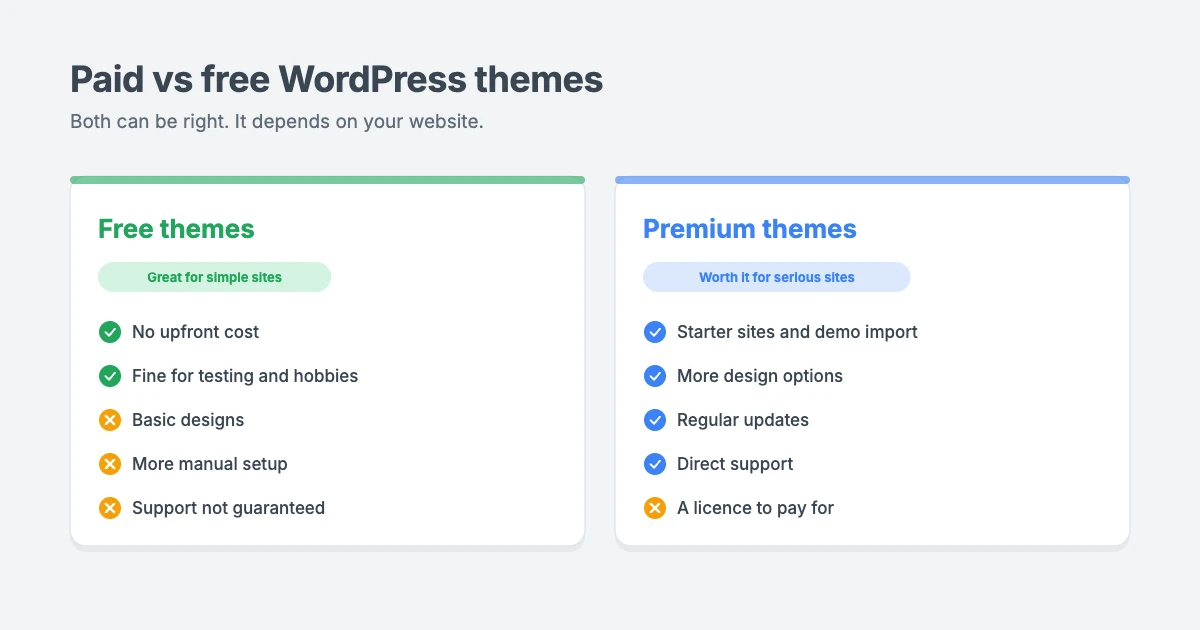
What’s the difference between paid and free WordPress themes?
A free theme costs nothing to use. The safest place to find one is the official WordPress.org theme directory, where themes are reviewed against a set of guidelines before they’re listed.
A paid theme, also called a premium WordPress theme, is sold by a theme developer or theme shop. You pay for a licence and, in return, usually get extra features, ready-made demo sites, regular updates and direct support from the developers.
Price alone doesn’t tell you about quality. Some free themes are excellent, and some paid themes are bloated. What matters is whether the theme fits your website and whether it will be looked after for years to come.
Paid vs free WordPress themes at a glance
| Free themes | Paid themes | |
|---|---|---|
| Upfront cost | Free | Usually a yearly or one-off licence |
| Ready-made designs | Basic | Starter sites and demo import |
| Design options | Limited | More layouts, colours and sections |
| Support | Forums, if any | Direct support from the developers |
| Updates | Depends on the developer | Included with your licence |
| Setup time | Longer, more manual work | Faster, start from a finished demo |
| Best for | Simple sites, testing, tight budgets | Business sites, client sites, serious projects |
When a free theme makes sense
Let’s start with the free side of the paid vs free WordPress themes debate.
We think a free theme is a sensible choice when:
- You’re just testing WordPress or learning how it works.
- Your site is simple, such as a personal blog or a basic site with a few pages.
- Your budget is truly zero right now.
- You enjoy tinkering and don’t mind building layouts yourself.
- You don’t need support, because you’re comfortable finding answers in forums and documentation.
If you choose a free theme, pick one from the official directory, check that it’s been updated recently and has good reviews, and test it on a phone. Never download “free” copies of premium themes from random websites. These nulled themes often contain hidden malware, which is a common cause of hacked sites. Our hacked WordPress site recovery checklist shows how painful that clean-up can be.
The hidden costs of free themes
Free themes cost nothing to download, but they aren’t always free to use. Watch out for:
- Your time. Building pages from scratch, arranging sections and fixing layout issues takes hours.
- Extra plugins. Missing features often mean adding plugins, which can slow your site down.
- Limited support. When something breaks, you may be on your own.
- Uncertain updates. If the developer stops updating the theme, you may need to switch themes later, which takes time and can affect your SEO.
This is where the paid vs free WordPress themes question gets real. For a hobby site, that’s usually fine. For a business site, your time and your site’s reliability are worth real money.
When a premium theme is worth it
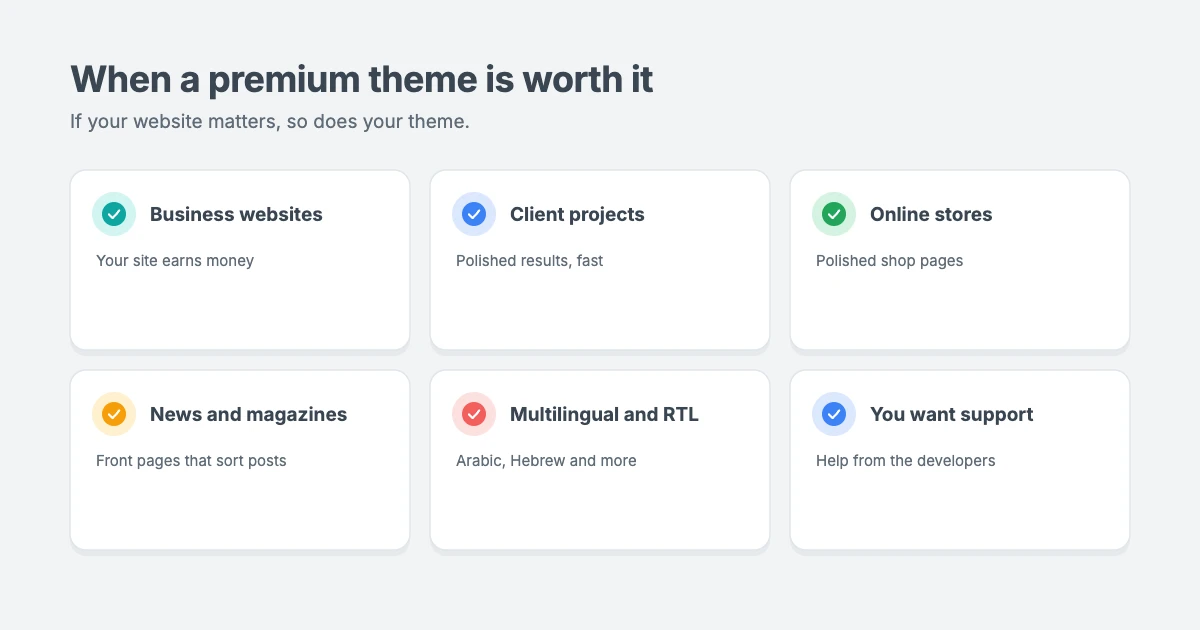
In our opinion, a premium WordPress theme pays for itself when:
- Your website earns money, whether it’s a business site, a store or a blog with ads and affiliate links.
- You build sites for clients and need a polished result quickly.
- You want to launch fast, starting from a finished demo instead of a blank page.
- You need specific layouts, such as a news magazine front page, business sections or a portfolio grid.
- You want help when something goes wrong, from the people who built the theme.
- You publish in several languages, including right-to-left languages such as Arabic or Hebrew, and need a theme that handles RTL properly.
What you actually get with a premium theme
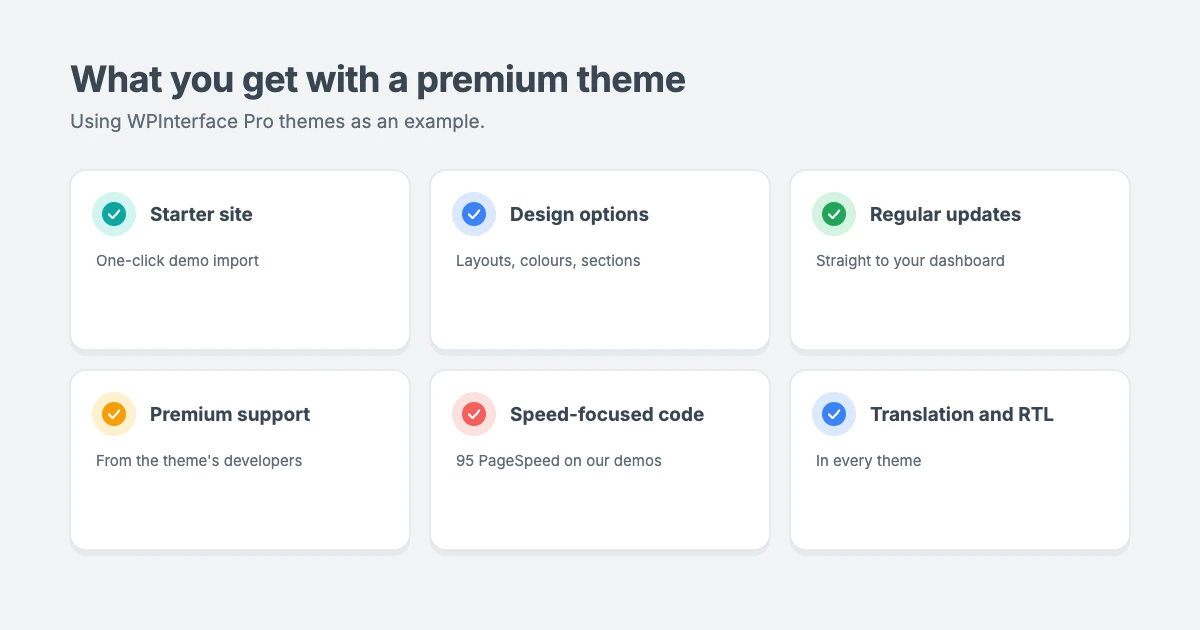
A good premium WordPress theme should give you more than a nicer demo. Using our own WPInterface Pro themes as an example, here’s what a licence includes:
- A starter site with one-click demo import, so your site looks like the live preview in minutes.
- Layouts and options for headers, footers, sidebars, colours and sections, set from the theme settings.
- Regular updates delivered straight to your WordPress dashboard.
- Premium support from the theme’s developers.
- Speed-focused code. Our theme demos score 95 for performance in Google PageSpeed Insights, though real results depend on your hosting, plugins and content.
- Translation and full RTL support in every theme.
- Documentation that walks you through setup step by step.
Not every premium theme is this lean. Some are packed with features you’ll never use, load lots of extra files or lock you into a page builder. Always check a theme’s live demo speed before you buy.
How much do premium themes cost?
Cost is often the deciding factor in paid vs free WordPress themes, so here’s what a premium WordPress theme really costs.
A premium WordPress theme is usually much cheaper than people expect. Most theme shops charge a yearly licence, a one-off lifetime licence, or both.
For example, WPInterface Pro themes offer three licences:
| Licence | Price | Sites | Updates | Support |
|---|---|---|---|---|
| Regular | $59 a year | 1 website | 1 year | 12 months |
| Lifetime | $99 one-time | 10 websites | Lifetime | 12 months |
| Lifetime with Installation | $129 one-time | Unlimited websites | Lifetime | Lifetime, plus theme installation |
If you plan to run several sites, our All-Access Pass gives you every WPInterface theme for $299.
Compared with the cost of a developer, or the hours you’d spend building layouts yourself, a premium theme is one of the cheapest upgrades you can make to a WordPress site.
How to choose the right theme, free or paid
These checks work whichever side of paid vs free WordPress themes you choose.
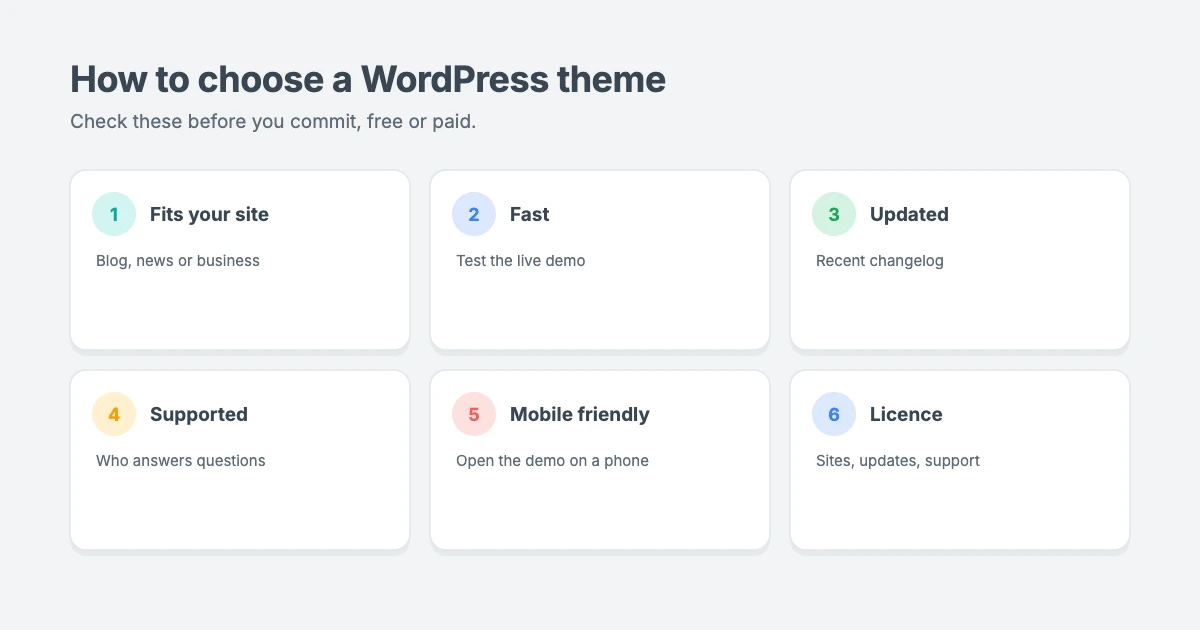
Whichever way you go, check these things before you commit:
- Does it fit your type of site? A blog, a news magazine and a business site need very different layouts.
- Is it fast? Run the live demo through Google PageSpeed Insights.
- Is it actively updated? Check the last update date and changelog.
- Is support available? Find out who answers questions and how.
- Does it work well on mobile? Open the demo on your phone.
- Does it support translation and RTL if you need other languages?
- What does the licence cover? Check how many sites, how long updates last and whether support is included.
Our verdict: paid vs free WordPress themes
In the paid vs free WordPress themes debate, free themes are a great way to start, learn WordPress or run a simple personal site. If your site is a hobby and your budget is zero, there’s nothing wrong with a well-maintained free theme from the official directory.
But if your website matters to your income, your clients or your reputation, we believe a premium WordPress theme is worth it. You save time, get a polished design from day one, receive regular updates and have someone to ask when you’re stuck.
In the paid vs free WordPress themes debate, the best theme isn’t the cheapest or the most expensive. It’s the one that fits your site, stays fast and is still supported years from now.
WPInterface Pro themes worth a look
All WPInterface Pro themes are lightweight, block editor ready, translation ready and RTL compliant.
SpeedBlog Pro
SpeedBlog Pro is a fast blog theme for travel, tech, personal and creative blogs, with magazine-style layouts and one-click demo import.

TruthNews Pro
TruthNews Pro is a fast newspaper theme with a classic serif masthead, breaking news ticker and large lead stories for journalists and publishers.

Corporate Interface Pro
Corporate Interface Pro is a modern corporate theme for companies, agencies and consultants, with services, client stories, results and a booking button.

You can see all our themes on the WordPress themes page.
Need help getting started?
If you’d like your premium theme set up for you, the WPInterface team can help:
- WordPress Installation and Theme Setup: for $99, we install WordPress and set up your theme.
- WordPress Theme Customization: we tailor your theme to your brand.
- VIP Support: a $29 priority ticket for quick expert help.
Frequently asked questions
Are free WordPress themes safe?
Free themes from the official WordPress.org directory are generally safe, because they’re reviewed before they’re listed. Avoid free themes from unknown websites and never use nulled copies of premium themes.
Are premium themes faster than free themes?
Not automatically. Speed depends on how a theme is built. Some premium themes are very lean, while others are heavy. Always test the live demo before you choose.
Can I switch from a free theme to a premium theme later?
Yes. Your posts and pages stay in WordPress when you change themes, but you may need to rebuild your homepage, menus and widgets. Test the switch on a staging site first if you can.
Do I have to pay for premium themes every year?
It depends on the licence. Many themes, including ours, offer a yearly licence and a one-off lifetime licence.
Is a premium WordPress theme worth it for a beginner?
Often, yes. A finished demo, clear documentation and support can make WordPress much easier for beginners than starting from a blank free theme.
What happens if my premium licence expires?
With most themes, your site keeps working. You just stop receiving updates and support until you renew.
Final thoughts
The paid vs free WordPress themes question isn’t about which is better in general. It’s about which is better for your website.
Start free if you’re experimenting or running a simple personal site. Choose a premium WordPress theme when your site matters to your business, your clients or your readers, and you want a fast, polished, supported theme from the start.
Reactions
How did this make you feel?
Be the first to react
One reaction per visitor. Tap again to change or remove it.



Leave a reply