Quick View for Easy Digital Downloads
Preview, play and buy without leaving the grid.
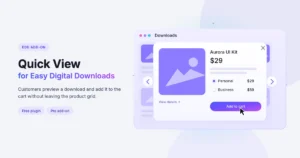
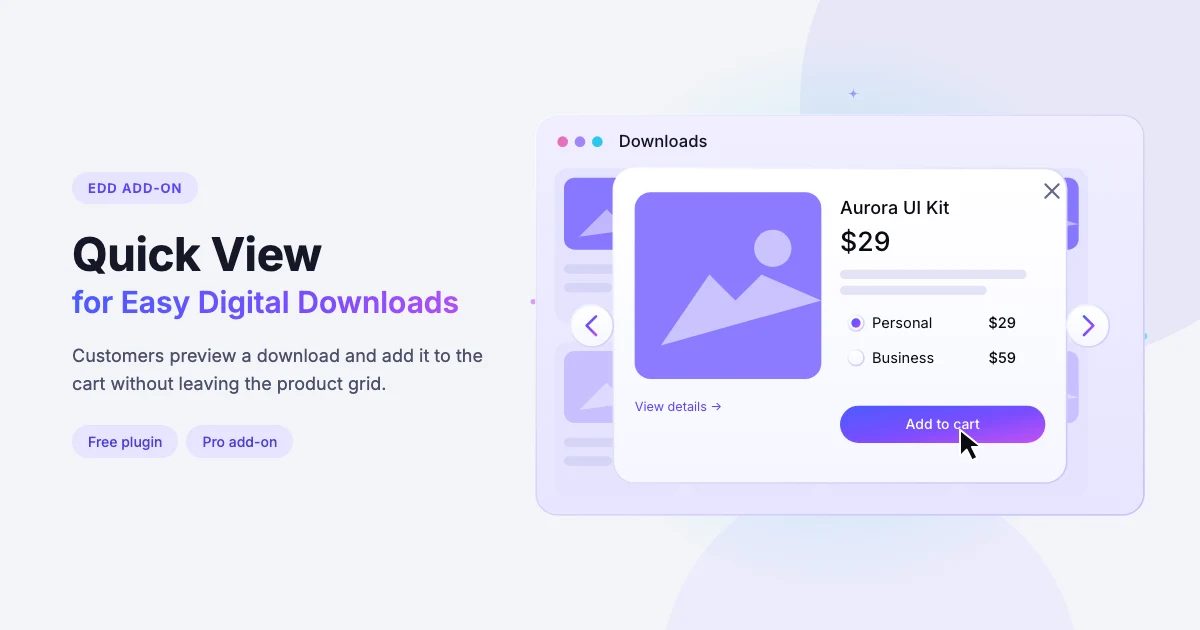
With Quick View for Easy Digital Downloads, a “Quick view” button on every product opens a fast, accessible popup with the image, price, description, price options and purchase button. Pro turns it into a full product preview with galleries, audio and video, and shows you what it sells.
Free version coming to WordPress.org · Pro requires the free plugin · 14-day money-back guarantee on Pro
3
layouts in Pro: middle, wide, side panel
0
cookies set by the free plugin
← →
step through products with buttons or arrow keys
14 days
money-back guarantee on Pro
01 — Features
Let customers look closer without losing their place
The free Quick View for Easy Digital Downloads plugin adds a quick view to your product grids. Pro decides what it shows and how it sells.
Quick view on product grids
Works with the Downloads block and the [downloads] shortcode: after or before the purchase button, or over the product image.
Add to cart in the popup
The Easy Digital Downloads purchase button works as usual, including price options and free downloads.
Previous and next
Customers step through the products of a grid with buttons or the arrow keys, without closing the popup.
Your labels and style
Icon and text, icon only or text only, with your own wording and accent colour.
Shareable quick views
Any link to #wpiqv-123 opens the quick view of that download, and the address bar follows the open product.
Insights
See which products are opened in a quick view most often.
02 — How it works
Up and running in four steps
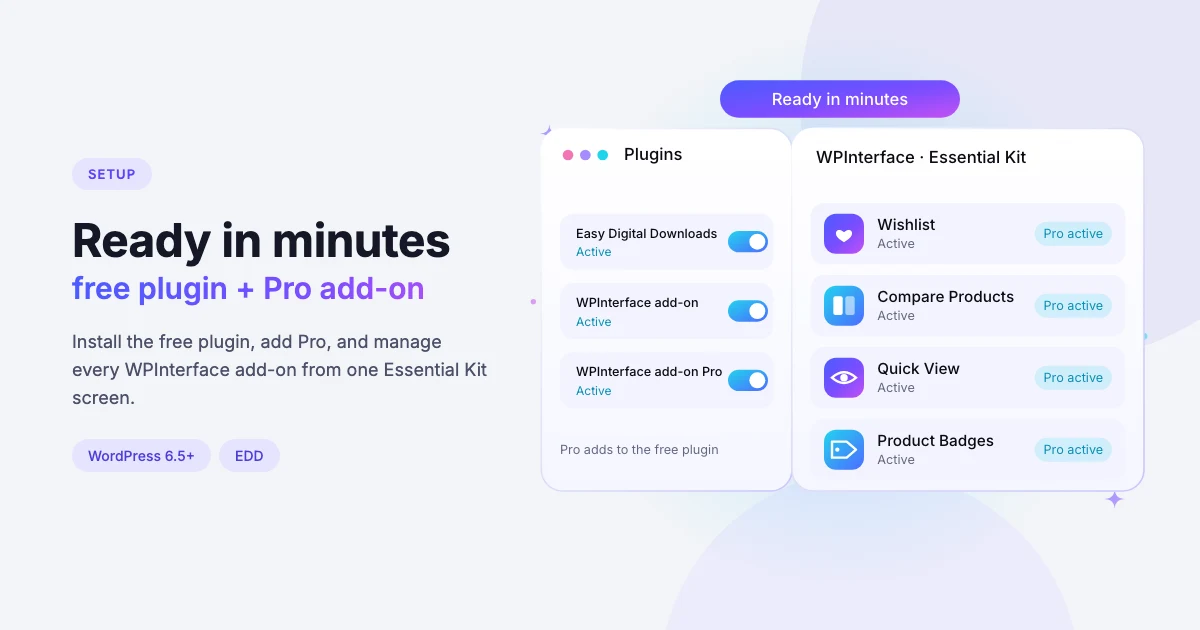
- Install and activate Install Quick View for Easy Digital Downloads, then upload Pro under Plugins → Add New.
- Place the button Choose where the Quick view button appears in your product grids.
- Add previews With Pro, add gallery images, a demo video or a sample track in the “Quick view” box of a download.
- Build the popup Choose the sections, their order, the layout and the opening animation.
Per-download previews live in the “Quick view” box on the download edit screen.
03 — Free or Pro
Free or Pro?
Quick View for Easy Digital Downloads is a complete, fast quick view on its own. Pro is for stores that sell with previews, galleries and media.
| FreeFree version | ProGet Pro | |
|---|---|---|
| Quick view | ||
| Quick view button on product grids | Included | Included |
| Add to cart in the popup, with price options | Included | Included |
| Previous and next, with arrow keys | Included | Included |
| Choose image, price, description and link | Included | Included |
| Own labels, icon style and accent colour | Included | Included |
| Links that open a quick view | Included | Included |
| Block, shortcode and template tag | Included | Included |
| Popup content builder: sections and order | Not included | Included |
| Categories, tags, version, changelog, files, custom fields | Not included | Included |
| Audio, video and YouTube, Vimeo or SoundCloud previews | Not included | Included |
| Image gallery with zoom | Not included | Included |
| Related products | Not included | Included |
| Layouts: middle, wide or side panel, with animations | Not included | Included |
| Buy now button | Not included | Included |
| Quick view on wishlist rows and in the comparison table | Not included | Included |
| Insights | ||
| Most opened products | Included | Included |
| Added to cart from quick view, add to cart rate, orders and sales | Not included | Included |
Wishlist and comparison integration needs the Wishlist or Compare Products plugin by WPInterface.
Which one do I need?
The free plugin is enough if…
- your products are well described by an image, price and short description,
- you want a fast preview with add to cart.
Choose Pro if…
- you sell music, video, themes or anything customers want to see or hear first,
- you want galleries, related products, Buy now and conversion numbers.
Not sure? Start with the free plugin. When you need more, add Pro: your settings and data stay where they are.
04 — Pro
What Pro adds to your quick view
Pro
A full product preview, right in the grid.
Show customers everything they need to decide, and let them buy in one step.
- Popup content builder. Choose which sections the quick view shows and put them in your own order.
- Extra sections for digital products. Categories, tags, version, changelog, the included files and any custom fields.
- Audio, video and embedded previews. A sample track, a demo video or a YouTube, Vimeo or SoundCloud link, played inside the quick view.
- Image gallery with zoom. Extra images with thumbnails, previous and next, and a click or tap to zoom.
- Related products. Products from the same categories or tags, opened in the same quick view.
- Layouts and animations. A popup in the middle, a wide popup or a side panel, opening with a fade, zoom or slide.
- Buy now. A second button adds the chosen option to the cart and goes straight to checkout.
- Conversion insights. Adds to cart from a quick view, the add to cart rate, and the orders and sales that followed.
Simple pricing. Every Pro feature in every plan.
Pick the number of sites you need. Every plan includes every Pro feature, updates and support.
-
Personal
For 1 website
$29
One license key for a single site, with plugin updates and priority support while your license is active.
- All Pro features
- Priority support
- Plugin updates
-
Most popular
Business
For 5 websites
$49
Five license keys for five sites, with plugin updates and priority support while your license is active.
- All Pro features
- Priority support
- Plugin updates
-
Agency
For unlimited websites
$79
Use it on every site you run or build, with plugin updates and priority support while your license is active.
- All Pro features
- Priority support
- Plugin updates
-
Lifetime
$149
Buy now — Quick View for Easy Digital Downloads, Lifetime
Orders are processed by our online reseller, Paddle.com, the Merchant of Record for all transactions.
14-day money-back guarantee
Try Pro on your site. If it isn’t right for you, ask for a refund within 14 days of purchase and we’ll refund you in full. Refund policy
Save with the EDD Add-ons Bundle
Get all five Pro add-ons — Wishlist, Compare Products, Quick View, Product Badges and Payfast — from $79 a year, or $349 once for a lifetime licence. See the bundle
About this plugin
Quick View for Easy Digital Downloads: preview without leaving the grid
Quick View for Easy Digital Downloads adds a “Quick view” button to every product in your grids. It opens the download in a fast, accessible popup with its image, price, short description, price options and purchase button, so customers look at one product after another and add them to the cart without loading a new page each time.
It is built only for Easy Digital Downloads, so the purchase button, price options and free downloads work in the popup exactly as on the product page. The free plugin is complete on its own; Quick View Pro adds a content builder, galleries, audio and video previews, related products and Buy now.
Why your Easy Digital Downloads store needs a quick view
Every click to a product page and back is a chance to lose a customer. In a long grid of themes, fonts or sample packs, shoppers want a closer look without losing their place. Quick View for Easy Digital Downloads gives them that look in a popup, with the purchase button right there.
Customers step through the products of a grid with previous and next buttons or the arrow keys, without closing the popup, and the address bar follows the open product, so a quick view can be shared. The free plugin also shows which products are opened most often, with a “Quick views” column in the downloads list.
How the free quick view works
The Quick View for Easy Digital Downloads button works with the Downloads block and the [downloads] shortcode. Show it after or before the purchase button, or over the product image. The image, price, short description and the link to the product page can each be switched off, and you set the length of the description.
Choose icon and text, icon only or text only, with your own wording and accent colour. Any link to #wpiqv-123 opens the quick view of download 123, and the block, the [wpiqv_button] shortcode and the wpiqv_button() template tag place a button anywhere.
What Quick View Pro adds
In Quick View for Easy Digital Downloads Pro, the popup content builder lets you choose which sections the quick view shows and put them in your own order. Extra sections suit digital products: categories, tags, version, changelog, the number or names of the included files, and any custom fields of your downloads.
Add a sample track, a demo video or a YouTube, Vimeo or SoundCloud link to a download, and customers play it right inside the quick view. Extra images appear in a gallery with thumbnails, previous and next buttons, and a click or tap to zoom. Related products from the same categories or with the same tags appear below the product and open in the same quick view.
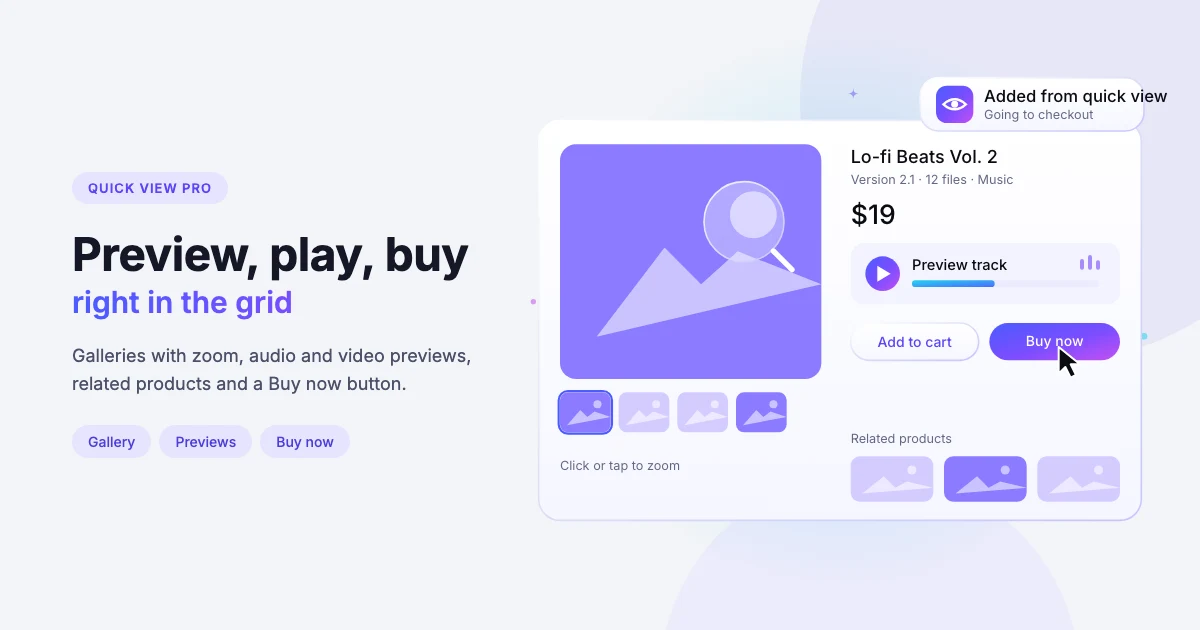
Pick a popup in the middle, a wide popup or a side panel, opening with a fade, zoom or slide. A second “Buy now” button adds the chosen option to the cart and goes straight to checkout. Pro insights show how often each product was added to the cart from a quick view, the add to cart rate, and the orders and sales that followed.
Works with Wishlist and Compare
The buttons of Wishlist for Easy Digital Downloads and Compare Products for Easy Digital Downloads appear and work inside the quick view. With Pro, wishlist rows and the comparison table get a quick view button too, and you can hide their buttons inside the quick view.
Cache friendly, private and accessible
Pages are the same for every visitor. A quick view is public content loaded without cookies, so browsers and content delivery networks can cache it too. It works the same for guests and logged-in customers, and the free plugin saves nothing in the browser and stores no personal data on your site; statistics are anonymous counters and can be switched off.
Quick View for Easy Digital Downloads uses a native dialog that keeps keyboard focus inside and returns it to the button when closed. Escape and a click outside close it, and loading, errors and the opened product are announced to screen readers. The storefront loads one small script with no dependencies and one small stylesheet.
Who Quick View for Easy Digital Downloads is for
Quick View for Easy Digital Downloads suits stores with large catalogues where customers browse before they buy: themes, templates, fonts, icons, music, video and photo packs. With Pro, a sample track or a demo video in the quick view lets customers hear or see the product before they decide.
Developers can add sections with the wpiqv_sections and wpiqv_section_html filters, change the image area with wpiqv_media_html, give any element a data-wpiqv-id attribute, and listen for the wpiqv:open, wpiqv:loaded, wpiqv:added and wpiqv:close events.
Before you buy
Requirements
Pro is an add-on to the free Quick View for Easy Digital Downloads plugin, which must be installed and active.
| Requirement | Details |
|---|---|
| WordPress | 6.5 or newer |
| PHP | 7.4 or newer |
| Easy Digital Downloads | The free plugin from WordPress.org, or EDD Pro |
| Quick View for Easy Digital Downloads | The free plugin, installed and active |
| Embedded previews | Optional. YouTube, Vimeo, SoundCloud and other providers WordPress supports for embeds |
Does it work with page caching?
Yes. With Quick View for Easy Digital Downloads, pages are the same for every visitor, and a quick view is public content loaded without cookies, so it can be cached too.
Can customers play a preview before buying?
With Quick View for Easy Digital Downloads Pro, yes: add a sample track, a demo video or a YouTube, Vimeo or SoundCloud link to a download and it plays inside the quick view.
Does it work with Wishlist and Compare?
Yes. Their buttons appear and work inside Quick View for Easy Digital Downloads, and Pro adds a quick view button to wishlist rows and the comparison table.
Where does the Quick view button appear?
In product grids built with the Downloads block or the [downloads] shortcode: after or before the purchase button, or over the product image. Place it anywhere else with the block, the shortcode or the template tag.
Can customers buy from the quick view?
Yes. The Easy Digital Downloads purchase button works as usual inside Quick View for Easy Digital Downloads, including price options and free downloads. Pro adds a Buy now button that goes straight to checkout.
Can I see which products are opened in Quick View for Easy Digital Downloads?
Yes. The free plugin shows the products opened in a quick view most often and adds a “Quick views” column to the downloads list. Pro adds adds to cart, the add to cart rate, and the orders and sales that followed.
Do I need the free plugin?
Yes. Pro is an add-on: it needs the free “Quick View for Easy Digital Downloads” plugin installed and active, and adds its features on top. Your settings and data stay in the free plugin, so you can add or remove Pro at any time.
Where is the free version?
The free plugin is being prepared for WordPress.org. Until it is listed there, see all our plugins or ask the team.
How do I get Pro after buying?
Your Pro download and licence key are in your WPInterface account straight after purchase.
What do the plans include?
Every plan includes every Pro feature. Personal covers 1 site, Business 5 sites and Agency unlimited sites, each with a year of updates and support. Lifetime is a single payment for unlimited sites.
Is there a refund policy?
Yes. If Pro isn’t right for your store, ask for a refund within 14 days of purchase. See our refund policy.
Let customers preview and buy in one place
Start with the free Quick View for Easy Digital Downloads plugin, then add Pro for galleries, media previews and Buy now.
Pro requires the free plugin · 14-day money-back guarantee on Pro