Product Badges for Easy Digital Downloads
Sale prices, countdowns and badges that sell.
With Product Badges for Easy Digital Downloads, put “New”, “Free”, “Bestseller” or your own labels on your downloads, and let rules decide where they appear. Pro adds sale prices, automatic “-25%” badges, countdowns and badges for each customer.
Free version coming to WordPress.org · Pro requires the free plugin · 14-day money-back guarantee on Pro
6
badge positions
5 + 3
shapes: five free, three more in Pro
0
scripts or cookies in the free plugin
14 days
money-back guarantee on Pro
01 — Features
Badges that follow your rules
The free Product Badges for Easy Digital Downloads plugin covers unlimited badges with automatic rules. Pro adds sales, countdowns and customer badges.
Any number of badges
In Product Badges for Easy Digital Downloads, each badge has its own text, colours, shape, size, position and rule.
Automatic rules
New, Free, Bestseller, Featured, Bundle and downloads with price options.
Choose the downloads
All downloads, the ones you pick, or chosen categories and tags, combined with a rule.
Six positions, five shapes
The four image corners, above or below the name; rounded, rectangle, pill, circle or ribbon.
Live preview
See the badge on a sample product while you edit, with a warning when colours are hard to read.
Per-download control
On each download, set every badge to Automatic, Always show or Never show.
02 — How it works
Up and running in four steps
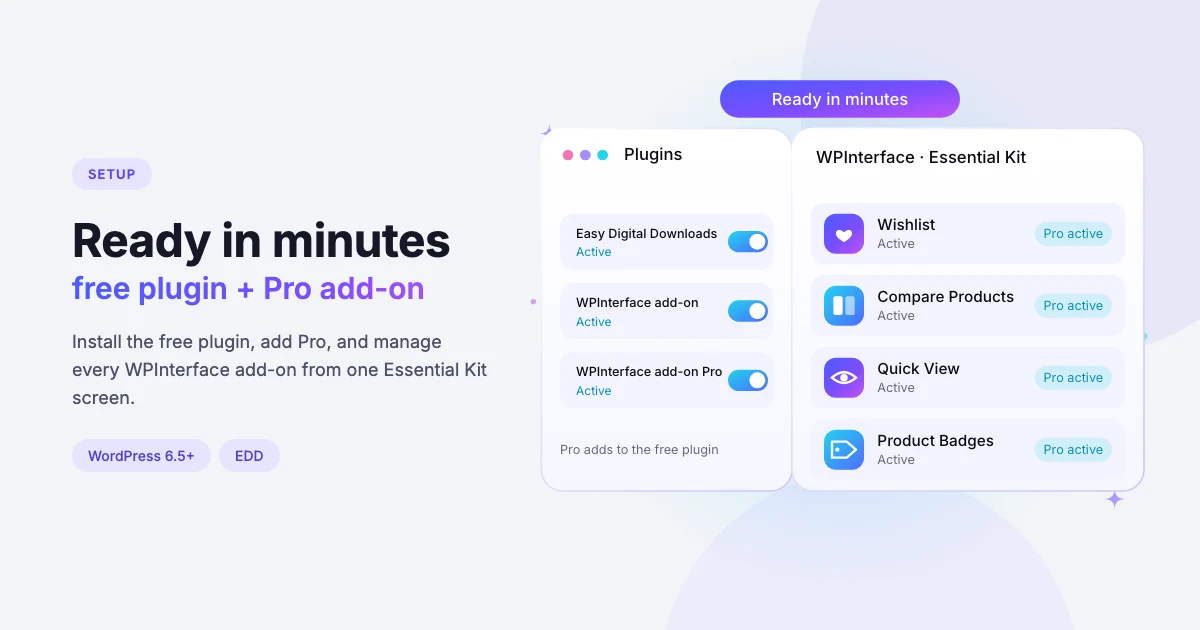
- Install and activate Install Product Badges for Easy Digital Downloads, then upload Pro under Plugins → Add New.
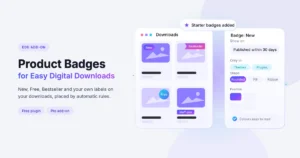
- Add starter badges One click adds ready-made New, Free and Bestseller badges.
- Set rules and looks Pick the rule, the downloads, the shape, colours and position.
- Run a sale With Pro, enter a regular price on a download and the “-{percent}%” and countdown badges follow.
In Product Badges for Easy Digital Downloads, badges are managed in your WordPress dashboard, with a live preview.
03 — Free or Pro
Free or Pro?
Product Badges for Easy Digital Downloads is a complete badge system on its own. Pro is for stores that run sales and want badges for each customer.
| FreeFree version | ProGet Pro | |
|---|---|---|
| Badges | ||
| Unlimited badges | Included | Included |
| Rules: New, Free, Bestseller, Featured, Bundle, price options | Included | Included |
| Downloads, categories and tags | Included | Included |
| Per-download control | Included | Included |
| Six positions, five shapes, three sizes | Included | Included |
| Live preview with contrast warning | Included | Included |
| Block, shortcode and template tag | Included | Included |
| Works with page caching | Included | Included |
| Pro | ||
| Sale prices with optional start and end dates | Not included | Included |
| “On sale” rule with {percent} and {amount} | Not included | Included |
| Countdown badges | Not included | Included |
| Schedule any badge | Not included | Included |
| Image badges | Not included | Included |
| Star burst, price tag and bookmark shapes, with animations | Not included | Included |
| Rules by price, by number of sales, by purchase and by role | Not included | Included |
| Exclusive badges | Not included | Included |
| Badges in Wishlist, Compare and Quick View | Not included | Included |
Badges in Wishlist, Compare and Quick View need those plugins by WPInterface.
Which one do I need?
The free plugin is enough if…
- you want New, Free, Bestseller and your own labels with automatic rules,
- you don’t run sales with regular prices.
Choose Pro if…
- you run sales and want “-25%” badges, struck-through prices and countdowns,
- you want badges such as “You own this” for logged-in customers.
Not sure? Start with the free plugin. When you need more, add Pro: your settings and data stay where they are.
04 — Pro
What Pro adds to your badges
Pro
Run sales that customers notice.
Easy Digital Downloads has no sale price. Pro adds a regular price, shown struck through, and badges that count down to the end of the sale.
- Sale prices. A regular price per download or price option, shown struck through wherever EDD prints a price, with optional start and end dates.
- Automatic sale badges. An “On sale” rule and texts such as “-{percent}%” or “Save {amount}”.
- Countdown badges. “Ends in {countdown}” counts to the end of the sale, the badge end date or an EDD discount code’s expiry.
- Schedule. Show any badge from a start date until an end date.
- Image badges. A picture from the media library instead of text, with the text kept for screen readers.
- More shapes and animations. Star burst, price tag and bookmark, with pulse, shine and wiggle that respect reduced motion.
- More rules. By price, by number of sales, “the customer has bought this” and customer role.
- Exclusive badges. When an exclusive badge shows, the other badges of that product are hidden.
Simple pricing. Every Pro feature in every plan.
Pick the number of sites you need. Every plan includes every Pro feature, updates and support.
-
Personal
For 1 website
$29
One license key for a single site, with plugin updates and priority support while your license is active.
- All Pro features
- Priority support
- Plugin updates
-
Most popular
Business
For 5 websites
$49
Five license keys for five sites, with plugin updates and priority support while your license is active.
- All Pro features
- Priority support
- Plugin updates
-
Agency
For unlimited websites
$79
Use it on every site you run or build, with plugin updates and priority support while your license is active.
- All Pro features
- Priority support
- Plugin updates
-
Lifetime
$149
Buy now — Product Badges for Easy Digital Downloads, Lifetime
Orders are processed by our online reseller, Paddle.com, the Merchant of Record for all transactions.
14-day money-back guarantee
Try Pro on your site. If it isn’t right for you, ask for a refund within 14 days of purchase and we’ll refund you in full. Refund policy
Save with the EDD Add-ons Bundle
Get all five Pro add-ons — Wishlist, Compare Products, Quick View, Product Badges and Payfast — from $79 a year, or $349 once for a lifetime licence. See the bundle
About this plugin
Product Badges for Easy Digital Downloads: labels that sell
Product Badges for Easy Digital Downloads puts small labels such as “New”, “Free”, “Bestseller” or “Staff pick” on your downloads. Create as many badges as you like, choose how each one looks and where it sits, and let a rule decide which downloads get it.
It is built only for Easy Digital Downloads, so badges appear in your product grids and on product pages, in the Downloads block, the [downloads] shortcode and Query Loop lists. The free plugin is complete on its own; Product Badges Pro adds sale prices, countdowns, schedules, image badges and badges for each customer.
Why your Easy Digital Downloads store needs product badges
In a grid of similar products, a badge tells shoppers where to look first. “New” shows what changed since their last visit, “Bestseller” borrows the confidence of other buyers, and “Free” gets downloads noticed that might otherwise be scrolled past. Product Badges for Easy Digital Downloads adds those labels automatically, so they stay correct as your catalogue changes.
Because badges are part of the page and the same for every visitor, they work with page caching. No script runs in your store, no cookie is set, and nothing moves after the page has loaded.
How the free badges work
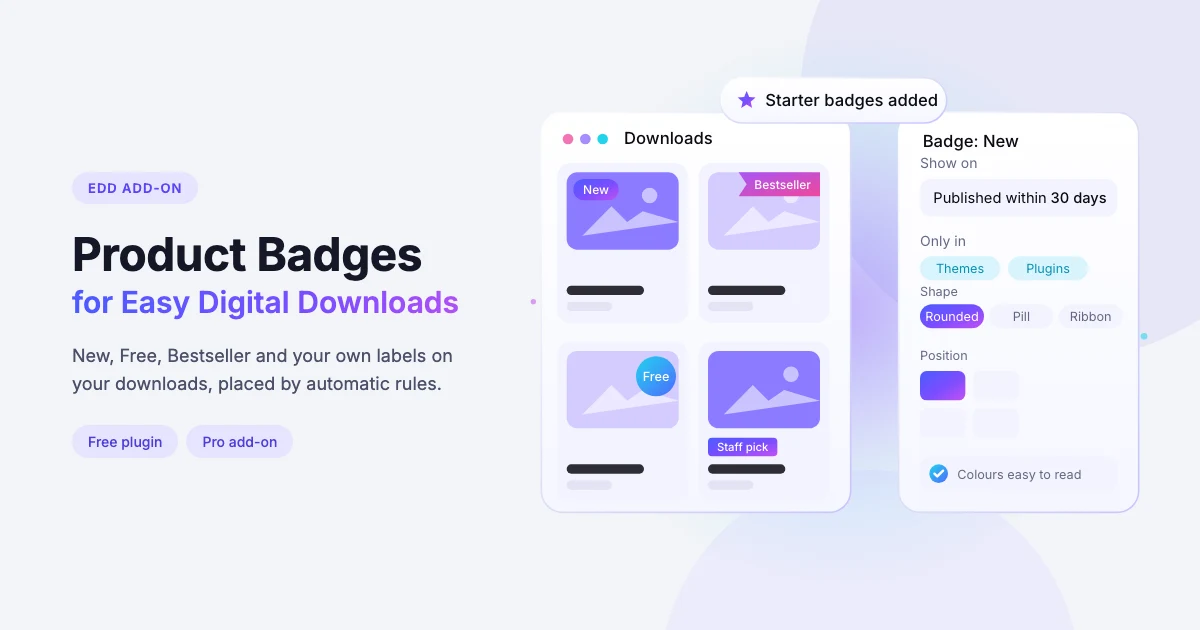
In Product Badges for Easy Digital Downloads, each badge has its own text, colours, shape, size, position and rule. Automatic rules cover New (published in the last number of days you choose), Free (the price is 0), Bestseller (the top downloads by sales, or every download with at least a number of sales), Featured, Bundle, and downloads with price options.
Apply a badge to all downloads, the ones you pick, or the ones in chosen download categories or with chosen tags, and combine that with a rule, for example “New, but only in the Themes category”. On the edit screen of a download, set each badge to Automatic, Always show or Never show.
Badges sit in one of six positions: the four corners of the product image, above the product name or below it. Pick a rounded, rectangle, pill, circle or ribbon shape in three sizes. Badges on the same corner stack neatly, a priority number decides the order, and a setting limits how many badges one product shows.
What Product Badges Pro adds
Easy Digital Downloads has one price per download or price option. Product Badges for Easy Digital Downloads Pro adds a regular price next to it, shown struck through in product grids, price options and wherever Easy Digital Downloads prints a price, with optional start and end dates. The price in EDD stays the price customers pay.
An “On sale” rule and the placeholders {percent} and {amount} create badges such as “−{percent}%” or “Save {amount}”; with price options the biggest saving is used. Put {countdown} in a badge, for example “Ends in {countdown}”, and it counts down to the end of the sale, the badge end date or the expiry of an EDD discount code, then disappears by itself.
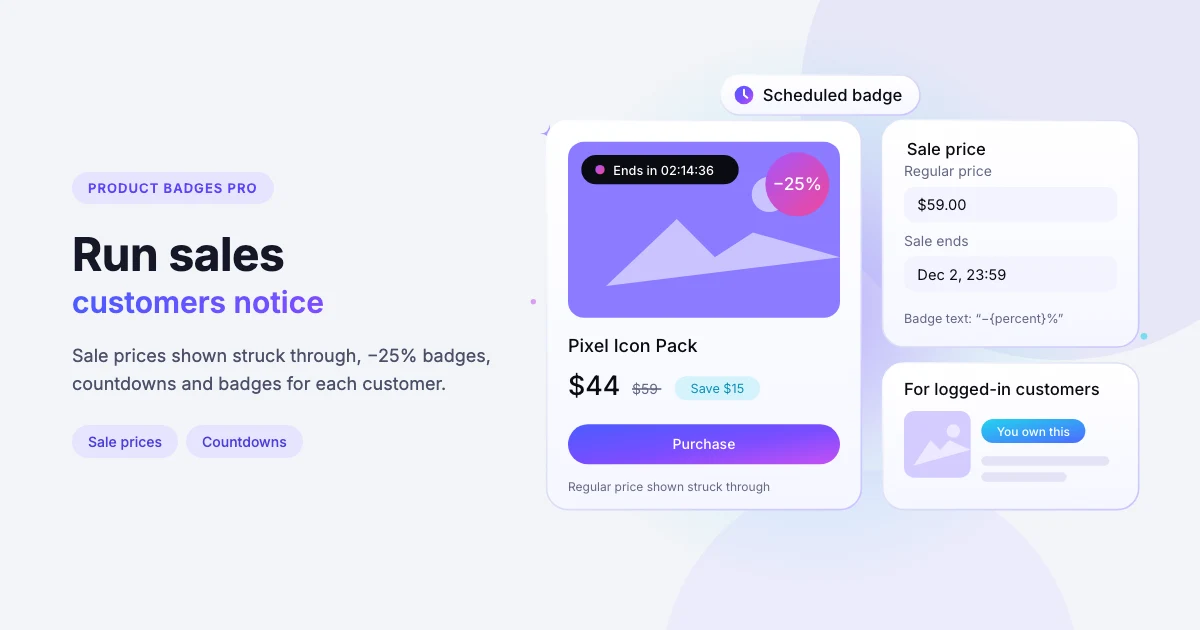
Schedule any badge from a start date until an end date, use a picture from the media library instead of text, and choose star burst, price tag or bookmark shapes with pulse, shine or wiggle animations that are not played for visitors who asked for less motion. More rules match by price, by number of sales, by “the customer has bought this download” and by customer role, and an exclusive badge hides the other badges of that product.
Badges for each customer, still cache friendly
A badge such as “You own this” depends on who is looking. Pro adds it to the page hidden, the same for every visitor, so pages can still be cached. For a logged-in customer, a small script asks the site which of these badges apply and shows them. Guests cause no such request, and nothing about visitors is stored.
Works with Wishlist, Compare and Quick View
With Wishlist for Easy Digital Downloads, Compare Products for Easy Digital Downloads and Quick View for Easy Digital Downloads active, Pro shows badges on wishlist rows, in the comparison table and in the quick view popup. Each place can be switched off.
Accessible and lightweight
Badges are real text, also in high contrast mode. Where the product image is hidden from screen readers, the badges on it are announced after the product name. The live preview warns you when two colours are hard to read together. Product Badges for Easy Digital Downloads loads one small stylesheet in the store, and badges are stored as a private post type, so there is no extra database table.
Who Product Badges for Easy Digital Downloads is for
Product Badges for Easy Digital Downloads suits stores that launch often, run sales or have best-sellers worth showing off: themes, plugins, templates, fonts, courses and media. One click adds ready-made New, Free and Bestseller badges to an empty list, so you start in seconds.
Developers can add conditions with the wpibd_conditions and wpibd_condition_matches filters and shapes with wpibd_shapes, and show badges anywhere with wpibd_badges( $download_id ) or the [wpibd_badges] shortcode.
Before you buy
Requirements
Pro is an add-on to the free Product Badges for Easy Digital Downloads plugin, which must be installed and active.
| Requirement | Details |
|---|---|
| WordPress | 6.5 or newer |
| PHP | 7.4 or newer |
| Easy Digital Downloads | The free plugin from WordPress.org, or EDD Pro |
| Product Badges for Easy Digital Downloads | The free plugin, installed and active |
Does a sale price change what customers pay?
No. With Product Badges for Easy Digital Downloads, the price in Easy Digital Downloads stays the price customers pay. The regular price you enter is shown struck through next to it when it is higher.
Do customer badges break page caching?
No. Badges such as “You own this” are added hidden for everyone; a small script shows them only to the logged-in customer they apply to. Guests cause no extra request.
Can I show badges in Wishlist, Compare and Quick View?
Yes, with Product Badges for Easy Digital Downloads Pro and those plugins by WPInterface active. Each place can be switched off.
Which automatic rules does Product Badges for Easy Digital Downloads include?
The free plugin includes New, Free, Bestseller, Featured, Bundle and downloads with price options. Pro adds On sale, price range, number of sales, “the customer has bought this download” and customer role.
Where do badges appear?
In the Downloads block, the [downloads] shortcode, product pages and lists of downloads built with the Query Loop block. Show them anywhere else with the block, the [wpibd_badges] shortcode or the template tag.
Do badges slow my store down?
No. Product Badges for Easy Digital Downloads loads one small stylesheet, runs no script in your store and sets no cookie. Badges are part of the page, so it can be cached.
Do I need the free plugin?
Yes. Pro is an add-on: it needs the free “Product Badges for Easy Digital Downloads” plugin installed and active, and adds its features on top. Your settings and data stay in the free plugin, so you can add or remove Pro at any time.
Where is the free version?
The free plugin is being prepared for WordPress.org. Until it is listed there, see all our plugins or ask the team.
How do I get Pro after buying?
Your Pro download and licence key are in your WPInterface account straight after purchase.
What do the plans include?
Every plan includes every Pro feature. Personal covers 1 site, Business 5 sites and Agency unlimited sites, each with a year of updates and support. Lifetime is a single payment for unlimited sites.
Is there a refund policy?
Yes. If Pro isn’t right for your store, ask for a refund within 14 days of purchase. See our refund policy.
Make your best products stand out
Start with the free Product Badges for Easy Digital Downloads plugin and its automatic rules, then add Pro for sales, countdowns and customer badges.
Pro requires the free plugin · 14-day money-back guarantee on Pro