
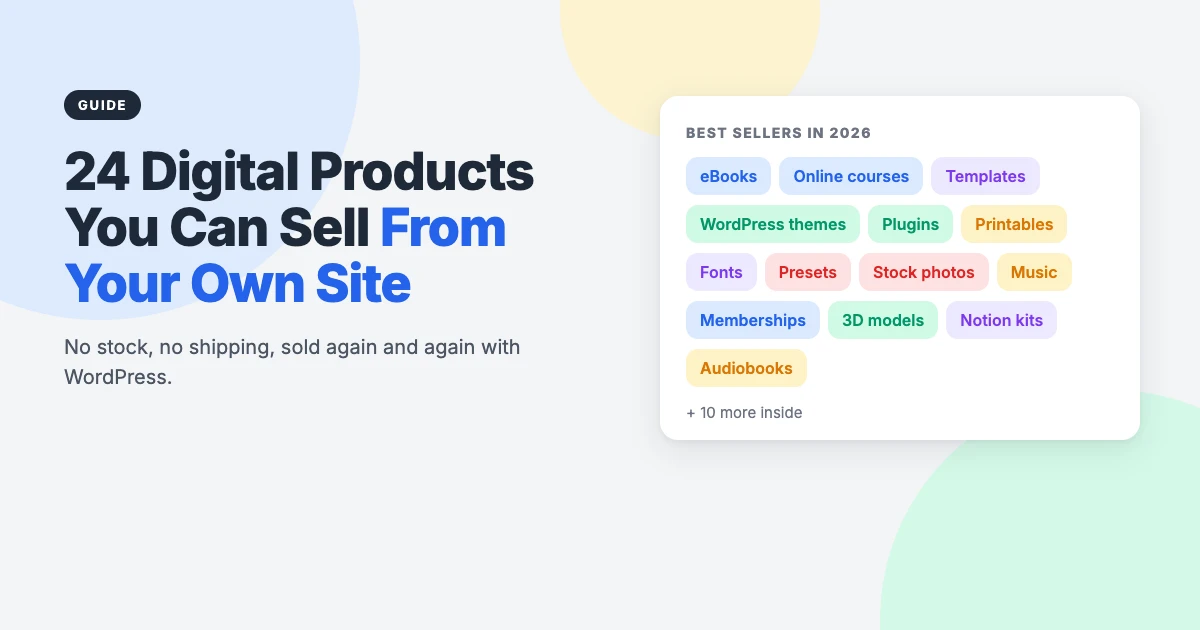
Looking for digital products to sell online? You’re in good company. Digital products have no stock to store, nothing to ship and no limit on how many times you can sell the same file. Make it once, and it can keep selling while you work on the next one.
The hard part is choosing what to make. We’ve sold our own WordPress themes online for years using Easy Digital Downloads, and the same lessons apply whether you’re selling a theme, a template or a course: pick something you know well, start small, and sell it from a site you own.
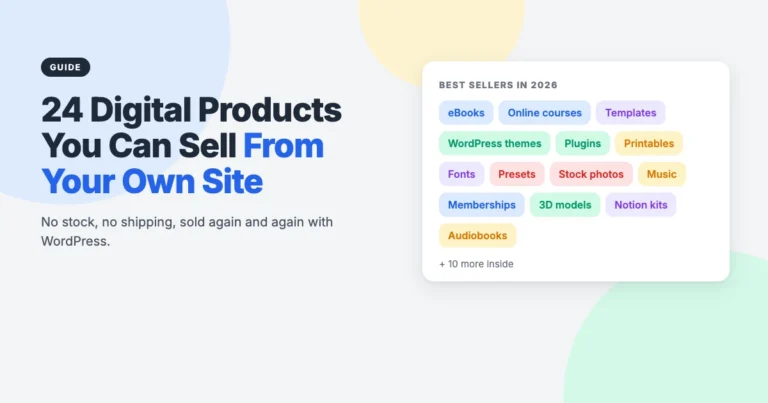
In this guide, we’ll share 24 of the most popular digital products to sell in 2026, grouped by type, with who each one suits and a practical tip for each. Then we’ll cover how to choose, how to price, and how to sell digital products on WordPress using free plugins.
Why sell digital products?
Physical products come with manufacturing, storage, packaging, shipping and returns. Digital products skip all of that. Once your product exists, each extra sale costs you almost nothing beyond payment fees, so most of the money you take is yours to keep.
- Low start-up costs: many products can be made with free tools and skills you already have.
- Unlimited stock: you can never sell out of a file.
- Instant delivery: customers get their download the moment they pay, day or night.
- Easy updates: fix a typo or add a new chapter and every future buyer gets the improved version.
- Flexible pricing: sell once, sell bundles, sell licences or sell subscriptions.
24 popular digital products to sell online
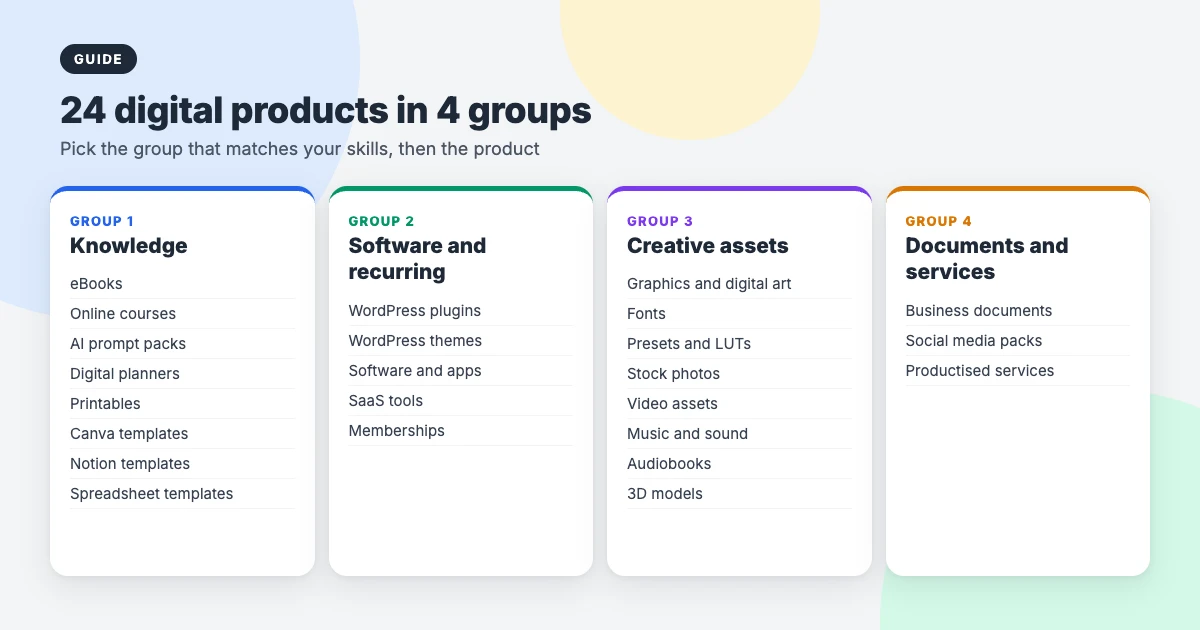
We’ve grouped these digital products to sell into four families: knowledge products, software and recurring products, creative assets, and documents and services. Start with the group of digital products to sell that best matches your skills.
Knowledge products
If you know how to do something other people want to learn, these are the easiest digital products to sell. They package your expertise into a format people can buy and use straight away.
1. eBooks
eBooks are one of the oldest and simplest digital products. A focused guide that solves one specific problem, such as “meal prep for night-shift workers” rather than “healthy eating”, sells far better than a general one.
Tip: offer both PDF and EPUB files, and give away a short free chapter in exchange for an email address to grow your list.
2. Online courses
Courses usually command the highest prices of any knowledge product, because they promise a transformation rather than information. They take the most work to create, but you can sell one course, a bundle, or access to your whole library.
Tip: run your course live with a small group first. Their questions will show you exactly what the recorded version needs.
3. AI prompt packs
Collections of tested prompts for writing, design, coding or business tasks have become a popular low-cost product. Buyers pay for the time you’ve saved them working out what actually works.
Tip: only sell prompts you’ve tested yourself, and show real examples of the results. This market is crowded, so quality is what stands out.
4. Digital planners and journals
Hyperlinked planners for tablet apps such as GoodNotes and Notability let people plan their days, goals and habits digitally. Niche planners, for wedding planning, teaching or fitness, usually outsell generic ones.
Tip: release dated and undated versions, and update the dated one every year for repeat customers.
5. Printables
Worksheets, wall art, checklists, party kits and colouring pages that people print at home are quick to make and easy to sell. Teachers and parents are especially loyal buyers.
Tip: printables sell at low prices individually, so bundle them by theme to raise the value of each order.
6. Canva and design templates
Social media graphics, presentations, flyers and brand kits built in Canva let small businesses look professional without hiring a designer. Buyers just edit the text and colours.
Tip: deliver the template as a Canva link inside a PDF, and include a short video showing how to edit it.
7. Notion templates
Ready-made Notion workspaces for content planning, client management, studying or personal finance are a fast-growing niche. People pay for a working system, not just a pretty page.
Tip: sell the system you already use every day. You’ll know exactly how it works and why it’s useful.
8. Spreadsheet templates
Budget trackers, invoice templates, inventory sheets and financial models for Excel or Google Sheets solve everyday problems for small businesses and freelancers.
Tip: templates that replace a paid tool sell best. Make it clear what software the buyer won’t need to pay for.
Software and recurring products
These take more skill to build, but they’re some of the most profitable digital products to sell, because customers often pay every year for updates and support.
9. WordPress plugins
WordPress runs a huge share of the web, and site owners constantly need plugins that add features or fix specific problems. A plugin that does one job really well can sell for years.
Tip: a popular route is a free version on WordPress.org with a paid Pro version sold from your own site, renewed each year for updates and support.
10. WordPress themes
This is the product we know best. Themes for a specific type of site, such as a news site, a travel blog or a coworking space, compete far better than generic multipurpose themes. Buyers want to see their own site in your demo.
Tip: offer licence tiers for one site, a few sites and unlimited sites, and make demo import as easy as possible. It’s the first thing buyers try. You can see how we do it on our WordPress themes page.
11. Software and apps
Desktop tools, browser extensions and mobile apps can be sold with a one-time price, a yearly licence, or free with paid upgrades. The best ones solve a specific, painful problem for a clear group of people.
Tip: use licence keys so you can control activations and offer updates to paying customers.
12. SaaS tools
Software as a service runs in the browser and is paid for monthly or yearly. It offers the most predictable income of any digital product, but it also needs hosting, security and ongoing support.
Tip: start with a tiny tool that does one thing, and grow it with your customers’ requests.
13. Memberships and subscriptions
Charge a regular fee for ongoing access to new content, a community, a template library or monthly downloads. A modest number of members can add up to a steady income.
Tip: offer a discounted yearly plan, and reward early members with a lower “founding member” price they keep for life.
Creative assets
If you design, photograph, film, compose or model, other creators will happily pay to use your work in their own projects. Licensing is the key to earning more from each piece.
14. Graphics and digital art
Illustrations, icons, patterns, mockups and UI kits are bought by designers, bloggers and businesses. Digital art prints are also popular with buyers who print and frame them at home.
Tip: offer personal, commercial and extended licences at different prices, and include several file formats.
15. Fonts
Distinctive display and script fonts sell well to designers and brands. Font licensing works in tiers, such as desktop, web, app and broadcast use, which lets you charge more for bigger projects.
Tip: niche styles stand out more than another clean sans serif. Our guide to the best fonts for blogs shows how much the right font matters to buyers.
16. Presets and LUTs
Photo presets for Lightroom and colour grading LUTs for video editors let people copy a look in one click. If you have a recognisable editing style, this is a natural product.
Tip: show before and after examples on several different photos, so buyers trust it will work on theirs.
17. Stock photos
Big stock libraries are crowded, but specialist collections, such as local landmarks, a specific industry or underrepresented communities, still sell well when sold directly to the people who need them.
Tip: sell themed packs and offer a subscription for regular buyers.
18. Video assets
Stock footage, motion graphics, transitions, intros and editable project files for popular video editors are in demand from YouTubers, marketers and agencies.
Tip: say clearly which software and versions each file works with, to avoid refund requests.
19. Music and sound effects
Royalty-free music, sound effects and sample packs are bought by video creators, podcasters, game developers and producers. Many creators prefer buying directly from the artist.
Tip: offer standard licences for online videos and higher-priced licences for broadcast or exclusive use.
20. Audiobooks
If you’ve already written an eBook, an audio version reaches people who listen while commuting, exercising or working. It’s a second product from work you’ve already done.
Tip: narrate it yourself to keep costs low. Readers of non-fiction often prefer hearing the author.
21. 3D models
Files for 3D printing and game-ready models are a growing niche as home 3D printers become more common and indie game development keeps growing.
Tip: include printing settings or polygon counts, and photos of the finished print or the model in a game engine.
Documents and services
The final group of digital products to sell covers practical documents and services packaged as products. They’re often overlooked, but they can be very profitable.
22. Business documents
Contract templates, proposals, policies, pitch decks and resumes save buyers time and, in some cases, professional fees. People will pay well for a document that helps them avoid a costly mistake.
Tip: for legal templates, have them reviewed by a professional and make it clear they’re a starting point, not legal advice.
23. Social media content packs
Ready-to-post captions, graphics and content calendars for a specific industry, such as estate agents, gyms or cafés, save busy owners hours every month.
Tip: seasonal packs for holidays and events bring customers back every year.
24. Productised services
Turn a service into a product with a fixed scope and a fixed price, such as a website audit, a logo package or a one-hour consultation. Customers pay at checkout, just like a download.
Tip: describe exactly what’s included and how long it takes. We sell our own WordPress services this way, and clear scope removes most of the back and forth.
How to choose the right digital products to sell
With 24 digital products to sell, the risk is spending months deciding. Here’s a simple way to narrow it down:
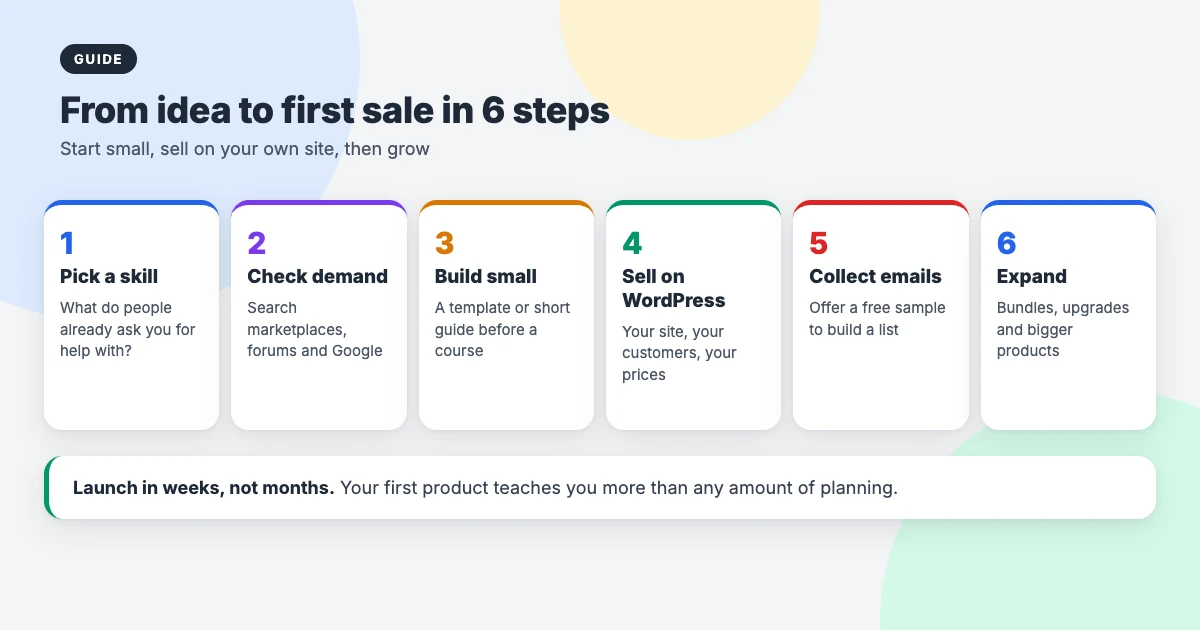
- Start with your skills. What do people already ask you to help with? That’s usually your best first product.
- Check demand. Look for similar products on marketplaces, questions in forums and Facebook groups, and search terms in Google. Competition is a good sign: it means people are buying.
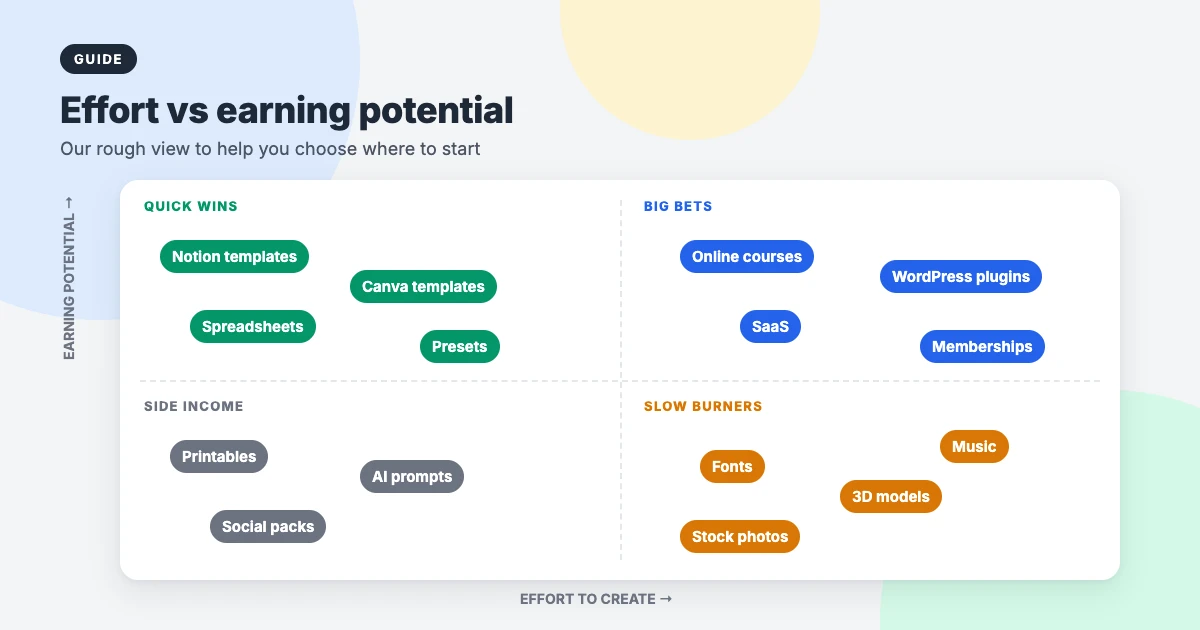
- Start small. A template or short guide can be ready in a week. A course or plugin can take months. Launch the small one first and learn from it.
- Plan the next product. The easiest sale is to someone who has already bought from you, so think about what they’ll need next.
How to price digital products
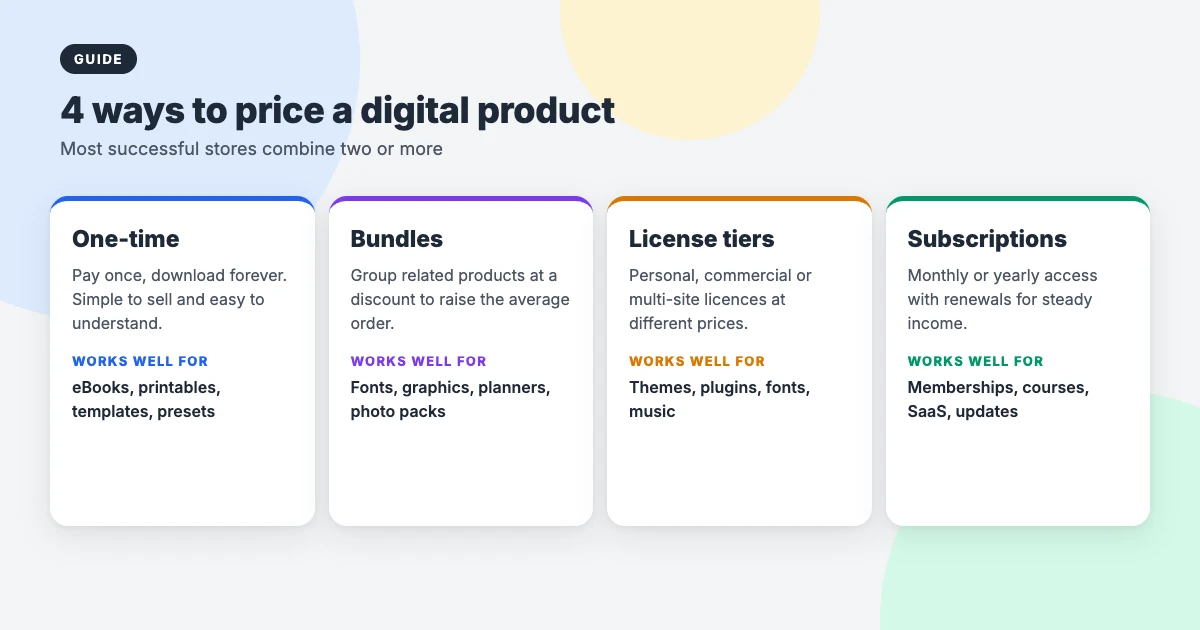
Pricing is where many sellers leave money on the table. Most successful stores combine two or more of these models:
- One-time purchase: simple and easy to understand. Ideal for eBooks, printables, templates and presets.
- Bundles: group related items at a discount to raise your average order value.
- Licence tiers: charge more for commercial use or more sites. Essential for themes, plugins, fonts and music.
- Subscriptions and renewals: monthly or yearly payments for ongoing access, updates or support.
Price on the value to the buyer, not the hours you spent. A contract template that saves someone a lawyer’s fee, or a theme that saves a week of design work, is worth far more than its file size suggests.
Where to sell: marketplaces or your own site?
Marketplaces such as Etsy, Creative Market and ThemeForest bring ready-made traffic, which makes them useful for testing an idea. The trade-off is fees on every sale, strict rules, competitors listed right next to you, and very little access to your customers.
Selling from your own website means you keep more of each sale, control your prices and branding, and build an email list of real customers you can sell to again. Our advice: test on a marketplace if you like, but build your own store as soon as you can. It’s the asset that grows in value.
How to sell digital products on WordPress for free
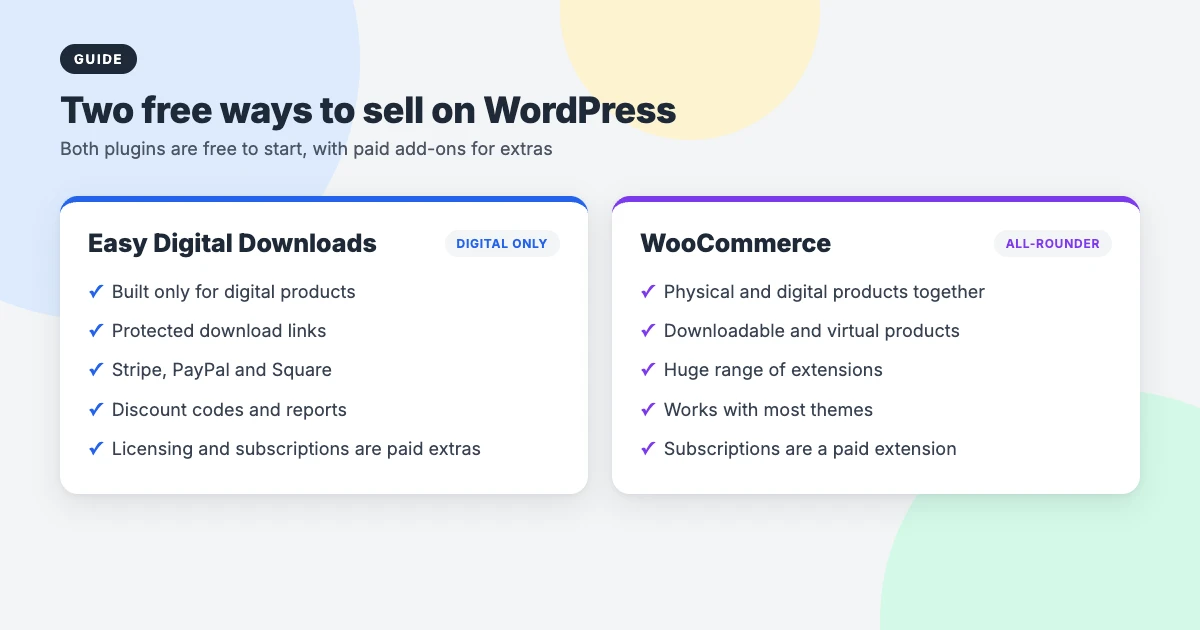
WordPress gives you two excellent free plugins for selling digital products. Both are free to start, with paid add-ons for advanced features.
Easy Digital Downloads
Easy Digital Downloads is built only for digital products, which keeps it lightweight. The free version includes protected download links, a cart and checkout, Stripe, PayPal and Square payments, discount codes, customer records and sales reports. Software licensing and recurring subscriptions are paid extras. It’s what we use to sell our own themes.
WooCommerce
WooCommerce is the better choice if you also sell physical products, because it handles both in one store. Mark a product as “Downloadable” and “Virtual” and it works just like a digital download. Subscriptions are a paid extension.
Handling sales tax and VAT
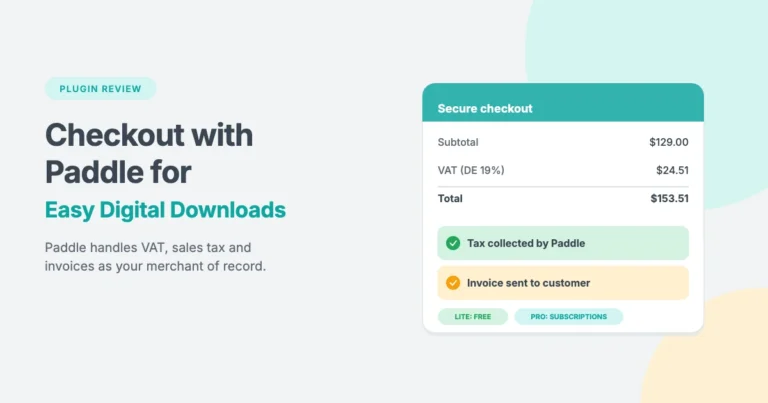
Selling digital products worldwide can mean charging VAT or sales tax in many countries. A merchant of record such as Paddle handles that for you. Our free Checkout with Paddle for Easy Digital Downloads and Checkout with Paddle for WooCommerce plugins connect Paddle to either store.
Moving from one plugin to the other later? Our tutorial on migrating WooCommerce to Easy Digital Downloads walks through it. And if you want to let other creators sell on your site too, see our guide to building a digital product marketplace in WordPress.
Themes for your digital product store
Your theme is your shop window. These lightweight WPInterface Pro themes work with Easy Digital Downloads and WooCommerce, and load quickly so buyers don’t leave before they reach checkout.
Business Interface Pro
Business Interface Pro is a lightweight multipurpose business theme with 12 starter sites, ideal for selling courses, templates or services alongside your business pages.

Corporate Interface Pro
Corporate Interface Pro is a fast corporate theme with services, client stories and results sections, a strong fit for consultants selling productised services and documents.

SpeedBlog Pro
SpeedBlog Pro is a fast blog theme, perfect for creators who build an audience with content and sell eBooks, presets or templates to their readers.

Need a hand setting up your store?
If you’d rather focus on making your products, the WPInterface team can set up and look after your store at a fixed price:
- WordPress Installation and Theme Setup: for $99, we install WordPress and set up your WPInterface theme.
- Must-Have Plugins Installation: for $59, we install and configure essential plugins for your store.
- WordPress Theme Customization: product pages and layouts tailored to what you sell, made the update-safe way.
- WordPress Migration: move your store from a marketplace or another platform to your own WordPress site.
- WordPress Care Plans: weekly updates, daily backups and monitoring, so your checkout keeps working.
- VIP Support: a $29 priority ticket for quick expert help with any WordPress problem.
Frequently asked questions
What are the best digital products to sell for beginners?
Templates, printables, eBooks and presets are the easiest digital products to sell when you’re starting out. They’re quick to make with free tools, cheap to test and teach you how selling online works before you build something bigger.
Which digital products make the most money?
Of all the digital products to sell, online courses, software, WordPress plugins, themes and memberships usually earn the most, because they command higher prices or recurring payments. They also take the most time and skill to create.
Do I need a website to sell digital products?
Not to start, as marketplaces let you test ideas. But your own website lets you keep more of each sale, control your prices and build a customer list, which is why most successful sellers move to their own site.
Is Easy Digital Downloads or WooCommerce better for digital products?
If you only sell digital products, Easy Digital Downloads is lighter and built for the job. If you also sell physical products, WooCommerce handles both in one store. Both are free to start.
How do I stop people sharing my digital products?
Use expiring, protected download links and limit the number of downloads per purchase. For software, themes and plugins, licence keys control activations. Some sharing is unavoidable, so focus on making buying easy and worthwhile.
Do I have to charge VAT on digital products?
In many countries, yes, often based on where the customer lives. Rules vary, so check with a tax adviser, or use a merchant of record such as Paddle, which collects and pays these taxes for you.
Final thoughts
There have never been more digital products to sell, and never more ways to sell them. The sellers who do well aren’t the ones with the most products. They pick one product that matches their skills, launch it quickly, listen to their first customers and build from there.
Choose one idea from this list of digital products to sell, give yourself a week to make a small version, and sell it from your own WordPress site with a free plugin. Your first sale will teach you more than any amount of planning.




Leave a reply