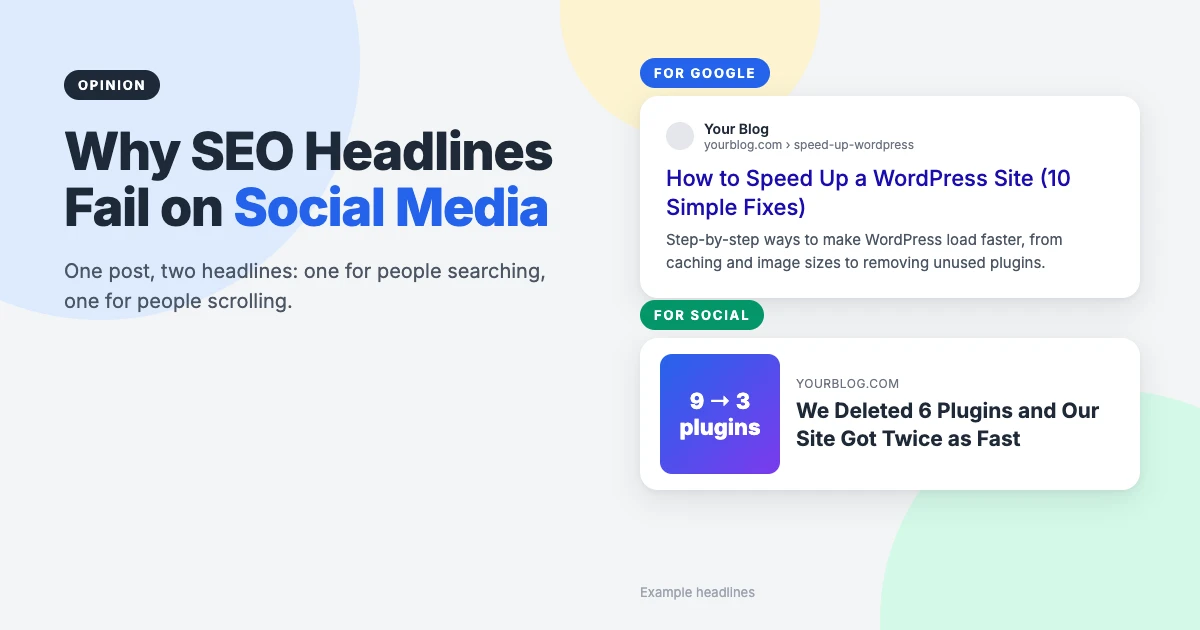
Social media headlines and SEO headlines are not the same thing, but most WordPress bloggers use one for both. You write a clear, keyword-led title, the post ranks, and then you share it on Facebook or LinkedIn and it sinks without a trace. The post didn’t change. The audience did.
Adam Connell makes this case well in his Blogging Wizard article on why SEO headlines fail on social media. His fix is to keep your SEO title for Google and give social platforms a different headline through Open Graph tags. We think he’s right, with a couple of important cautions.
In this opinion piece, we’ll explain why search and social need different headlines, how WordPress shows a different headline to each without any extra cost, four formulas for writing social media headlines, where we’d draw the line on clickbait, and when the whole idea isn’t worth the effort.
Our take at a glance
| SEO headline | Social media headline | |
|---|---|---|
| Reader | Someone searching for an answer | Someone scrolling past |
| Job | Match the search and win the click | Interrupt the scroll |
| Style | Clear, specific, keyword first | Personal, surprising, outcome first |
| Where it lives | Title tag and post title | Open Graph and X tags |
| Set it in WordPress with | Your SEO plugin’s title field | Your SEO plugin’s Social tab |
| Our verdict | Always | For posts you’ll actively share |
Why SEO headlines struggle on social media
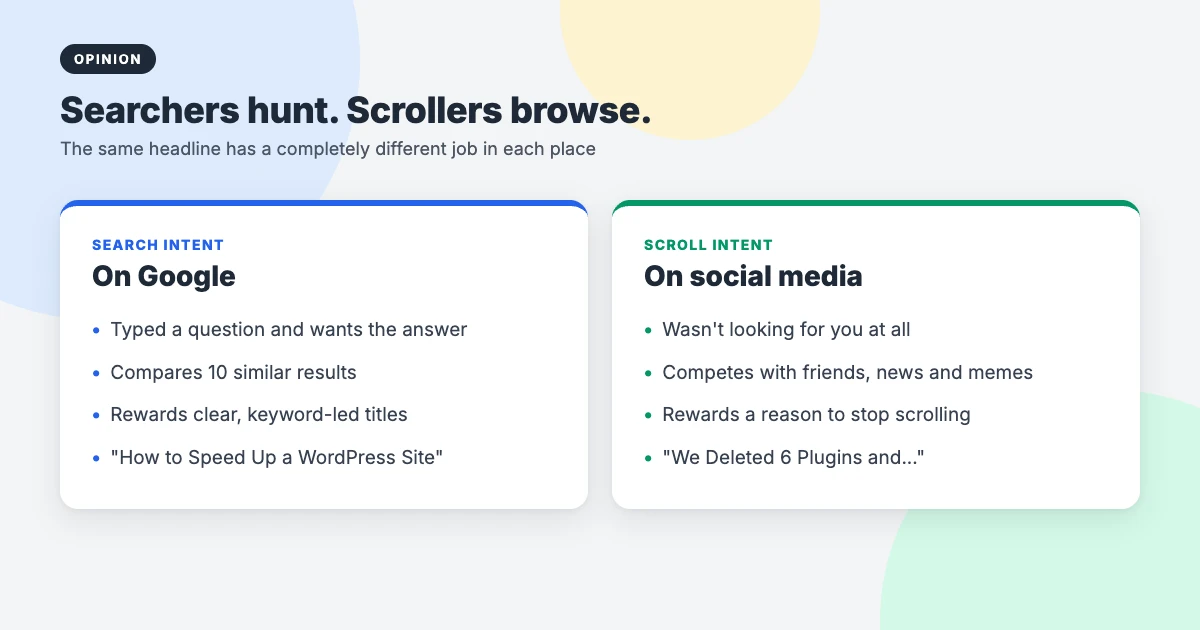
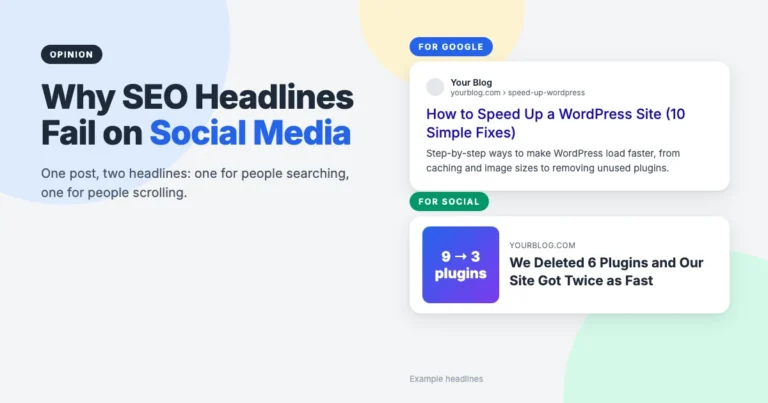
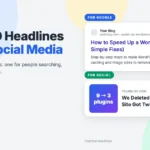
Someone on Google has already asked a question. They’re comparing ten similar results and will click the one that most clearly answers it. “How to Speed Up a WordPress Site” is a great headline there, because it says exactly what’s inside.
Someone on Facebook or LinkedIn wasn’t looking for you at all. They’re scrolling between photos from friends, news, videos and jokes. A plain “how to” headline looks like homework. To get noticed, a headline needs a reason to stop: a result, a surprise, a strong opinion or a story.
That’s the heart of Connell’s argument, and it matches our experience sharing WordPress tutorials. The posts that do well on social media are rarely the ones with the most search-friendly titles.
How WordPress shows a different headline to each
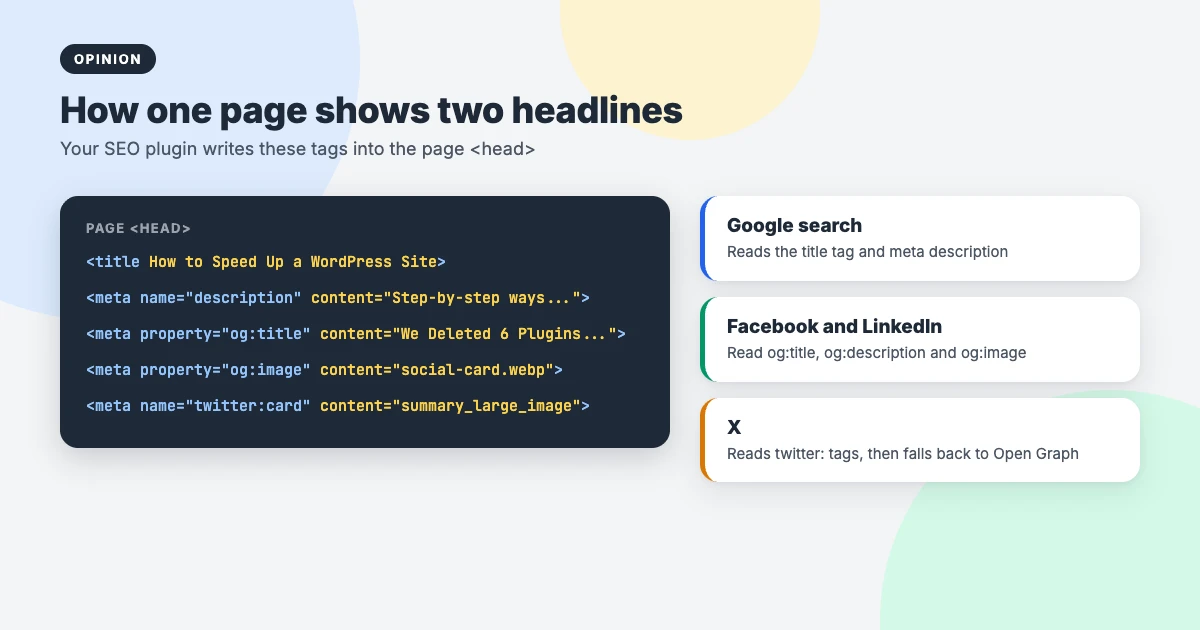
You don’t need two posts. When you share a link, Facebook, LinkedIn and most messaging apps read the page’s Open Graph tags: og:title, og:description and og:image. X reads its own twitter: tags and falls back to Open Graph if they’re missing. Google, meanwhile, mostly works from your title tag and page content.
So if your Open Graph title is different from your SEO title, each audience sees a headline written for them. If you don’t set one, platforms fall back to your normal title and featured image, which is why most posts end up sharing their SEO headline by default.
You probably already have the tool
Here’s where we’d differ slightly from the original article: you don’t need a separate plugin for this. The free version of Rank Math has a Social tab in its snippet editor where you can set a Facebook title, description and image, and a separate set for X. Most other popular SEO plugins offer similar social fields, so check yours before installing anything new.
In Rank Math, open the post, click Edit Snippet in the Rank Math sidebar, switch to the Social tab and fill in the Facebook fields. Leave X set to use the Facebook data unless you want something different there too.
4 formulas for social media headlines
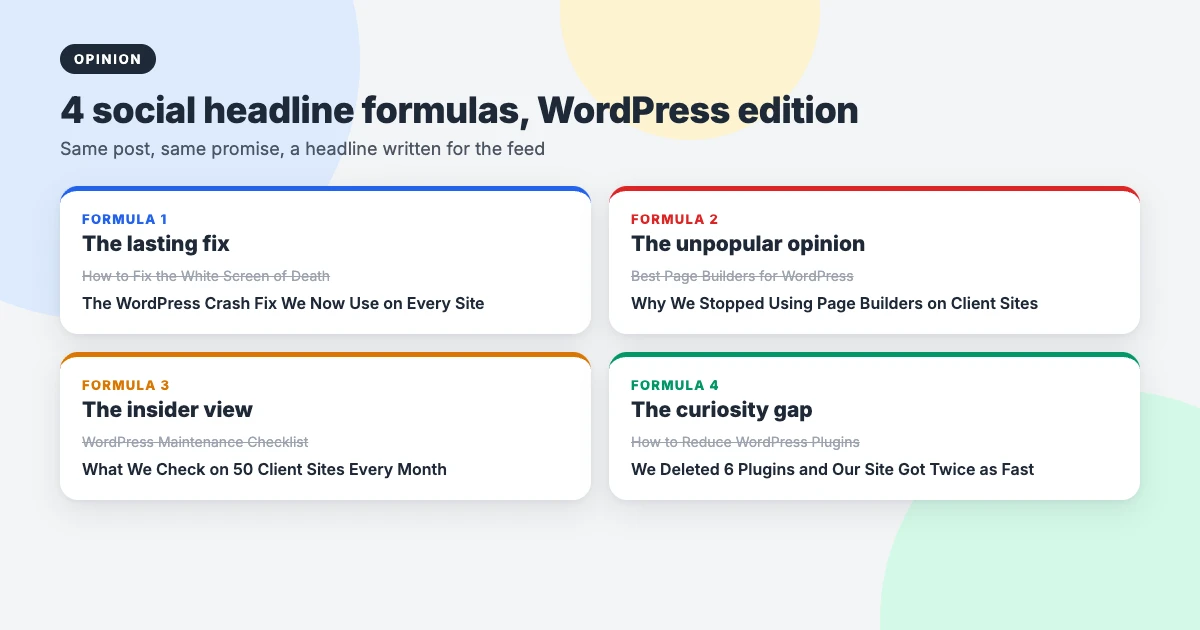
The original article shares four useful formulas. Here they are with WordPress examples, so you can see how a search title turns into one of four social media headlines for the same post.
1. The lasting fix
Promise a problem solved for good, not just a list of tips. “How to Fix the White Screen of Death” becomes “The WordPress Crash Fix We Now Use on Every Site”. It works because people share solutions they want to keep.
2. The unpopular opinion
Challenge what everyone assumes. “Best Page Builders for WordPress” becomes “Why We Stopped Using Page Builders on Client Sites”. Disagreement makes people stop, and it invites comments, which most platforms reward. Only use it when you genuinely hold the opinion.
3. The insider view
Offer a look behind the scenes. “WordPress Maintenance Checklist” becomes “What We Check on 50 Client Sites Every Month”. Real experience is more interesting than generic advice, and it’s something AI-written content can’t easily copy.
4. The curiosity gap
Share the result and save the method for the post. “How to Reduce WordPress Plugins” becomes “We Deleted 6 Plugins and Our Site Got Twice as Fast”. It’s the most powerful formula of the four, and the easiest to abuse, which brings us to our main caution.
Where we’d draw the line: curiosity, not clickbait
A social headline can be bolder than an SEO title, but it still has to be true. If someone clicks “We Deleted 6 Plugins and Our Site Got Twice as Fast” and finds a generic list of speed tips with no plugins deleted and no results, you’ve lost their trust, and they’ll scroll past your next post without a second look.
Platforms notice too. Facebook has long said it reduces the reach of clickbait headlines that withhold information or exaggerate. Honest curiosity works better over time than tricks.
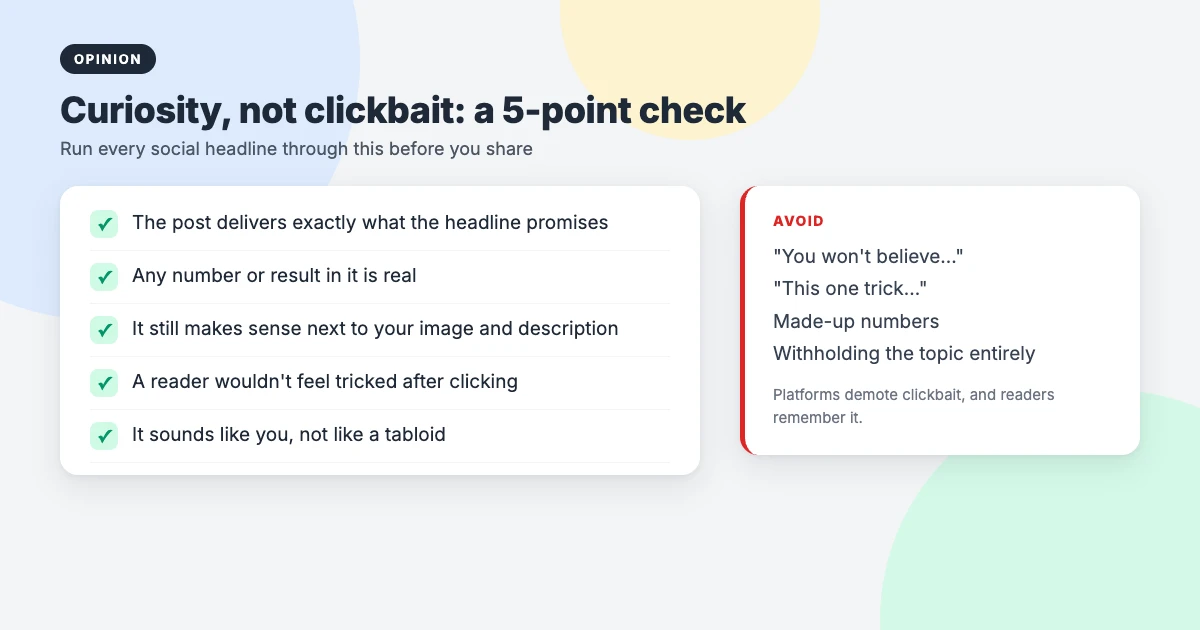
Before you save any of your social media headlines, run them through this quick check:
- Does the post deliver exactly what the headline promises?
- Is any number or result in it real?
- Does it still make sense next to your social image and description?
- Would a reader feel tricked after clicking?
- Does it sound like you, rather than a tabloid?
When separate social media headlines aren’t worth it
We agree with Connell that this isn’t for every post, and we’d be even more selective. Skip it when:
- You won’t actively share the post. Reference pages and short updates rarely need a second headline.
- The post isn’t targeting a search keyword. If it’s an opinion piece or story, write one headline for people and use it everywhere.
- It’s an old post. Rewriting social titles across hundreds of archived posts rarely pays off. Do it for new posts and the handful of old ones you still share.
For everything else, writing a social headline takes two minutes once you’re used to it, and it’s one of the cheapest ways to promote your blog.
Don’t forget the image and the preview
A headline is only half of a link preview. The image usually takes up most of the space, so treat it as part of the headline. A few habits we’d recommend:
- Use a 1200 × 630 pixel image, which displays well on Facebook, LinkedIn and X.
- Keep text on the image short and large enough to read on a phone.
- Test your link in the Facebook Sharing Debugger or LinkedIn Post Inspector before sharing. Both are free, and both refresh a cached preview if you’ve changed your social title.
- Many people report that some platforms show posts with external links to fewer people. Putting the link in the first comment is a common workaround, where the platform allows it.
Your SEO title still matters, of course. Our guides on using heading tags properly and getting more blog traffic cover the search side.
Blog themes that make sharing look good
Social media headlines get people to click. A fast, readable theme keeps them once they arrive. These WPInterface Pro blog themes load quickly on mobile, where most social traffic comes from, and work with your SEO plugin’s Open Graph settings.
SpeedBlog Pro
SpeedBlog Pro is a fast blog theme for travel, tech, personal and creative blogs, with a clean layout that keeps readers focused.

BlogNest Pro
BlogNest Pro is an elegant blog theme with a serif masthead, a post slider, featured categories and spotlight blocks.

BlogSky Pro
BlogSky Pro is a minimalist blog theme with a post list and slider hero, Must-Read Highlights and RTL support.

For more options, see our list of the best WordPress blog themes.
Need a hand?
If you’d rather have your blog set up properly from the start, the WPInterface team can help at a fixed price:
- News and Blog Website Setup: we build your blog on a fast WPInterface theme, ready to publish and share.
- Must-Have Plugins Installation: for $59, we install and configure essential plugins, including SEO and social settings.
- WordPress Speed Optimization: faster pages, so social visitors don’t leave before your post loads.
- VIP Support: a $29 priority ticket for quick expert help with any WordPress problem.
Frequently asked questions
Will a different social headline hurt my SEO?
No. Open Graph and X tags control how links look on social platforms. Google relies mainly on your title tag and page content, so your SEO title keeps doing its job.
How do I set a social media headline in WordPress?
Use your SEO plugin’s social settings. In the free version of Rank Math, open Edit Snippet, go to the Social tab and add a Facebook title, description and image.
Why does Facebook still show my old headline?
Facebook caches link previews. Paste your URL into the Facebook Sharing Debugger and click “Scrape Again” to load the new title and image. Clear your caching plugin first if you use one.
Should every post have a separate social headline?
No. Save it for posts that target a search keyword and that you plan to share actively. If a post isn’t aimed at search, write one headline for people and use it everywhere.
What is the best image size for social sharing?
1200 × 630 pixels is the safest choice. It displays well on Facebook, LinkedIn and X without awkward cropping.
Is a curiosity headline the same as clickbait?
Not if the post delivers. Curiosity makes people want to know more and then rewards them. Clickbait promises something the post doesn’t deliver, and readers and platforms both punish it.
Final thoughts
The Blogging Wizard article gets the big idea right: SEO headlines help people find your content, and social media headlines help people care about it. On WordPress, you can have both for free, using the Social tab your SEO plugin probably already has.
Our addition is simple: be bold, but be honest. Write social media headlines for the posts you’ll actually share, make sure each one delivers on its promise, and check the preview before you post. That’s how you earn the click and the next one.
Reactions
How did this make you feel?
Be the first to react
One reaction per visitor. Tap again to change or remove it.



Leave a reply