You can build a news website on WordPress in an afternoon, without writing code. WordPress gives you a fast way to publish, organise stories into sections, manage a team of writers and get your articles in front of Google News and Discover readers. Most of the job is choosing the right tools and setting them up properly from day one.
This beginner’s guide shows you how to make a news website with WordPress, step by step. You’ll pick a niche, set up hosting, install WordPress, choose a news theme (we’ll show you NewsBerry Pro and other WPInterface news themes), organise your sections, set up your newsroom, and get ready for search, speed and growth.
Before you start
Here’s what you’ll need:
- A name for your news website and a rough idea of what it will cover.
- A budget for a domain name and web hosting.
- About two to three hours for the setup in this guide.
- A few finished articles, so your news website doesn’t launch empty.
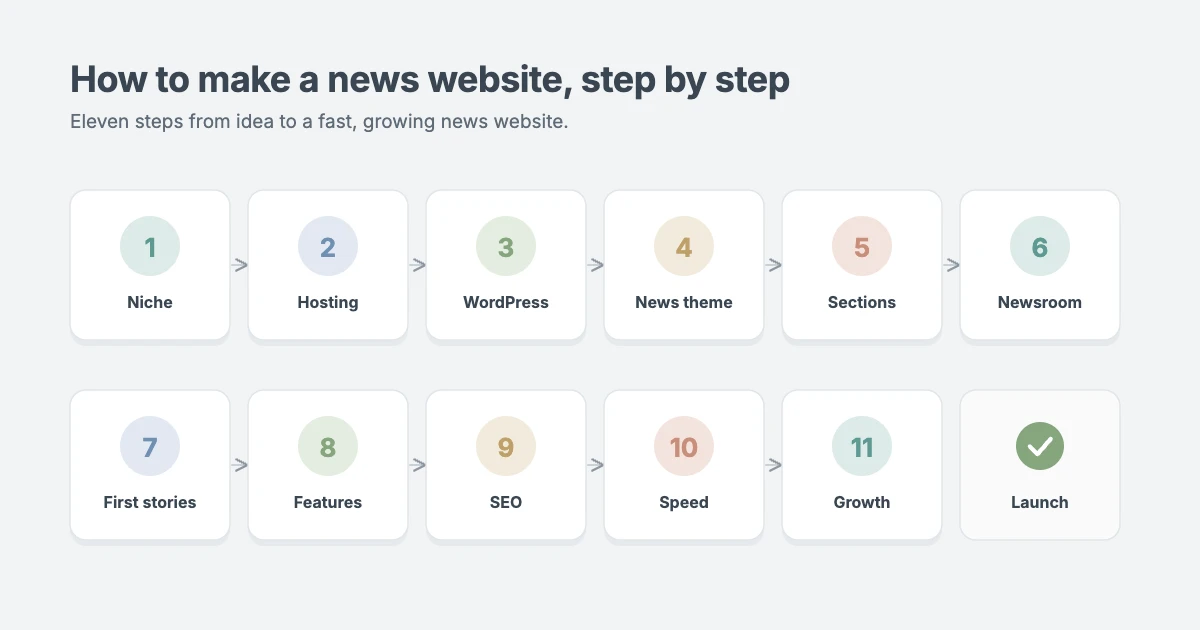
How to make a news website at a glance
Here is the whole process on one screen. Work through it in order.
| Step | What you do | Time |
|---|---|---|
| 1. Niche | Decide what you cover and who for | 30 minutes |
| 2. Hosting and domain | Buy a domain and a WordPress-ready host | 20 minutes |
| 3. WordPress setup | Install WordPress and set the basics | 20 minutes |
| 4. News theme | Install a news theme and import its demo | 30 minutes |
| 5. Sections and menus | Create categories and navigation | 20 minutes |
| 6. Newsroom | Add writers and editors with the right roles | 15 minutes |
| 7. First articles | Publish key pages and your first stories | Ongoing |
| 8. News features | Ticker, breaking news, newsletter, comments | 20 minutes |
| 9. SEO for news | Sitemaps, Google News and Discover readiness | 30 minutes |
| 10. Speed | Caching, images and traffic-spike planning | 30 minutes |
| 11. Growth | Newsletter, social, ads and memberships | Ongoing |
Step 1: Choose your niche and audience
A focused news website grows faster than a general one. Readers know what to expect, other sites know when to link to you, and search engines learn what you’re an authority on. Good starting points include:
- Local news: a town, region or community that larger outlets don’t cover closely.
- Industry news: a trade, profession or market, such as logistics, real estate or farming.
- Technology: gadgets, software, AI or a single platform.
- Sports: one sport, one league or one team.
- Lifestyle: travel, food, fashion or health news for a specific group.
Write one sentence that describes your audience and your promise, for example “Daily news for independent coffee shop owners in the UK”. You’ll use it for your tagline, your About page and your social profiles.
Step 2: Get a domain name and WordPress hosting
You need two things to put a news website online: a domain name (your address, like yournews.com) and web hosting (the server that stores and serves your site). Use self-hosted WordPress from WordPress.org, which gives you full control over themes, plugins, ads and memberships.
News sites have different hosting needs from small blogs. A single story can bring a sudden traffic spike, and you’ll publish often. When you compare hosts, look for:
- A free SSL certificate, so your site loads over HTTPS.
- Daily backups you can restore with one click.
- A staging site to test updates before they go live.
- Server-level caching and an easy way to add a CDN.
- Room to grow, so a viral story doesn’t take your site down.
Our guide to the best WordPress hosting compares providers we’ve tested. Most hosts install WordPress for you during sign-up.
Step 3: Install WordPress and set the basics
Once WordPress is installed, log in at yoursite.com/wp-admin and set these first:
- Settings → General: add your site title, your one-line tagline and your timezone. The timezone matters for a news website, because it sets the time shown on every article.
- Settings → Permalinks: choose Post name, so your URLs read like yournews.com/city-council-approves-budget/.
- Settings → Reading: make sure “Discourage search engines from indexing this site” is unticked when you’re ready to launch.
- Settings → Discussion: decide whether you’ll allow comments, and turn on manual approval if you do.
Delete the sample post, sample page and any plugins your host added that you don’t need.
Step 4: Choose a news theme
Your theme controls how your news website looks and how fast it loads. The default WordPress theme is fine for a blog, but a news site needs more: a masthead, a front page with several sections, a breaking news ticker, trending lists and layouts that handle dozens of stories a day.
Here’s what to look for in a WordPress news theme:
- A front page built from sections you can rearrange, such as lead stories, category blocks and trending lists.
- A built-in news ticker or breaking news bar.
- A fast, lightweight build, because news readers are mostly on mobile.
- One-click demo import, so you start from a finished design.
- Translation and RTL support if you publish in more than one language.
- Ad-friendly spots in the header, sidebar and between sections.
NewsBerry Pro: our pick for a digital newspaper
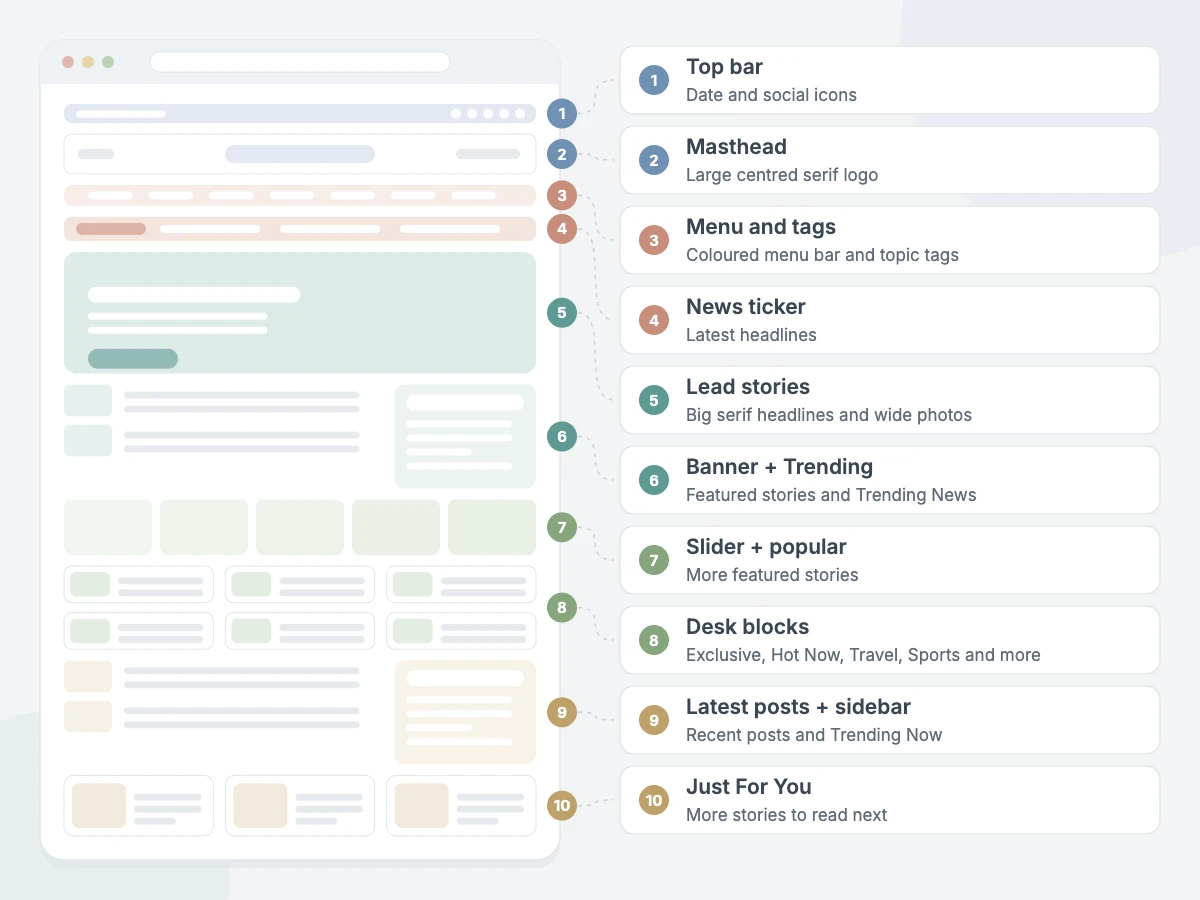
NewsBerry Pro is a WPInterface theme built for digital journalism. It opens with a large, centred serif masthead and a coloured menu bar, followed by a strip of topic tags and a news ticker. Below that, big serif headlines with wide photos lead the front page, the way a printed newspaper leads with its top stories.
Further down, NewsBerry Pro gives you a banner with a Trending News column, a slider, popular posts, Must Read and Categories sections, and desk blocks for Exclusive News, Hot Now, Travel, International News, Sports and Lifestyle. It scores 95 for performance in Google PageSpeed Insights on its demo, supports RTL languages, and costs from $59 a year or $99 for a lifetime licence.
More WPInterface themes for a news website
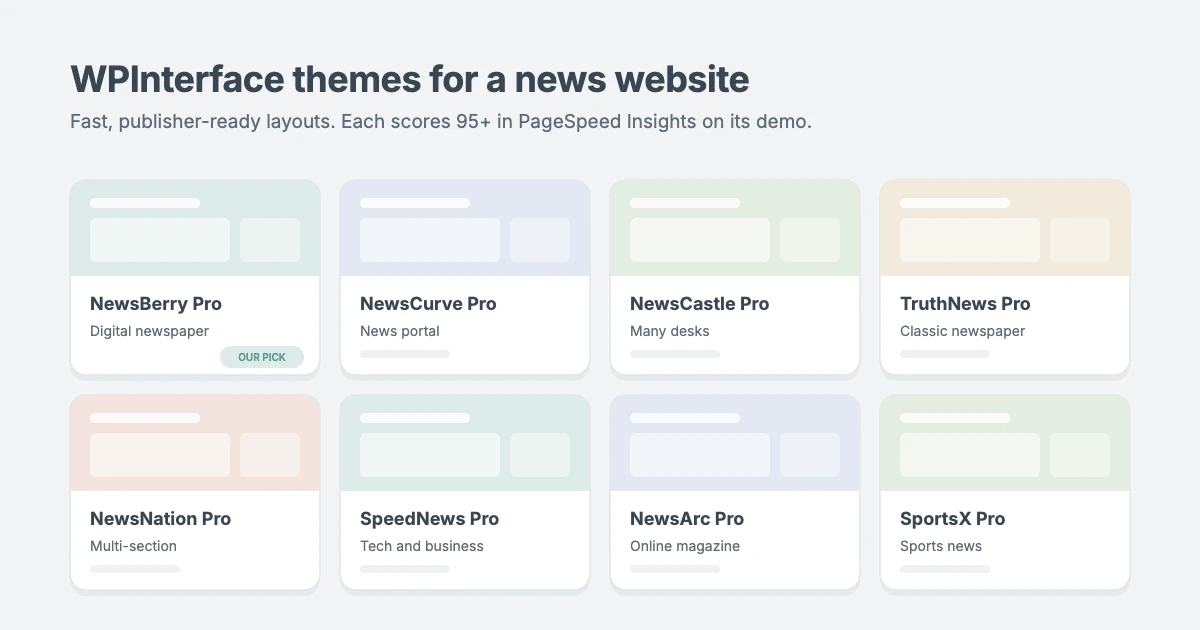
Every theme below is built for publishers, imports its demo in one click and scores 95 or higher for performance in PageSpeed Insights on its demo.
| Theme | Best for | Standout feature |
|---|---|---|
| NewsCurve Pro | News portals, politics, live updates | Breaking news ticker and serif lead stories |
| NewsCastle Pro | General news sites with many desks | Latest News cards and a block for every desk |
| TruthNews Pro | Local and national newspapers | Classic serif masthead and category menu |
| NewsNation Pro | Editors and multi-section publishers | Multiple layouts and tabbed sections |
| SpeedNews Pro | Tech, business and lifestyle news | Trending ticker and mosaic headlines |
| NewsArc Pro | Online magazines that cover many topics | Newsletter bar and video news section |
| NextZenMag Pro | News plus sports, travel and lifestyle | Breaking News column beside the lead story |
| SportsX Pro | Sports news and fan sites | Player of the Week panel and sport-by-sport blocks |
To install your theme, go to Appearance → Themes → Add New → Upload Theme, upload the theme’s zip file, activate it and enter your licence key. Then import the starter site so your news website looks like the demo, and replace the sample stories with your own.
Step 5: Create your sections and menus
Categories are the sections of your news website, like the pages of a printed paper. Create them under Posts → Categories before you publish much:
- Keep it to five to eight main sections, such as Local, Politics, Business, Sports, Culture and Opinion.
- Use subcategories only where a section is genuinely big.
- Give every category a short description. Many news themes show it at the top of the section page, and it helps search engines understand the section.
- Use tags for people, places and running stories, such as a team name or a court case.
Then build your main menu under Appearance → Menus (or Appearance → Editor in a block theme) with your sections, plus About and Contact. Keep it short, so it fits on one line on desktop.
Step 6: Set up your newsroom
If more than one person writes for your news website, give each person their own account with the right role under Users → Add New. WordPress includes these roles out of the box:
| Role | Can do | Give it to |
|---|---|---|
| Administrator | Everything, including plugins, themes and settings | The site owner only |
| Editor | Publish and edit anyone’s posts, manage categories | Section editors |
| Author | Write, edit and publish their own posts | Trusted staff writers |
| Contributor | Write and edit their own drafts, but not publish | Freelancers and new writers |
| Subscriber | Manage their own profile | Readers with accounts |
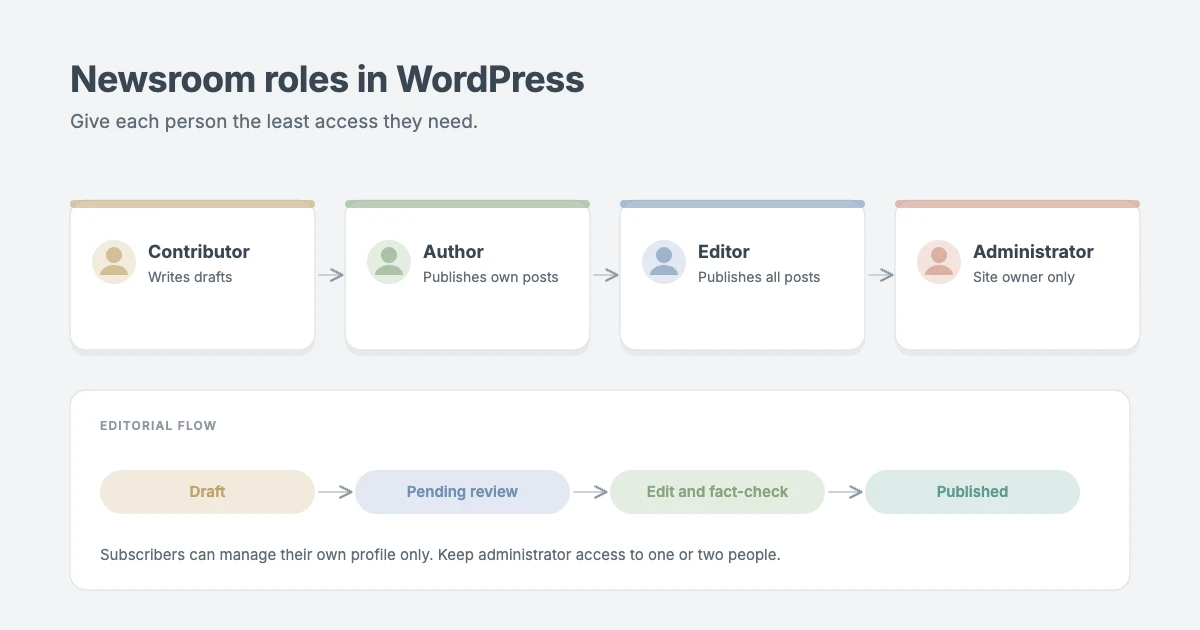
A simple, safe workflow is: contributors submit drafts, editors review and publish, and only one or two people have administrator access. Read more in the WordPress roles and capabilities documentation. Larger teams can add an editorial workflow plugin, such as PublishPress, for custom statuses and editorial comments.
Step 7: Publish your key pages and first stories
Before launch, create these pages under Pages → Add New:
- About: who runs the news website, what you cover and why.
- Contact: how readers and sources can reach you, including a tips address.
- Editorial policy and corrections: how you check facts and how you fix mistakes.
- Privacy policy: WordPress includes a starter template under Settings → Privacy.
Then write your first stories as posts, not pages. A few habits will make your news website trusted from day one:
- Answer the headline in the first paragraph, then add detail.
- Link to your primary sources, such as official statements, data and documents.
- Add a clear byline and the date, and note when you update a story.
- Keep news and opinion clearly separate, using an Opinion category.
- Add a featured image to every article, at least 1200 pixels wide.
A steady schedule beats bursts. Start with what you can sustain, such as three to five good stories a week, and grow from there.
Step 8: Add news website features readers expect
Readers expect a few features on every news website. Many are built into WPInterface news themes, so check your theme options before adding plugins:
- News ticker or breaking news bar: a scrolling line of your latest or most important headlines at the top of the page.
- Trending and popular posts: lists that keep readers clicking to the next story.
- Related posts: links at the end of each article to stories on the same topic.
- Newsletter sign-up: an email list is the audience you own, whatever happens to search and social traffic.
- Social sharing buttons: make it easy to share a story in one tap.
- Comment moderation: if you allow comments, use manual approval and an anti-spam plugin such as Akismet.
For a live event, such as an election night or a match, update one article throughout the event and mark the latest update with a timestamp at the top.
Step 9: Get your news website ready for Google
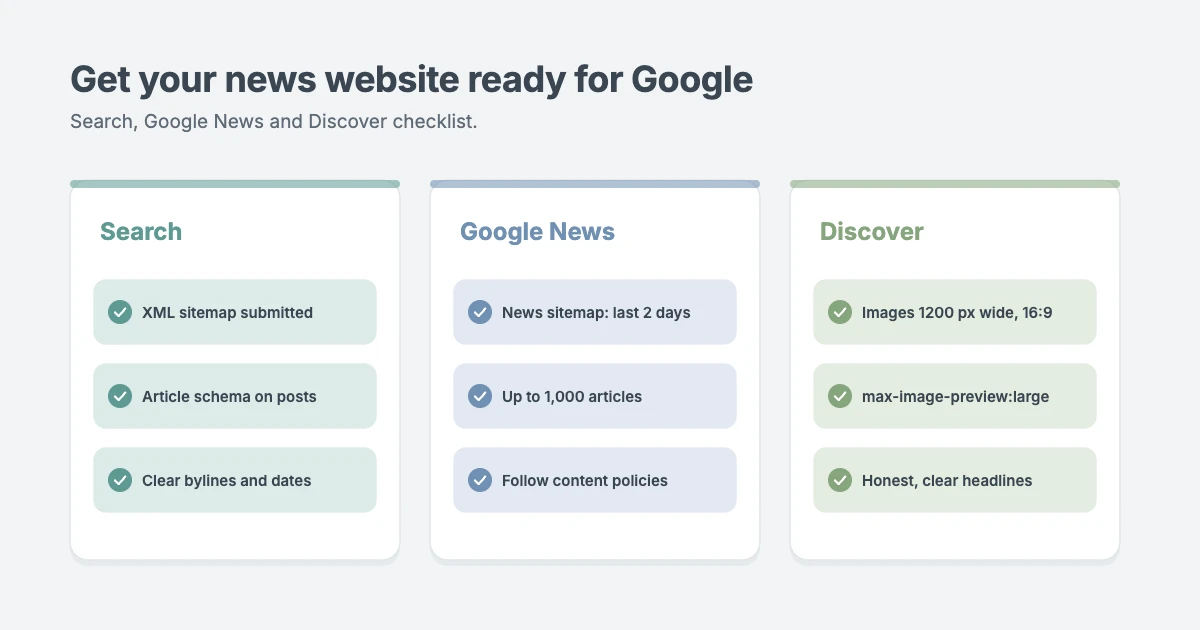
Search is one of the biggest traffic sources for a news website. Install one SEO plugin, such as Rank Math, Yoast SEO or All in One SEO, and set up:
- An XML sitemap with your posts and categories, submitted in Google Search Console.
- A news sitemap. Google’s news sitemap rules say it should only list articles from the last two days, with up to 1,000 articles per sitemap. Many SEO plugins can create one, sometimes in their paid plans.
- Article schema, so Google knows each post is a news article with a headline, date and author.
- Large image previews with the
max-image-preview:largesetting, which most SEO plugins add for you.
Google News
You don’t apply to Google News. According to Google’s publisher help, sites are found through the normal web crawl and automatically considered for Top stories and the News tab if they publish high-quality content and follow Google News content policies. Clear bylines, dates, an About page and contact details all help show that you’re a real publication.
Google Discover
Discover shows stories on phones based on readers’ interests. Google’s Discover guidelines recommend images at least 1200 pixels wide in a 16:9 ratio, large image previews enabled, and headlines that describe the story honestly instead of clickbait.
Step 10: Make your news website fast
Speed matters more for a news website than for most sites, because readers arrive from search and social on their phones and leave if a story is slow. Aim to pass Google’s Core Web Vitals:
- Choose a light theme. WPInterface news themes are built lean and score 95 or higher in PageSpeed Insights on their demos.
- Use caching. Page caching serves stories quickly and keeps your site up during traffic spikes.
- Resize and compress images. Upload images close to the size your theme displays and serve WebP.
- Limit third-party scripts. Every ad network, tracking pixel and embed adds load time.
- Add a CDN to serve images and files from servers close to your readers.
If you’d like experts to handle it, our Speed and Core Web Vitals optimization service tunes WordPress news sites for fast loading and traffic spikes.
Step 11: Grow and monetise your news website
Once you publish regularly, focus on building an audience and income:
- Email newsletter: send a daily or weekly digest of your top stories.
- Social media: share every story on the platforms your readers use, and post breaking news there first.
- Original reporting: exclusive stories, data and interviews earn links from other sites.
- Display ads: start with Google AdSense, then move to a premium ad network as traffic grows.
- Memberships: offer ad-free reading, exclusive stories or a paid newsletter with a membership plugin.
- Sponsored content and affiliate links: always label them clearly, so readers can trust your news.
Your news website launch checklist
Before you announce your news website, run through this list:
| Check | Where |
|---|---|
| Site title, tagline and timezone set | Settings → General |
| Post name permalinks | Settings → Permalinks |
| Search engines allowed | Settings → Reading |
| News theme installed and demo imported | Appearance → Themes |
| Five to eight categories with descriptions | Posts → Categories |
| About, Contact, Editorial policy and Privacy pages | Pages |
| Writers added with the right roles | Users |
| SEO plugin set up and sitemap submitted | SEO plugin and Search Console |
| Caching on and images compressed | Host or caching plugin |
| At least five articles published | Posts |
Frequently asked questions
How much does it cost to make a news website with WordPress?
WordPress itself is free. Your main costs are a domain name (usually around $10 to $20 a year), hosting (from a few dollars a month for a small site to more for high traffic) and a premium news theme, such as NewsBerry Pro from $59 a year.
Do I need to know how to code?
No. With a news theme and its one-click demo import, you can set up and run a news website from the WordPress dashboard without writing code.
What is the best WordPress theme for a news website?
It depends on your style. NewsBerry Pro suits a digital newspaper with a classic masthead, NewsCurve Pro suits a busy news portal, SportsX Pro suits sports coverage and NewsArc Pro suits an online magazine. All are fast and built for publishers.
How do I get my news website on Google News?
You don’t need to apply. Publish original, high-quality news, follow Google News content policies, show clear bylines and dates, and submit your sitemap in Google Search Console. Google considers eligible sites automatically.
How often should I publish on a news website?
Publish as often as you can do well. A small news website can start with three to five stories a week and increase as the team grows.
Final thoughts
Making a news website with WordPress comes down to a few good decisions: a clear niche, solid hosting, a fast news theme like NewsBerry Pro, well-organised sections, a simple newsroom workflow and a search setup that helps Google find your stories. Start with the launch checklist, publish steadily and improve one step at a time.
Want us to build it for you? Our News and Blog Website Setup service installs your theme, imports the demo, sets up your sections and gets your news website ready to publish.
Reactions
How did this make you feel?
1 reaction
One reaction per visitor. Tap again to change or remove it.



Leave a reply