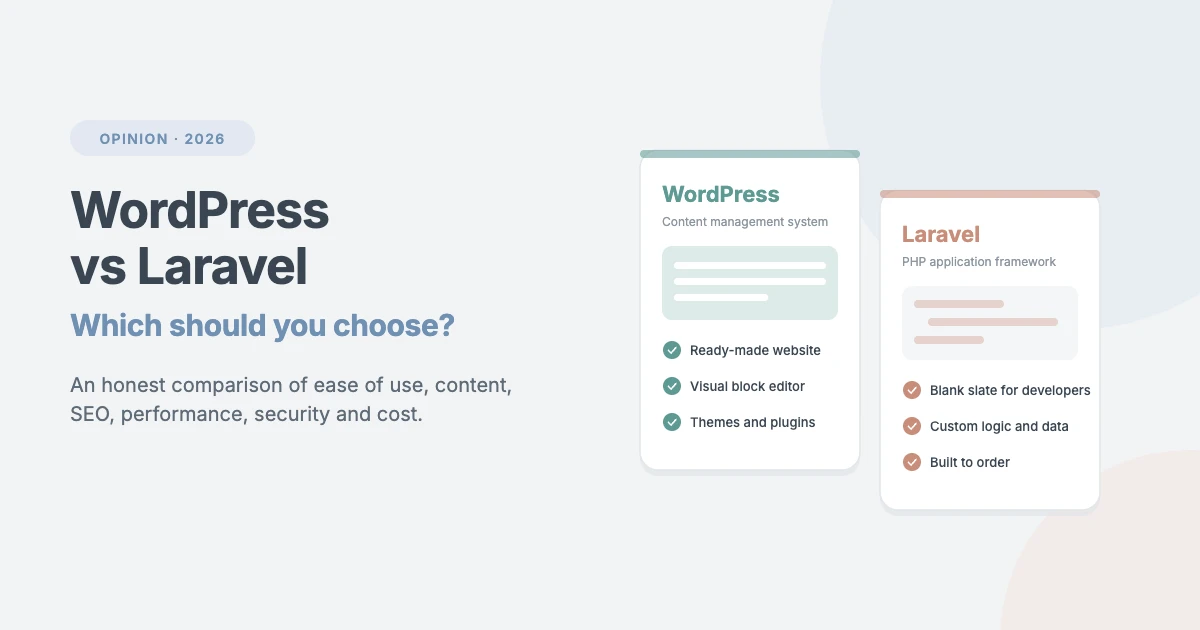
WordPress vs Laravel is one of the most common questions we hear from business owners before a new project. Both are free, open source and built on PHP, so they can look like two versions of the same thing. They aren’t. WordPress is a ready-to-use content management system. Laravel is a framework for developers to build custom web applications from scratch.
Choosing the wrong one costs real money. Pick Laravel for a simple business site and you pay developers to rebuild features WordPress gives you for free. Pick WordPress for a complex software product and you can end up fighting the platform. In this opinion piece, we compare WordPress vs Laravel honestly, area by area, and tell you which one we’d choose for different kinds of projects.
A quick note on where we stand: WPInterface builds WordPress themes and runs WordPress projects every day, so we know WordPress best. We’ve also worked alongside Laravel teams on hybrid projects. We’ll tell you when Laravel is the better choice, because recommending the wrong tool doesn’t help anyone.
WordPress vs Laravel at a glance
Here’s the short version before we go into detail:
| WordPress | Laravel | |
|---|---|---|
| What it is | Content management system | PHP web application framework |
| Who it’s for | Site owners, marketers, editors | Professional developers |
| Coding needed | No, for most sites | Yes, always |
| Time to launch | Days to weeks | Weeks to months |
| Content editing | Built in | You build it, or add a package |
| Themes and plugins | Huge ecosystem | Packages for developers, no themes |
| SEO | Easy, with plugins | Manual, in code |
| Best for | Blogs, business sites, stores, publishers | SaaS, portals, custom web apps |
This comparison is about self-hosted WordPress (the free software from WordPress.org) and Laravel, the open-source PHP framework.
What is WordPress?
WordPress is an open-source content management system (CMS). You install it on your hosting account, often with one click, and you get a complete website straight away: an admin dashboard, a visual block editor, a media library, user accounts, categories, menus and more.
You change how the site looks with a theme and add features with plugins. A theme like one of ours gives you a finished, professional design in minutes. Plugins add things like online stores, contact forms, memberships, SEO tools and backups, usually without writing a line of code.
What is Laravel?
Laravel is an open-source PHP framework. It gives developers a well-organised toolkit for building web applications: routing, database tools, user authentication, queues, email, testing and much more.
What Laravel doesn’t give you is a website. There’s no dashboard, no editor and no design until a developer builds them. That’s the point. Laravel is a clean foundation for software that doesn’t fit any off-the-shelf mould, such as a booking platform, a customer portal or a SaaS product.
Ease of use
Ease of use is the first big difference in WordPress vs Laravel. WordPress is designed for people who aren’t developers. Once it’s installed, you write posts, build pages and upload images in the block editor, and you can see your changes as you make them. Most site owners manage their own content from day one.
Laravel is designed for developers. Setting up a project means working with the command line, Composer (PHP’s package manager), a local development environment and a code editor. Even simple changes, like editing text on a page, usually need a developer unless one has built an admin panel for you.
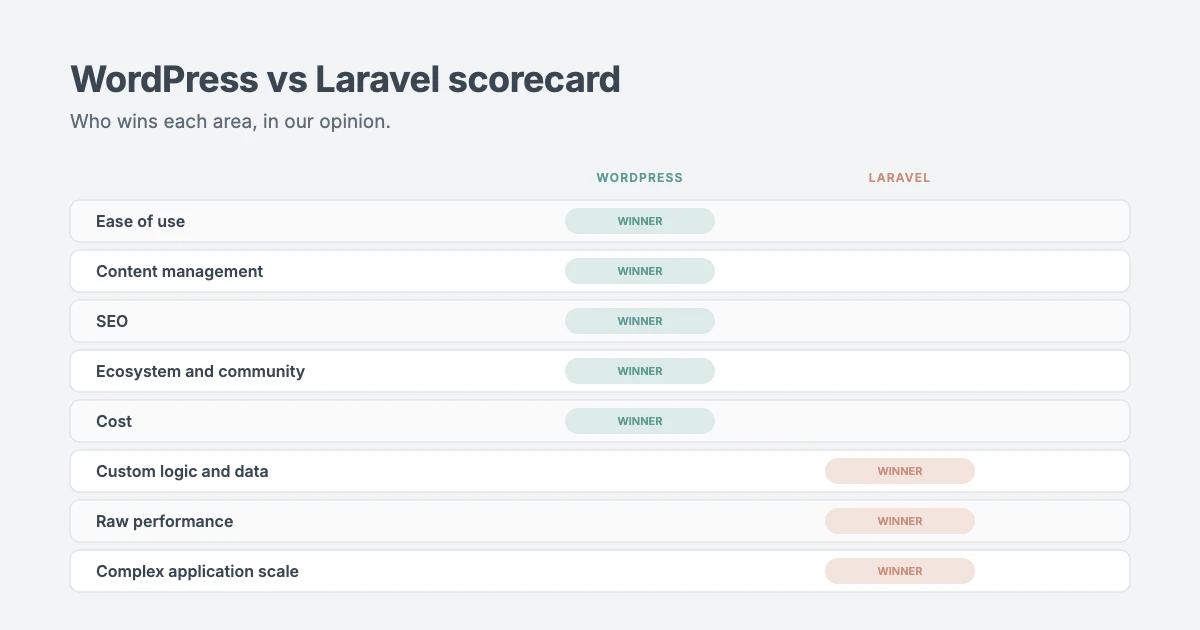
Our verdict: WordPress, by a long way, for anyone who wants to run their own site.
Content management
Publishing is where the WordPress vs Laravel gap is widest. WordPress was built for content. Posts, pages, categories, tags, drafts, revisions, scheduled publishing, user roles and a media library are all built in. Custom post types let you add things like products, events or case studies.
Laravel has none of this out of the box. A developer has to build every content feature, or add a Laravel-based CMS package, some of which charge licence fees. For a content-heavy website, that’s a lot of time spent recreating what WordPress already does well.
Our verdict: WordPress. If your site is mostly pages, posts and media, there’s no contest.
Customisation and flexibility
Flexibility is where Laravel fights back in the WordPress vs Laravel comparison. WordPress is very flexible through themes, plugins and custom code. Most business needs are covered by an existing plugin. When they aren’t, a developer can build a custom plugin, custom blocks or a custom theme. The limit is that you work within WordPress’s structure: its database, users and admin.
Laravel has almost no limits, because you start from a blank slate. Your data, your workflows and your user interface can be exactly what your business needs. The cost is time: every feature has to be designed, built and tested.
Our verdict: Laravel for truly custom applications. WordPress for everything else, which is most websites.
SEO
For SEO, WordPress vs Laravel is a clear win for WordPress. It gives you clean URLs, a built-in sitemap, and SEO plugins that handle titles, meta descriptions, schema, redirects and social sharing from the editor. Marketers can optimise every page themselves.
In Laravel, SEO is a development task. Developers add meta tags, sitemaps, structured data and redirects in code or with packages. It works, but every change needs a developer, and nothing is there by default.
Our verdict: WordPress. It’s much easier to get SEO right, and to keep it right as your content grows.
Performance
Speed is one area where WordPress vs Laravel is closer than people think. A Laravel application only contains what its developers built, so a well-written Laravel app can be very fast. It also offers tools for heavy work, like queues and caching, that keep pages quick under load.
WordPress core is fast too. Slow WordPress sites are usually caused by heavy themes, too many plugins, large images or cheap hosting. A lightweight theme, page caching, optimised images and good hosting fix most of it. All of our themes are built to score well in Google PageSpeed Insights for this reason.
Our verdict: Laravel has the edge in raw performance. A well-built WordPress site is more than fast enough for almost every business.
Scalability
When it comes to scalability, WordPress vs Laravel depends on what kind of traffic you expect. WordPress powers some of the busiest news and media sites on the web. With better hosting, page caching, a CDN and object caching, it handles large traffic spikes well, especially for content that many people read.
Laravel is built to scale complex applications, where thousands of logged-in users do different things at once. Job queues, distributed caching and load balancing are part of the toolkit. You need experienced developers and server management to use them well.
Our verdict: WordPress for high-traffic content sites. Laravel for complex applications with lots of logged-in activity.
Security
Security is often the main worry in a WordPress vs Laravel decision. Laravel includes strong security defaults, such as CSRF protection, input validation, secure password hashing and encrypted sessions. Your app’s security still depends on how well your developers write and maintain the code.
WordPress core is secure and well maintained by a large security team. Because it’s so popular, WordPress sites are a common target, and most hacks come through outdated or poorly coded plugins and weak passwords. Keeping everything updated, using reputable plugins, strong passwords and two-factor authentication keeps you safe.
Our verdict: Laravel has better defaults. Both are secure when they’re looked after properly. With WordPress, ongoing maintenance is what makes the difference.
Ecosystem and community
The WordPress vs Laravel communities are very different. WordPress has one of the largest communities in open source. There are thousands of themes and tens of thousands of free plugins, plus documentation, forums, meetups and developers everywhere. Whatever problem you hit, someone has usually solved it.
Laravel’s community is smaller and made up mainly of developers. Its official documentation is excellent, and there are many high-quality packages. There’s no marketplace of ready-made themes or plugins for site owners, though, and experienced Laravel developers can be harder to find and more expensive.
Our verdict: WordPress.
Cost
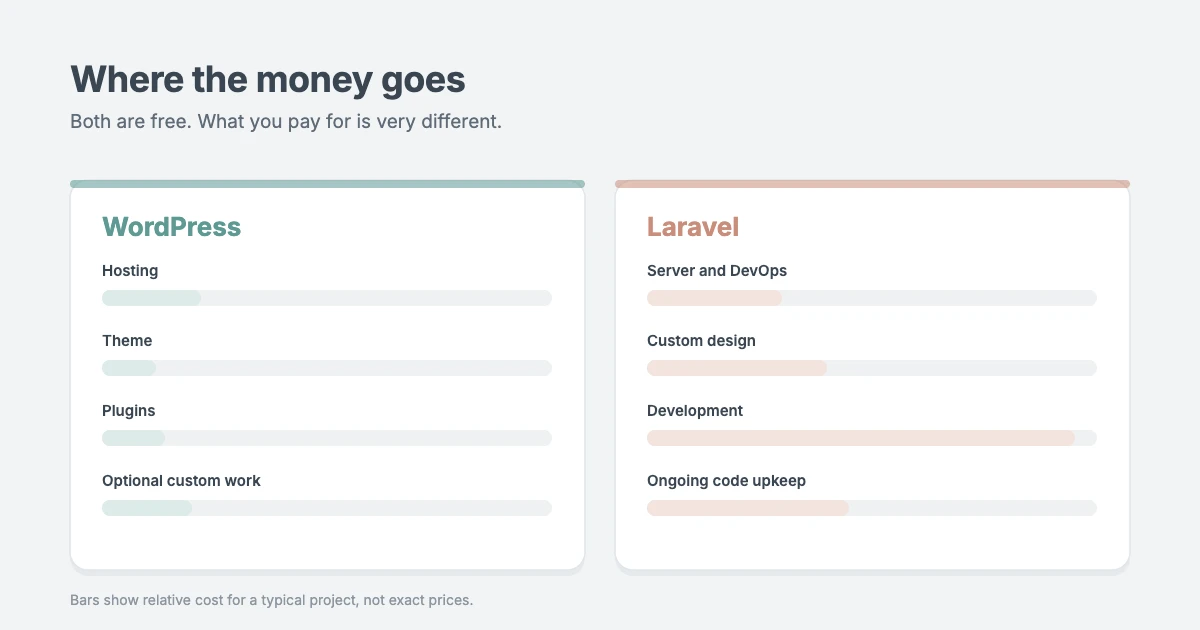
Both are free to download. The real WordPress vs Laravel cost difference is in how you build and run the site:
| Cost | WordPress | Laravel |
|---|---|---|
| Software | Free | Free |
| Domain name | About $10–$20 per year | About $10–$20 per year |
| Hosting | From a few dollars a month | Usually a VPS or cloud server, often more |
| Design | Theme: free or a one-off fee | Custom design and build |
| Features | Free and premium plugins | Built by developers |
| Development | Optional, for custom work | Required, usually the biggest cost |
| Maintenance | Updates and backups | Code, server and dependency updates |
A professional WordPress site can launch on a small budget, especially with a premium theme. A Laravel project is custom software, and it’s usually priced in developer weeks or months.
Our verdict: WordPress, for almost every budget.
WordPress vs Laravel: which should you choose?
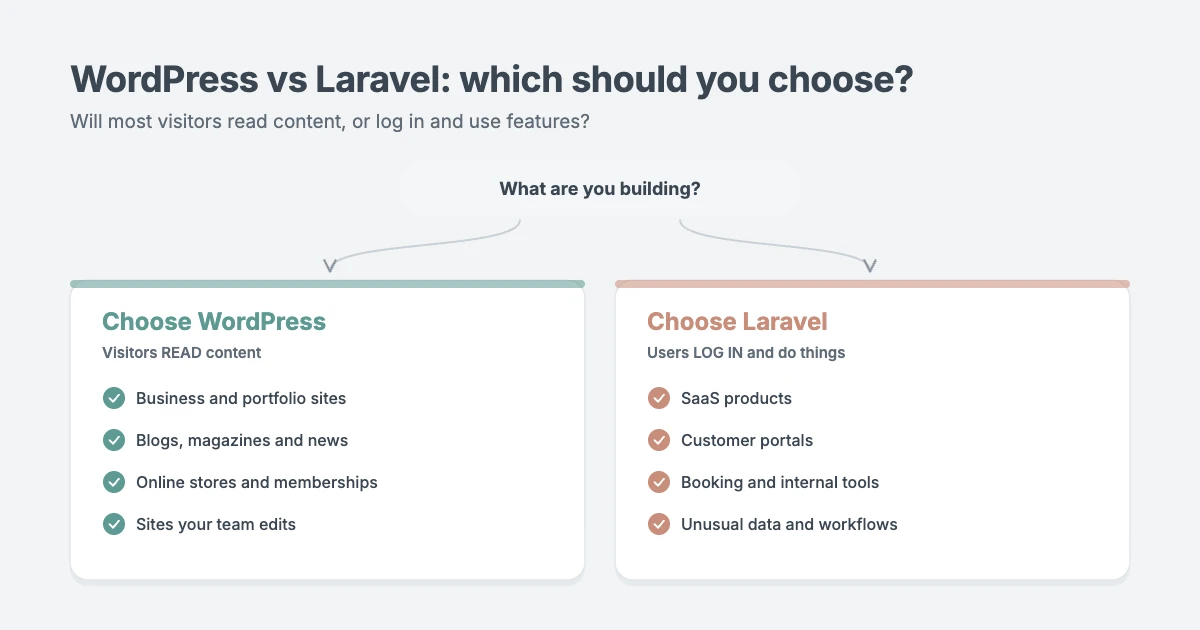
Here’s how we’d settle WordPress vs Laravel for your project.
Choose WordPress if you’re building:
- A business, agency or portfolio website.
- A blog, magazine or news website.
- An online store, membership site or digital downloads shop.
- Any site your team needs to update without a developer.
- A project with a fixed budget and a launch date in weeks, not months.
Choose Laravel if you’re building:
- A SaaS product or a web application your customers log in to use every day.
- A customer portal, booking engine or internal business tool with complex rules.
- A platform with unusual data or workflows that no CMS fits.
- A product with an in-house or long-term development team to maintain it.
Our opinion: most businesses should start with WordPress
In our experience, most people asking “WordPress vs Laravel?” are building a website, not software. For those projects, WordPress is faster to launch, cheaper to run and easier to manage, and your marketing team can update it without waiting on a developer.
Laravel is a superb framework, and when you’re building a real application, we’d recommend it without hesitation. The mistake we see is a business paying for months of custom development to recreate a content site that WordPress and a good theme would have delivered in a couple of weeks.
If you’re unsure, ask yourself one question: will most visitors read content, or log in and use features? Readers point to WordPress. Users point to Laravel.
The best of both: using WordPress and Laravel together
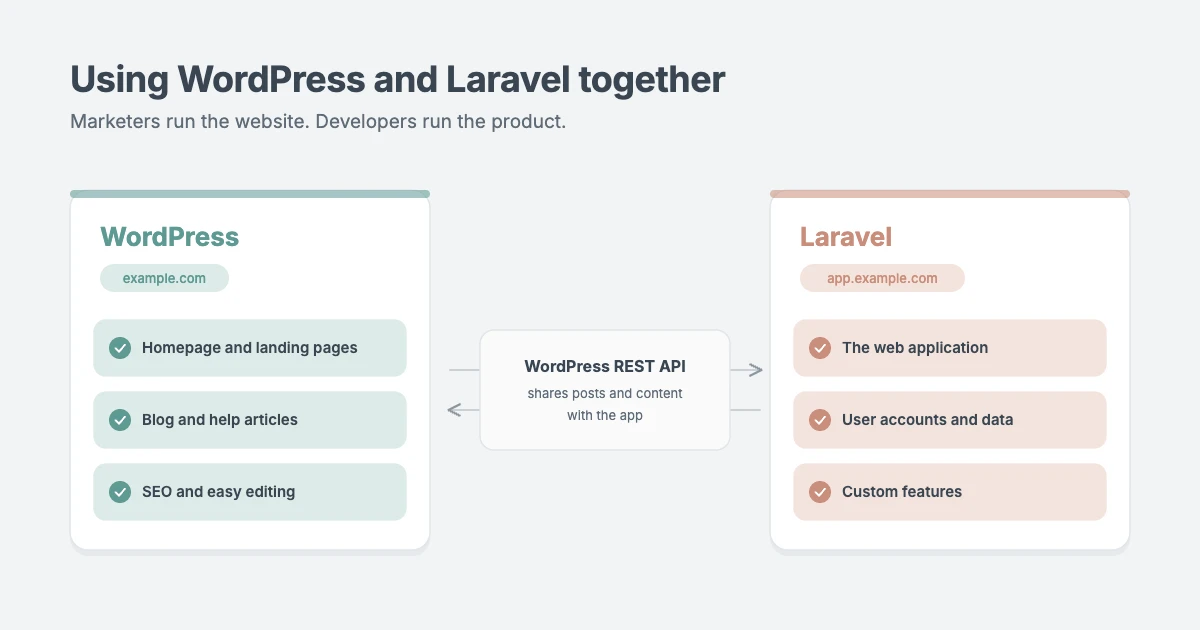
WordPress vs Laravel doesn’t always have to be a choice. Many companies use both:
- WordPress for the marketing site: the homepage, product pages, blog, help articles and landing pages, where SEO and easy editing matter most.
- Laravel for the application: the product itself, usually on a subdomain such as app.example.com.
- Connected where needed: the WordPress REST API lets a Laravel app read posts or other content from WordPress, so both stay in sync.
This hybrid setup gives marketers full control of the website while developers focus on the product.
Need help with your WordPress project?
If WordPress is the right choice for you, the WPInterface team can help you get it built properly:
- Custom WordPress Development: a site built around how your business works, with clean code you own and a fixed quote before work starts.
- WordPress Plugin Development: custom features, integrations and admin tools, so you get application-like functionality without leaving WordPress.
- Custom Theme Development: your design built as a fast, accessible block theme.
- WordPress Developer Retainer: a monthly bank of developer hours with a priority queue, without hiring in-house.
- WordPress Migration: moving from another platform, with a redirect for every URL so you keep your rankings.
Prefer to do it yourself? Browse our WordPress themes or see all of our professional WordPress services.
Frequently asked questions
Is WordPress or Laravel easier for beginners?
WordPress. You can install it with one click and manage your site from a visual dashboard without any coding. Laravel needs PHP programming skills and developer tools from the start.
Do I need to know how to code to use Laravel?
Yes. Laravel is a framework for developers, so you’ll need solid PHP skills, plus HTML, CSS and JavaScript for the front end. If you don’t code, you’ll need to hire a developer.
Is Laravel better than WordPress for SEO?
Not in practice. Laravel can be fully optimised for search, but a developer has to build every SEO feature. WordPress gives you SEO plugins that let anyone manage titles, descriptions, sitemaps and schema from the editor.
Is Laravel more secure than WordPress?
Laravel has stronger security defaults. WordPress core is secure too, and most WordPress hacks come from outdated plugins or weak passwords. Both are safe when they’re well maintained.
Can WordPress and Laravel work together?
Yes. A common setup is a WordPress marketing site and blog with a Laravel application on a subdomain. The WordPress REST API can share content between them.
Which is cheaper, WordPress or Laravel?
WordPress, for most projects. You can launch with hosting, a theme and free plugins. Laravel projects are custom software, so developer time is the main cost, both to build and to maintain.
Conclusion
In the WordPress vs Laravel debate, there’s no single winner, but there is a clear answer for most projects. If you’re building a website, a blog, a store or anything your team needs to edit, choose WordPress. If you’re building a custom web application with complex logic and you have developers to maintain it, choose Laravel. And if you need both, run them side by side.
Ready to build with WordPress? Explore our WordPress themes or talk to us about custom WordPress development.
Reactions
How did this make you feel?
1 reaction
One reaction per visitor. Tap again to change or remove it.



Leave a reply