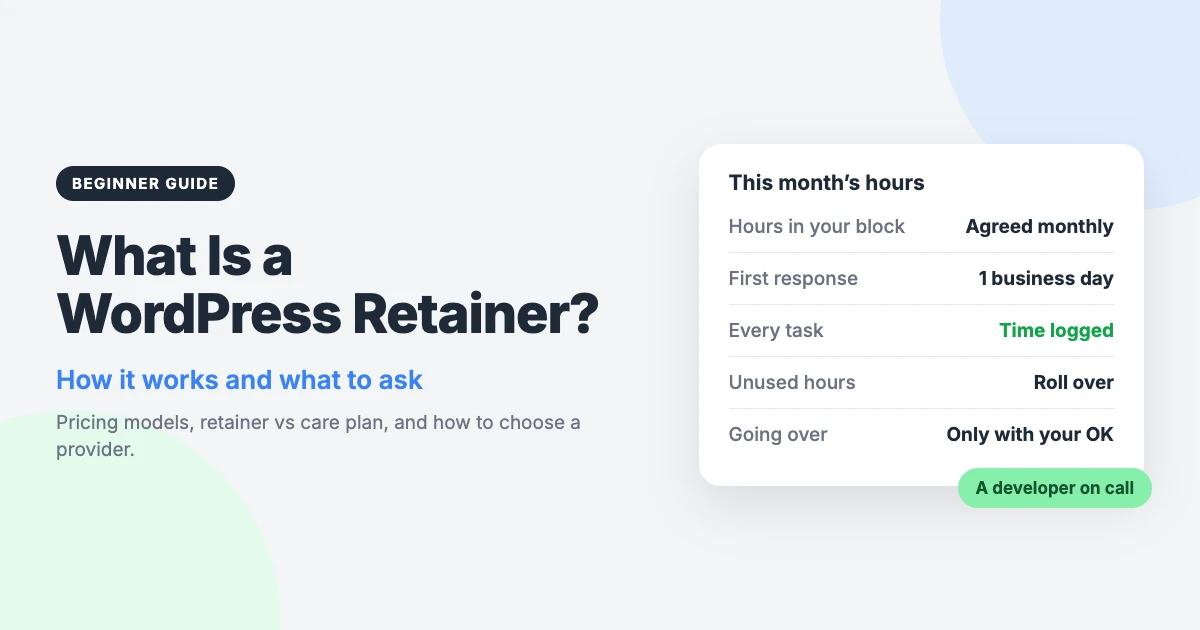
A WordPress retainer is a standing agreement that gives you a set amount of developer time every month. You pay a regular fee, and a developer you already know handles your fixes and changes.
It suits sites that need steady attention rather than one big project. Think small fixes, new sections, content changes and improvements that never quite stop arriving.
This guide explains how retainers work, the common pricing models, and how a retainer differs from a care plan. Our own offer comes near the end, clearly labelled.
What is a WordPress retainer?
A retainer is an ongoing arrangement between you and a developer or agency. You reserve a share of their time each month, and they agree to be available for your work.
The key idea is continuity. The same people work on your site month after month, so they learn your theme, your plugins and your preferences. You don’t have to brief a stranger each time something needs doing.
Three groups tend to use a WordPress monthly retainer:
- Businesses whose site brings in enquiries or sales, and who have a regular list of changes but no in-house developer.
- Agencies that design or market sites and need reliable development capacity behind the scenes.
- Publishers running blogs, news or magazine sites, where layouts, templates and features change often.
How a WordPress retainer works
Details vary between providers, but most retainers follow the same basic pattern.
- Agree the hours. You and the provider settle on a monthly amount of time, based on how much work you expect.
- Onboarding. You share access to the site and hosting. The developer reviews your setup and notes anything risky or unusual.
- Send requests. You submit tasks as they come up, usually by email or a ticket system. Clear requests with screenshots save time.
- Estimate for bigger jobs. Small tasks are simply done. Larger ones get an hours estimate first, so you can approve or adjust the scope.
- Work and log. The developer does the work and records the time each task took.
- Monthly summary. At the end of the month you see what was done, how many hours were used and what remains.
Common WordPress retainer pricing models
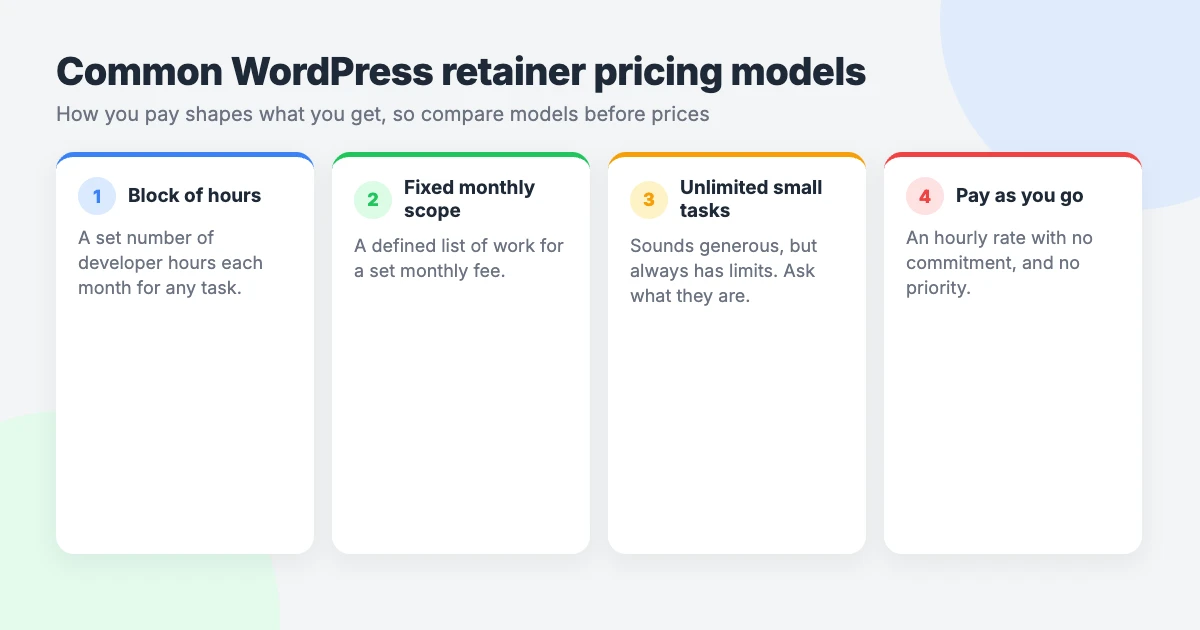
Not every retainer is priced the same way. These are the four models you are most likely to meet.
Block of hours
You buy a fixed number of hours each month. Tasks are deducted from the block as they are completed.
This is the most common model and the easiest to check. You can see what you paid for and what you received. The main question is what happens to hours you don’t use.
Fixed monthly scope
Here you pay for a defined list of deliverables rather than time. For example, a set number of new landing pages or content updates each month.
It works well when your needs are predictable. It works less well when they change, because anything outside the list needs a new conversation.
Unlimited small tasks
Some plans promise unlimited small tasks for a flat fee. Treat that word with care, because no provider has unlimited time.
The limits are usually in the small print. Common ones include a maximum time per task, one active task at a time, and a list of excluded work. The real capacity depends on how fast tasks move through the queue.
These plans can be good value for lots of tiny edits. They are a poor fit for anything that takes more than a short session.
Pay-as-you-go hourly
Strictly speaking this isn’t a retainer, but it is the usual alternative. You pay an hourly rate for each job, with no monthly commitment.
It is flexible and suits occasional work. The trade-off is that nobody has reserved time for you, so you may wait when the developer is busy.
| Model | How you pay | Best for | Watch out for |
|---|---|---|---|
| Block of hours | Fixed monthly fee for a set number of hours | Steady, varied work | Rollover rules and overage rates |
| Fixed monthly scope | Fixed monthly fee for agreed deliverables | Predictable, repeatable tasks | Extra charges for anything off the list |
| Unlimited small tasks | Flat monthly fee | Frequent tiny edits | Task size caps, queue limits, exclusions |
| Pay-as-you-go hourly | Per hour, per job | Occasional work | No reserved time or priority |
WordPress retainer vs care plan vs one-off support
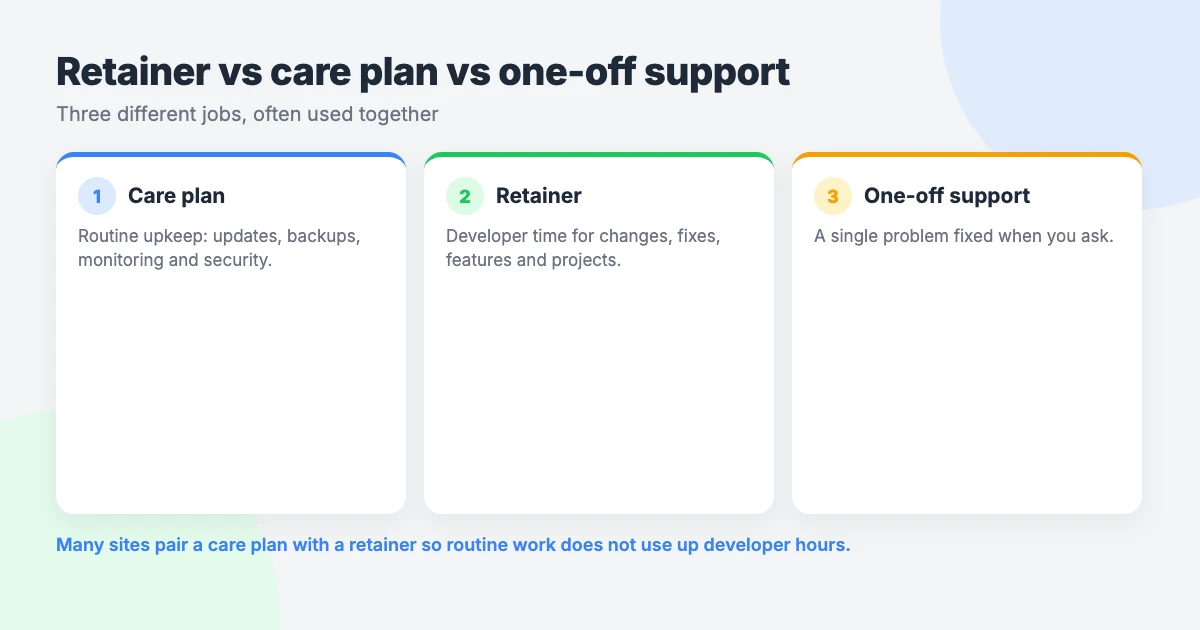
These three services are often confused, and some providers blur the names. They solve different problems.
| Service | What it is for | Typical work | How it is billed |
|---|---|---|---|
| Care plan | Routine upkeep | Updates, backups, security and uptime checks | Fixed monthly fee |
| Retainer | Developer time for changes | Fixes, new features, content changes, ongoing projects | Monthly fee for hours or scope |
| One-off support | A single problem | One error, one broken page, one question | Per ticket or per job |
A care plan keeps the site healthy. It covers the routine jobs that should happen whether or not you ask. Our guide to what a WordPress care plan includes goes through the usual tasks.
A retainer moves the site forward. It pays for a developer to change, fix and build things at your request. Some people call this a WordPress maintenance retainer, which adds to the confusion, so always check what the term means in the quote.
One-off support handles a single issue with no ongoing commitment. Many sites use a care plan plus a retainer, because the two don’t overlap much.
What a WordPress support retainer usually covers (and doesn’t)
Every agreement is different, so read yours closely. As a general guide, retainer hours are commonly used for:
- Bug fixes and layout problems.
- New pages, templates and small features.
- Content changes you would rather not make yourself.
- Plugin setup and configuration.
- Speed and usability improvements.
- Ongoing projects split across several months.
Things that are often not included unless the agreement says so:
- Routine updates and backups, which usually belong to a care plan.
- Hosting, domains and email.
- Licences for premium themes or plugins.
- Copywriting, photography and design from scratch.
- Emergency cover outside business hours.
- Large builds, such as a full redesign or a new shop.
If you are unsure what routine upkeep involves, our WordPress maintenance checklist lists the jobs. For the budget side, see our piece on WordPress maintenance cost.
Retainer vs hiring a developer
If you have regular development work, you could hire someone instead. Whether that makes sense depends mostly on how much work there is.
According to the US Bureau of Labor Statistics, the median annual wage for US web developers was $92,650 in May 2025. Salary is only part of the bill, though.
The US Bureau of Labor Statistics also reports that wages are about 68.5% of total employer cost for professional and related roles. Benefits and other costs make up the rest. You also pay for recruitment, equipment, holidays and management time.
Our rule of thumb is simple. With a full-time workload, hiring can make sense. With 10–40 hours of work a month, a retainer usually costs far less per hour of real work.
Hiring has real advantages, to be fair. An employee is available every day, learns your business in depth and can join meetings and planning. A retainer gives you less presence but no employment commitment, and you can change the hours as your needs change.
How to choose a WordPress retainer: 8 questions to ask
Ask every provider the same questions, and ask for the answers in writing.
- What exactly is included? Ask which kinds of work count and which need a separate quote.
- How fast will you respond? A first response time is not the same as a completion time. Ask about both.
- What happens to unused hours? They may roll over, expire or roll over for a limited period.
- What happens if I need more hours? You should be told before the limit is passed, and know the rate in advance.
- How is time tracked and reported? Look for a log of each task and the time it took.
- Who does the work? Ask whether you get a consistent developer or team, and how they are briefed on your site.
- Are updates and backups included? If not, find out who is responsible for them.
- What are the cancellation terms? Check the minimum term, the notice period and what happens to remaining hours.
Red flags
Most providers are fair, but a few warning signs are worth knowing.
- No written agreement, or one that doesn’t define what counts as a task.
- No time log, so you cannot see where the hours went.
- The word “unlimited” with no explanation of the limits.
- Extra hours billed without asking you first.
- A long lock-in period before you have seen any work.
- Vague response times, such as “as soon as possible”.
- Reluctance to say who will work on your site.
- Your site, hosting or domain held in the provider’s accounts, with no clear way to take them back.
Our WordPress developer retainer
This section is about our own service, so read it as a provider describing its offer. Our WordPress developer retainer is a block-of-hours model.
You get a monthly bank of developer hours for fixes, features, content changes and ongoing projects. Here is how it works:
- Response: you get a first response within one business day.
- Priority: retainer requests sit in a priority queue ahead of one-off work.
- Estimates: bigger items get an hours estimate first.
- Time log: every task is logged with the time it took.
- Rollover: unused hours roll over for one month. Older hours expire.
- More hours: we tell you before going over, and nothing extra happens without your OK.
- Extra time: extra hours are billed at the hourly rate in your written quote, or you can move to a larger block.
- Agencies: white-label is available. We work under your brand and don’t contact your clients unless asked.
Two limits are worth stating plainly. Updates and backups are not included by default, so most clients pair a retainer with a care plan.
A retainer is also not always the best route. For a large fixed-scope build, a quote for custom development is often better value.
If you only have one problem to solve, you don’t need a monthly agreement at all. VIP Support is a $29 priority ticket for one-off problems.
Frequently asked questions
How much does a WordPress retainer cost?
It depends on the number of hours you reserve and the provider’s rate. Experience, location and response times all affect that rate. Ask for a written quote that states the monthly fee, the hours included and the rate for extra hours.
Do unused retainer hours roll over?
It varies. Some providers let hours roll over, some expire them each month and some set a limit. With our retainer, unused hours roll over for one month and older hours expire.
Is a retainer the same as a care plan?
No. A care plan covers routine upkeep such as updates and backups. A retainer pays for developer time to make changes you ask for. Many site owners use both, and some providers bundle them, so check what your quote includes.
Can I cancel a WordPress retainer?
Usually, but the terms differ, so check them before you sign. Look for the minimum term, the notice period and what happens to unused hours. Monthly terms are the safer choice, because you can leave if the service doesn’t suit you.
Do agencies use white-label retainers?
Yes, it is a common arrangement. The agency keeps the client relationship and a development partner does the work under the agency’s brand. Our retainer is available white-label, and we don’t contact your clients unless asked.
Reactions
How did this make you feel?
Be the first to react
One reaction per visitor. Tap again to change or remove it.





Leave a reply