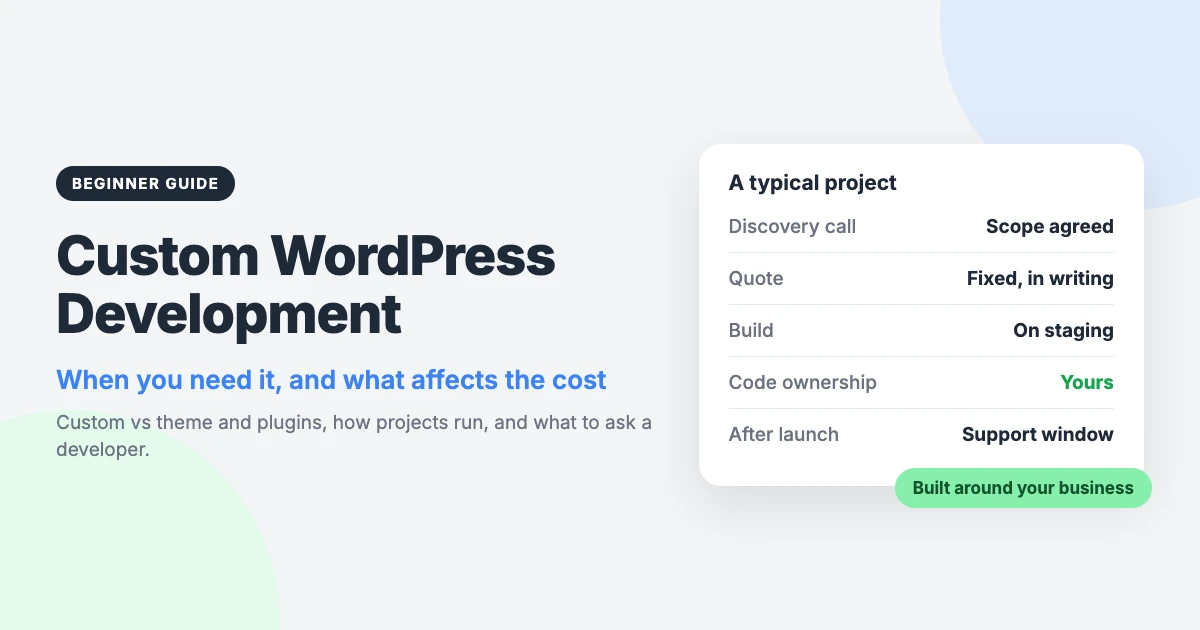
Most WordPress sites start with a theme and a handful of plugins, and for many that is all they ever need. Custom WordPress development is what you turn to when your site has to do something ready-made parts can’t do well.
The trouble is knowing which side of that line you’re on. Pay for custom work too early and you waste money. Leave it too late and you fight your own site every week.
This guide explains what the term means, when it’s worth it and when it isn’t. It also covers what shapes the cost, how a project runs and what to ask before you hire anyone.
What is custom WordPress development?
It means writing code for your site in particular, instead of relying only on products built for everyone. WordPress stays the foundation. The custom part is whatever sits on top to fit the way your organisation works.
That work usually falls into four areas:
- A custom theme. The templates and styles that control how your site looks, built around your design and nothing else.
- A custom plugin. Code that adds features or data to your site, such as a property listing, a course catalogue or a staff directory.
- Custom blocks. Editing components your team drops into a page, such as a pricing table or team grid, with only the options they need.
- Integrations. Connections that pass data between WordPress and other systems, such as your CRM, booking tool or payment provider.
A project might involve one of these or all four. If the look is the only thing you need changed, custom theme development on its own may be enough.
It also helps to separate “custom” from “customised”. A customised theme is a ready-made theme with your logo, colours and fonts applied. That’s a sensible way to launch, but the structure still belongs to the theme. With a custom build, the structure is designed around what you publish.
When you need custom WordPress development
If two or three of these sound familiar, custom work is probably worth a conversation.
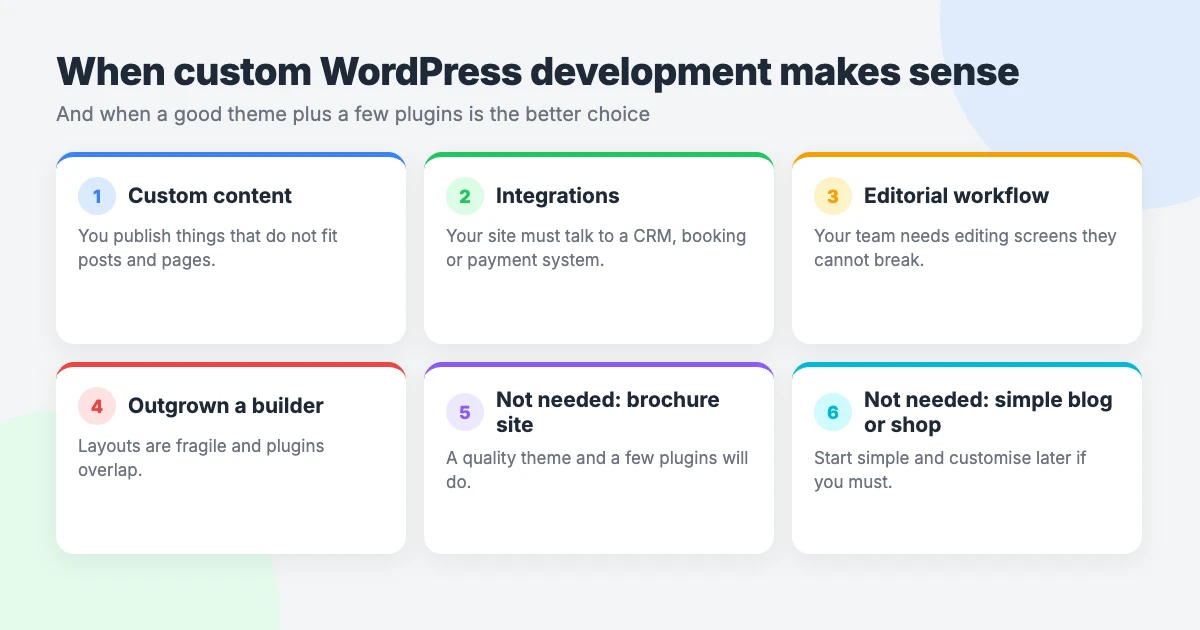
- Your content isn’t just posts and pages. Events, products, case studies, locations and people all have their own fields. Custom content types give each one a proper home.
- Your site has to talk to other tools. Enquiries should reach your CRM, bookings your calendar and payments your accounts. When no plugin connects them the way you need, the link has to be built.
- Your editorial workflow is specific. Perhaps several people write, one person approves and some content needs a review date. Custom roles and editing screens can match that process.
- You have performance needs. A site with heavy traffic or a large catalogue benefits from code that loads only what each page uses.
- You’ve outgrown a page builder. Pages have become slow to edit, layouts drift apart and small changes break other things. That’s usually a sign the site needs firmer structure.
- You need something no plugin offers. A quote calculator, a member area with unusual rules or a search that works across your own data.
When you probably don’t
Plenty of sites don’t need any of this, and a good developer will tell you so.
A brochure site with five or six pages, a contact form and a map is well served by a quality theme. So is a blog. So is a standard online shop selling ordinary products with ordinary shipping, because free ecommerce plugins already handle that well.
In those cases, a good theme plus a few carefully chosen plugins is often the right answer. It costs less and launches sooner.
Our advice is to try that route first. Write down what the site must do, then see how far a theme and a short plugin list take you.
Custom work makes sense only when a gap remains and that gap matters to your business.
Custom development vs theme + plugins vs page builder
Most sites are built in one of three ways. None is wrong. Each suits a different kind of project.
| Approach | Good for | Trade-offs | Maintenance |
|---|---|---|---|
| Theme + plugins | Brochure sites, blogs and standard shops with common requirements. | You work within what the theme and plugins allow. Unusual features may mean adding more plugins. | Regular updates to core, the theme and each plugin. More plugins means more to check. |
| Page builder | Marketing sites and landing pages where a non-developer wants visual control of layouts. | Easy to start, but pages can become heavy and inconsistent. Moving away from the builder later takes real work. | Updates to the builder and its add-ons. Layouts need checking after major releases. |
| Custom development | Sites with their own content types, integrations, workflows or performance targets. | Higher upfront cost and a longer lead time. You depend on good documentation and tidy code. | Fewer moving parts, but the custom code needs testing against new WordPress and PHP versions. |
Custom builds still use plugins. The aim is fewer, purpose-built plugins, and there is a security argument for that. Patchstack reported that 91% of 2025’s WordPress vulnerabilities were in plugins, so every plugin you don’t need is one less thing to watch.
Occasionally WordPress isn’t the right base at all. If you’re building a web application more than a website, our WordPress vs Laravel comparison is worth reading first.
What affects the cost of a custom WordPress website
We won’t quote market prices, because any figure would be wrong for most readers. These are the things that move a quote up or down.
- Scope. The list of things the site must do is the biggest factor.
- Number of templates. Each distinct page layout has to be designed, built and tested. Ten layouts take more time than four.
- Integrations. Every outside system adds work.
- Content migration. Moving a few pages by hand is quick. Moving thousands of entries from an old system needs scripts and careful checking.
- Whether the design is ready. Arriving with finished mockups removes a whole phase. Starting from a blank page adds one.
- Accessibility and performance targets. Meeting a named accessibility standard or a strict speed target takes extra testing time.
- Support after launch. A longer support window or ongoing help is a cost too, and it should be visible in the quote.
You’ll also meet two pricing models. With hourly billing, you pay for time spent, so the final total isn’t known until the end. That suits open-ended work.
With a fixed quote, the developer agrees a price for a written scope. You know the total before work starts, and anything outside the scope is priced separately.
For the wider picture, including hosting, content and running costs, see our article on how much a business website costs.
How a custom WordPress project runs
Good projects follow much the same order, whoever builds them.
- Discovery. A conversation about your organisation, your content and what the site has to achieve.
- Scope and fixed quote. A written list of what will be built, with a price and a timeline.
- Design. Layouts for each template, either supplied by you or created as part of the project.
- Build on staging. The site is built on a private copy that visitors can’t see.
- Content and testing. Real content goes in. The site is checked on phones and desktops, with a keyboard, and against the agreed scope.
- Training and launch. Your team learns the editing screens, then the site goes live at a quiet time.
- Post-launch support. A set period for fixing anything that only shows up under real use.
How to hire a WordPress developer: 8 questions to ask
You don’t need to read code to choose a custom WordPress developer well. These questions tell you most of what you need to know.
- Who owns the code? The answer should be you, once you’ve paid. Get it in writing.
- Do you follow WordPress coding standards? Code written to the official standards is far easier for someone else to read later.
- Will you build on staging? Work should happen on a private copy, never on your live site.
- What documentation will I get? Expect notes on how the site is put together and how your team edits it.
- How are updates handled? Ask who updates WordPress, plugins and the custom code, and how changes are tested first.
- How do you approach accessibility? Look for a specific answer about headings, colour contrast, keyboard use and testing.
- What support is included after launch? Find out how long it lasts and what it covers.
- Can another developer take over? A confident yes, with reasons, is a very good sign.
Before you hire a WordPress developer, ask to see one or two recent projects as well.
Red flags
A few warning signs are worth walking away over.
- Proprietary lock-in. The site runs on a private framework or a licence only that developer controls.
- No staging site. Changes are made directly on the live site, so your visitors find the mistakes first.
- Heavy plugin stacks. Dozens of plugins are installed to avoid writing a little code.
- No written scope. The price rests on a phone call and good intentions.
- No handover documents. Nothing explains how the site works.
Our custom WordPress development service
We offer custom WordPress development services at a fixed price.
We build custom content types for what you publish, editing screens your team can’t break and integrations with tools you already use. Everything is planned, built on staging and handed over with code you own.
- Fixed quote. You get a fixed quote after a discovery call, and you approve the scope before work starts.
- Typical delivery of 2–8 weeks. Team training is included.
- Built to the official WordPress handbooks. Content types live in a plugin, integrations use the REST API and blocks are registered with block.json. Any experienced WordPress developer can pick it up later.
- Yours to keep. You own everything once the final invoice is paid, and it runs on hosting in your name.
- Your design or ours. We can build from Figma, Adobe XD or a PDF mockup.
- Your choice of host. We work with any host that runs a current PHP version and gives SSH or SFTP access.
- Support after launch. Every build includes a post-launch support window, set out in the quote.
- Rescue work. We can often take over a half-finished project, starting with a short code review.
Tell us what you need and a WordPress engineer replies within one business day with a plan and a fixed price. An NDA is available on request.
After launch: keeping a custom site healthy
A custom WordPress website still needs looking after. WordPress, your plugins and PHP all release new versions, and your own code should be tested against them.
After our support window ends, you can keep the site updated yourself or move to a care plan. To see what that covers, read our guide to a WordPress care plan.
Updates are only half of it. Most organisations also want new features, new templates or small changes as they grow. A WordPress retainer suits that kind of ongoing work, because you get regular development time without a new quote for each request.
Frequently asked questions
How much does custom WordPress development cost?
It depends on the scope. The number of templates, the integrations, the amount of content to move and whether a design already exists all change the price.
The safest approach is to ask for a fixed, written quote against a scope you’ve approved.
How long does a custom WordPress site take?
Our builds are typically delivered in 2–8 weeks. Where yours falls depends on the size of the scope, how many integrations are involved and how quickly content and feedback arrive.
Will I own the code?
With us, yes. You own everything once the final invoice is paid, and the site runs on hosting in your name. Whoever you hire, get ownership confirmed in writing.
Can another developer work on my site later?
They should be able to, so check before you sign. We follow the official WordPress handbooks, so any experienced WordPress developer can pick up the code later.
Is custom WordPress better than a theme?
Not automatically. For a simple site, a good theme plus a few plugins is often the better choice.
Custom work is better when you have your own content types, integrations or workflows that a theme can’t handle cleanly.
Reactions
How did this make you feel?
Be the first to react
One reaction per visitor. Tap again to change or remove it.



Leave a reply