
An accessible website is one that everyone can use, including people who have low vision, are colorblind, have dyslexia, find it hard to concentrate, or navigate with a keyboard or screen reader. Your WordPress theme does a lot of that work, because it controls your site’s layout, colors, fonts, menus and how pages respond to the keyboard. Pick the wrong one and you’ll spend hours fixing it. Pick the right one and you start from a solid base.
In this guide, we’ve picked the best accessible WordPress themes for 2026 from our own WPInterface Pro collection. Every accessible WordPress theme on this list includes a built-in accessibility toolbar, so your visitors can adjust text size, contrast, fonts and more without you installing a separate plugin. We’ll also explain what makes a WordPress theme accessible, what to check before you choose one, and what you still need to do with your content.
What makes a WordPress theme accessible?
An accessible WordPress theme makes it easy for every visitor to read your content and use your site, whatever device or assistive technology they use. The most widely used standard is the W3C’s Web Content Accessibility Guidelines (WCAG), which groups its advice into four principles: content should be perceivable, operable, understandable and robust.
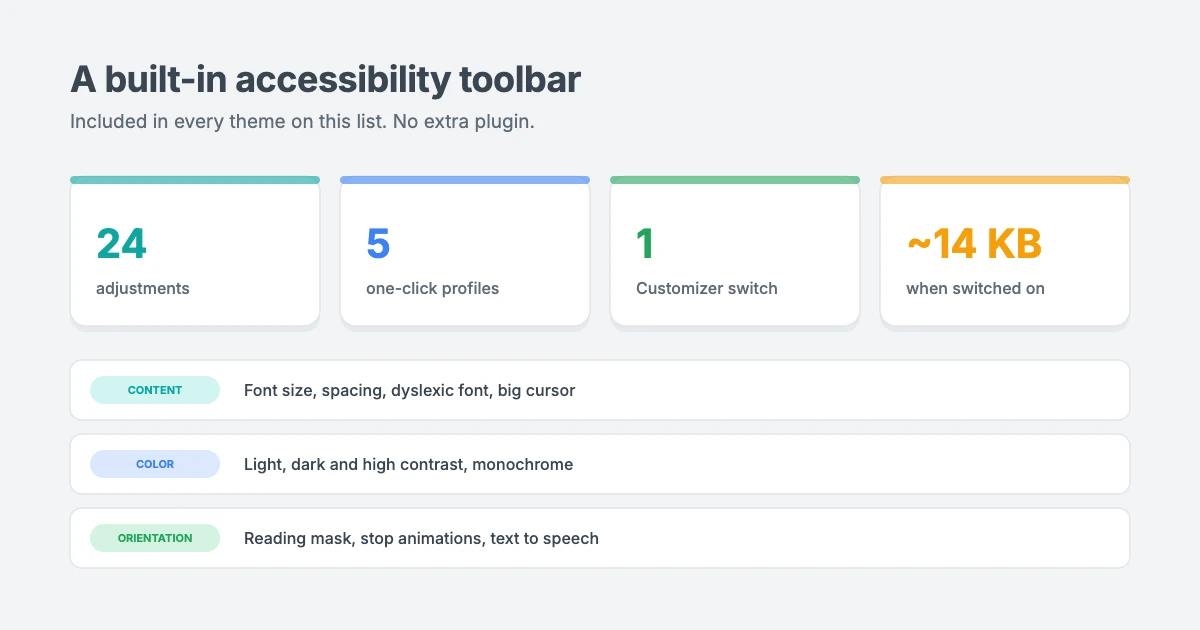
For a theme, that comes down to a few practical things:
- Readable text and colors. Body text needs enough contrast against its background. WCAG recommends a contrast ratio of at least 4.5:1 for normal text.
- Keyboard navigation. Every link, menu and button should work with the Tab and Enter keys, with a clear outline showing where you are.
- A clear heading structure. One H1 per page and headings in order help screen reader users move around. See our tutorial on how to properly use heading tags in WordPress.
- Responsive, zoom-friendly layouts. Pages should still work when visitors zoom in or use a small phone screen.
- Control over motion and media. Sliders, animations and autoplaying video can be distracting or even harmful for some visitors, so they should be easy to stop.
- Fast, lightweight pages. Heavy pages are hard to use on slow connections and older devices, which many people with disabilities rely on.
A built-in accessibility toolbar in every theme on this list
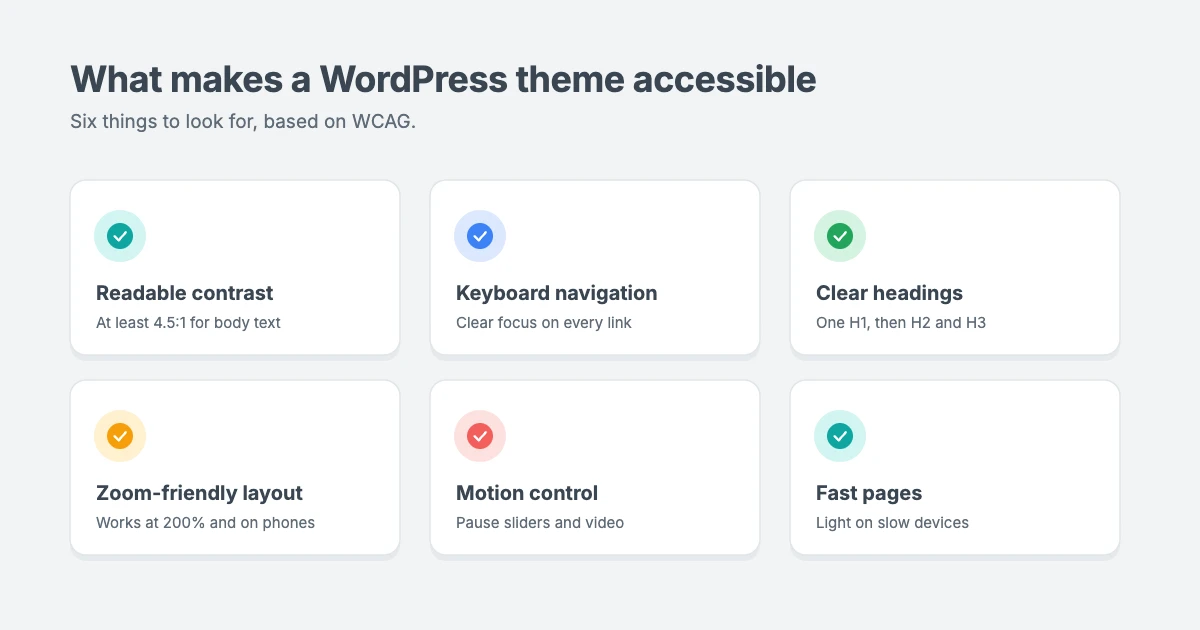
The accessible WordPress themes in this guide go a step further than a clean, accessible layout. Each one includes a built-in accessibility toolbar that visitors open from a floating button. It’s part of the theme, so there’s no extra plugin to install, update or pay for.
- 24 adjustments in three groups: content (font size, line height, letter spacing, readable and dyslexia-friendly fonts, highlighted links and titles, a big cursor), color (light, dark and high contrast, monochrome, saturation) and orientation (reading line and mask, stop animations, hide images, text to speech, keyboard navigation, mute sounds).
- 5 one-click profiles: Vision Impaired, Seizure Safe, ADHD Friendly, Blindness and Epilepsy Safe.
- One switch to turn it on: go to Appearance » Customize » Accessibility and tick Enable. From there, you choose which tools to show, the button style and position on each device, and the language.
- An accessibility statement generator that creates a statement page for your site, linked from the toolbar.
- Fast and private: nothing loads when it’s switched off. When it’s on, it adds about 14 KB, makes no outside requests and sets no cookies.
The toolbar helps visitors adjust your site to their needs. It supports your accessibility work, but it doesn’t replace accessible content, which we cover at the end of this guide.
Best accessible WordPress themes at a glance
| Theme | Type | Best for |
|---|---|---|
| NewsMachine Pro | Magazine | Lifestyle magazines and bloggers |
| SpeedNews Pro | News | Tech, business and lifestyle news |
| NewsNation Pro | News | Newsrooms and multi-section publishers |
| TruthNews Pro | Newspaper | Journalists and local papers |
| NewsPanda Pro | News and magazine | Growing a newsletter audience |
| MagNine Pro | Magazine | Mobile-first magazines and newspapers |
| NotoMag Pro | News and magazine | Sites with many sections |
| ColorVibe Pro | Magazine | Colorful, image-rich news sites |
| TrendingNews Pro | Lifestyle magazine | Fashion, beauty and culture |
| SpeedBlog Pro | Blog | Bloggers who publish often |
| BlogAura Pro | Blog | Colorful, creative blogs |
| BlogSky Pro | Blog | Writers who want a calm, readable layout |
| BlogNest Pro | Blog | Elegant personal journals |
| TruthBlog Pro | Blog | Lifestyle and personal blogs |
| FitNote Pro | Blog | Photo-led personal blogs |
| Vintuna Pro | Magazine | Fashion and entertainment |
| Portfolico Pro | Portfolio | Designers, developers and freelancers |
| RePortfolio Pro | Portfolio and blog | Creatives who also write |
Every accessible WordPress theme on this list scores 95 for performance in Google PageSpeed Insights on its demo, is translation ready with RTL support for right-to-left languages, and works with the block editor. Real-world speed depends on your hosting, plugins and content.
Best accessible news and magazine WordPress themes
These themes suit publishers who need to fit a lot of stories on the page, while keeping it easy to scan and navigate.
1. NewsMachine Pro

NewsMachine Pro brings the look of a printed magazine to the web, with a full-width banner, a classic serif masthead and one big lead story. It’s our top pick for an accessible WordPress theme for magazines because it combines that rich look with a light, fast base and the built-in accessibility toolbar.
- Best for: bloggers and lifestyle magazines covering fashion, travel, tech and food.
- Why it’s an accessible WordPress theme: a single clear lead story gives every page an obvious starting point, and readers can switch on high contrast, larger text or a reading mask from the toolbar.
- Why we like it: a mobile Largest Contentful Paint of 1.1 seconds on its demo, so pages appear quickly even on slower phones.
2. SpeedNews Pro

SpeedNews Pro puts a lot of stories on one screen without making it feel crowded, with a trending ticker and mosaic headlines. It suits publishers who cover breaking news, new technology and the latest products.
- Best for: tech, business and lifestyle news sites.
- Why it’s an accessible WordPress theme: visitors who find moving headlines distracting can freeze the ticker and other animations with the toolbar’s Stop Animations tool.
- Why we like it: busy front pages stay fast, which matters for readers on older devices.
3. NewsNation Pro

NewsNation Pro gives a newsroom a bold, broadcast-style front page with a dark masthead, a breaking news ticker and tabbed sections.
- Best for: editors, publishers and news sites with many sections.
- Why it’s an accessible WordPress theme: with lots of sections on the page, the toolbar’s Keyboard Navigation tool lets keyboard users jump straight between headings, links and forms.
- Why we like it: a multi-layout homepage that still loads like a much lighter theme.
4. TruthNews Pro

TruthNews Pro looks and reads like a newspaper. A heavy serif masthead, a category menu for every desk and large, centered lead stories sit in a clutter-free layout.
- Best for: journalists, local newspapers and independent publishers.
- Why it’s an accessible WordPress theme: a clutter-free layout with large headlines is easier to follow, and readers can switch to a plain readable font if they find serif type hard to read.
- Why we like it: it gives serious reporting the weight it deserves, without visual noise.
5. NewsPanda Pro

NewsPanda Pro gives a news or magazine site a bold, confident front page, with an image masthead, a mailing list button and a Breaking News list.
- Best for: news and magazine sites that want to grow a newsletter audience.
- Why it’s an accessible WordPress theme: the toolbar’s Highlight Links tool makes calls to action and story links easy to spot for readers with low vision.
- Why we like it: the mailing list button sits right in the masthead, so subscribing is one clear step.
6. MagNine Pro

MagNine Pro combines a bold red header with elegant serif headlines and a three-column feature area. It’s designed mobile first, so layouts work well on small screens.
- Best for: magazines and newspapers with a mobile-heavy audience.
- Why it’s an accessible WordPress theme: mobile-first layouts hold up well when visitors enlarge text, and the toolbar’s font size tool goes up to 175%.
- Why we like it: a confident, contemporary front page that doesn’t fall apart on phones.
7. NotoMag Pro

NotoMag Pro pairs a bold, uppercase masthead with a clean, modern layout and a Watch Live block. It’s built for journalists, bloggers and publishers who run many sections.
- Best for: editorial sites with lots of categories.
- Why it’s an accessible WordPress theme: clearly separated sections help readers find their way, and Highlight Titles outlines every heading for visitors who skim.
- Why we like it: every section looks deliberate, even on a busy site.
8. ColorVibe Pro
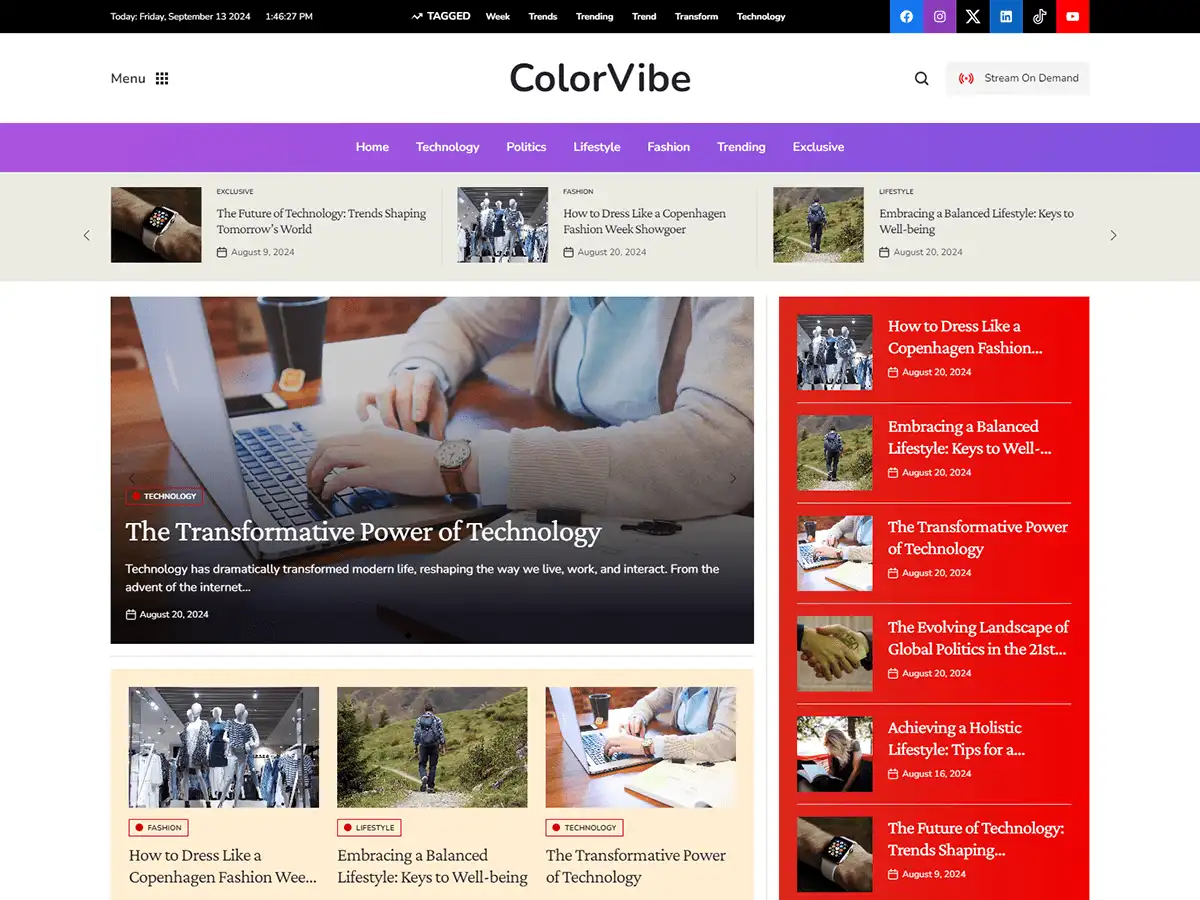
ColorVibe Pro adds a splash of color to news and magazine sites, with a purple menu bar, a red Breaking News panel and image-rich mosaic grids.
- Best for: colorful, image-led news, magazine and blog sites.
- Why it’s an accessible WordPress theme: bold color is great for most readers, and visitors who prefer less can turn on Monochrome or lower the Saturation from the toolbar.
- Why we like it: it proves a bright, playful design can still give everyone a comfortable way to read.
9. TrendingNews Pro

TrendingNews Pro is made for blogs and magazines that follow what’s new, with a header ad slot and a Top Picks section.
- Best for: fashion, beauty, culture and influencer sites.
- Why it’s an accessible WordPress theme: visitors can use Hide Images to cut visual noise on image-heavy pages and focus on the text.
- Why we like it: it’s ready for advertising from day one without becoming cluttered.
Best accessible blog WordPress themes
These themes keep the focus on your writing, with readable layouts that work well for long posts.
10. SpeedBlog Pro

SpeedBlog Pro gives your blog a clean, magazine-style front page that loads fast and stays easy to run, with one-click demo import.
- Best for: travel, tech, personal and creative blogs that publish often.
- Why it’s an accessible WordPress theme: a clean layout and clear category labels help readers choose what to read, and Text to Speech reads any paragraph aloud.
- Why we like it: lean code keeps your posts in focus.
11. BlogAura Pro

BlogAura Pro turns a blog into something closer to a magazine cover, with vibrant color, a centered masthead, a full-width slider and an Exclusive section.
- Best for: creative bloggers and media sites.
- Why it’s an accessible WordPress theme: the slider can be frozen with Stop Animations, and readers can switch to Dark Contrast for comfortable night-time reading.
- Why we like it: bold design without the heavy page weight that usually comes with it.
12. BlogSky Pro

BlogSky Pro is built for people who write. Clean typography, generous white space and a calm layout keep attention on your words.
- Best for: writers, essayists and content creators.
- Why it’s an accessible WordPress theme: a minimalist, typography-led design is one of the easiest layouts to read, and the Dyslexic Font option switches posts to OpenDyslexic.
- Why we like it: it’s our most readable blog theme for long-form writing.
13. BlogNest Pro

BlogNest Pro gives bloggers a polished home for their stories, with a serif masthead, soft color blocks, a post slider and Featured Categories.
- Best for: personal journals and online magazines.
- Why it’s an accessible WordPress theme: soft colors are easy on the eyes, and Line Height and Letter Spacing let readers open up the text if they need more space.
- Why we like it: it looks professional from day one.
14. TruthBlog Pro

TruthBlog Pro gives a personal or lifestyle blog the confidence of a magazine, with a full-width hero, bold story cards and category tabs.
- Best for: personal and lifestyle bloggers.
- Why it’s an accessible WordPress theme: big story cards are easy to tap on phones, and the Big Cursor helps desktop readers who struggle to see the pointer.
- Why we like it: the filterable post grid makes it easy to find related stories.
15. FitNote Pro

FitNote Pro is a personal and lifestyle blog theme with a friendly, handwritten-style logo, image-led Top Picks and a numbered story list.
- Best for: photo-led personal, fitness and lifestyle blogs.
- Why it’s an accessible WordPress theme: plenty of white space and a numbered list of stories make the page easy to follow, and readers can enlarge any text with the Text Magnifier.
- Why we like it: it feels relaxed and personal, without sacrificing speed.
16. Vintuna Pro

Vintuna Pro brings a glossy, editorial feel to fashion, lifestyle and entertainment sites, with a soft gradient masthead, featured grids and a dedicated video section.
- Best for: fashion, lifestyle and entertainment publishers.
- Why it’s an accessible WordPress theme: visitors can Mute Sounds and Stop Animations across video-rich pages with one click.
- Why we like it: image-led stories look great and still load quickly.
Best accessible portfolio WordPress themes
A portfolio is often the first thing a client or employer sees, so it needs to work for everyone.
17. Portfolico Pro

Portfolico Pro puts you at the center of your own site. A fixed side panel carries your name, photo, short bio and social links, while the main area shows your work in image-led grids.
- Best for: designers, developers, photographers and freelancers.
- Why it’s an accessible WordPress theme: the fixed side panel keeps your contact links in the same place on every page, and Keyboard Navigation makes the whole portfolio easy to browse without a mouse.
- Why we like it: it introduces you first, then your work.
18. RePortfolio Pro

RePortfolio Pro combines a personal portfolio with a blog. Visitors meet you through an author card and contact form, then browse your stories in a masonry grid.
- Best for: creatives, freelancers and professionals who also write.
- Why it’s an accessible WordPress theme: a clear author card and contact form make it obvious how to get in touch, and Highlight Content outlines whichever block a visitor is reading.
- Why we like it: portfolio and blog live happily on one page.
How to choose an accessible WordPress theme
Before you buy any theme, ours included, run through this checklist on its live demo.
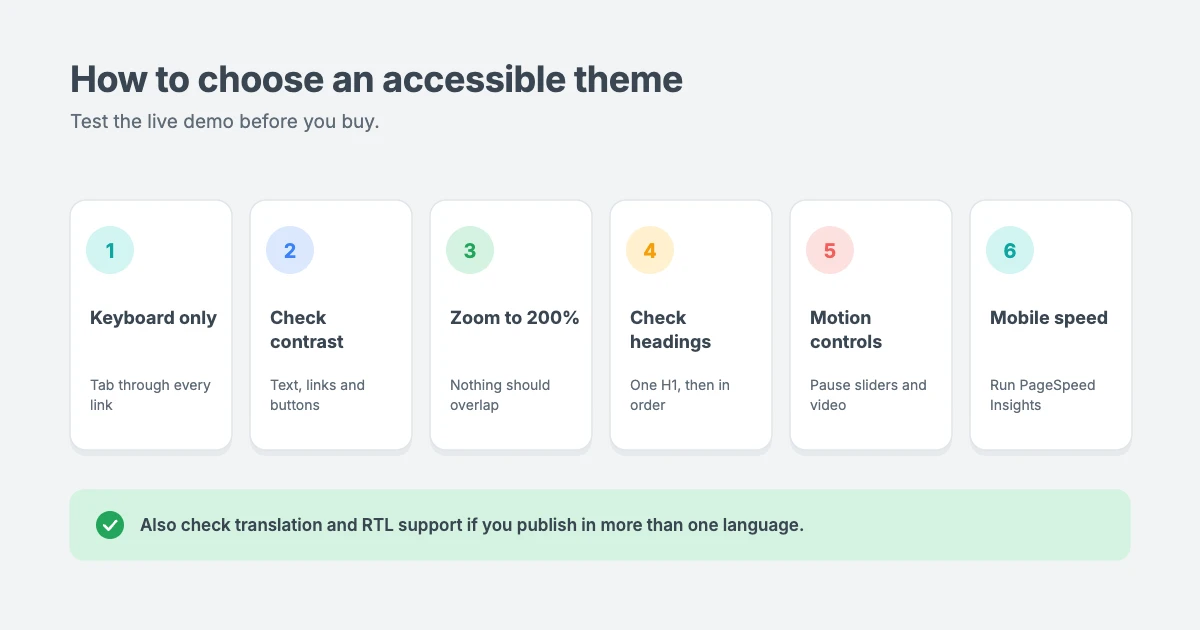
- Use only your keyboard. Press Tab to move through the page. You should always see where you are, and every menu and button should open with Enter.
- Check color contrast. Use a free tool such as the WebAIM Contrast Checker on body text, links and buttons.
- Zoom to 200%. Press Ctrl and + (or Cmd and + on a Mac). Text should get bigger without overlapping or disappearing.
- Check the headings. Each page should have one H1, with H2 and H3 headings in order.
- Look for motion controls. Sliders, tickers and video should be easy to pause or stop.
- Test speed on mobile. Run the demo through PageSpeed Insights and look at the mobile results.
- Check for RTL and translation support if you publish in more than one language.
What you still need to do with your content
Even the most accessible WordPress theme can’t fix content problems for you. Once your theme is set up, build these habits into your publishing:
- Write alt text for every meaningful image, describing what it shows and why it’s there.
- Use headings in order, starting with H2 inside your posts.
- Write descriptive link text such as “read our pricing guide” instead of “click here”.
- Add captions or transcripts to videos and podcasts.
- Don’t rely on color alone to show meaning, for example in charts or form errors.
- Keep paragraphs short and use plain language.
- Publish an accessibility statement that explains what you’ve done and how visitors can contact you. The theme’s statement generator gives you a starting point.
The W3C’s introduction to web accessibility is a good place to learn more.
Pricing and licenses
All the accessible WordPress themes in this guide come with the same license options:
| License | Price | Websites |
|---|---|---|
| Regular | $59 per year | 1 website |
| Lifetime | $99 one-time | Up to 10 websites |
| Lifetime with Installation | $149 one-time ($129 for SpeedBlog, BlogAura and BlogSky) | Unlimited websites |
Want them all? The All-Access Pass gives you every current and future WPInterface theme for $299.
Accessibility isn’t only about design. In many countries it’s also a legal requirement. Our guide on how built-in accessibility tools help reduce legal risk explains why, and our announcement of the 24 accessibility tools built into WPInterface Pro themes shows exactly what’s included.
Need help making your site more accessible?
If you’d like an expert to set up your theme or review your site, the WPInterface team can help:
- WordPress Theme Customization: we adjust colors, fonts and layouts for better contrast and readability, and set up the accessibility toolbar for you.
- Custom Theme Development: a custom theme built with accessible markup and a clean heading structure from day one.
- WordPress Care Plans: we keep your theme and plugins updated, with backups and monitoring.
- VIP Support: a $29 priority ticket for quick, expert help with a specific problem.
See all our professional WordPress services for more options.
Frequently asked questions
What is the most accessible WordPress theme?
There’s no single most accessible theme for every site. Choose one with readable colors, clear headings, keyboard support and motion controls that fits your content. For writing-focused sites, BlogSky Pro’s calm, typography-led layout is one of the easiest to read. For news sites, NewsMachine Pro and TruthNews Pro give every page a clear starting point.
Does an accessibility toolbar make my site compliant?
No. A toolbar helps visitors adjust your site to their needs, but no single tool can make a website compliant on its own. Accessibility also depends on your content, such as alt text, headings, captions and link text, and on any plugins you add.
Do I need a separate accessibility plugin with these themes?
No. Every accessible WordPress theme on this list includes the accessibility toolbar as part of the theme. You turn it on under Appearance » Customize » Accessibility, so there’s no extra plugin to install or update.
Will the accessibility toolbar slow down my site?
Barely. When it’s switched off, it adds nothing to your pages. When it’s on, it adds about 14 KB, loads without blocking your page, makes no outside requests and sets no cookies.
Are these themes good for right-to-left languages?
Yes. All the accessible WordPress themes in this guide are translation ready with RTL support, so layouts flip correctly for languages such as Arabic and Hebrew. To translate the theme’s own text, see our guide on how to translate your theme with Loco Translate.
Can I make my current theme more accessible instead?
Often, yes. You can improve contrast, fonts and heading structure in a child theme, and fix content issues such as alt text and link wording. If your current theme has deeper problems, such as menus that don’t work with a keyboard, switching to an accessible theme is usually faster.
Conclusion
The best accessible WordPress theme is one that’s easy to read, works with a keyboard, gives visitors control over motion and media, and loads fast on any device. Every accessible WordPress theme on this list adds a built-in accessibility toolbar on top of that, so your visitors can adjust your site to suit them.
For a magazine or news site, start with NewsMachine Pro or TruthNews Pro. For a blog, BlogSky Pro and SpeedBlog Pro are great choices. For a portfolio, try Portfolico Pro. Or browse all our WordPress themes.



Leave a reply